
Authorizing a Connector Using OAuth
Grant API permissions to a gateway connector by signing in to the business application as a System Administrator.
Before you begin
You need a System Administrator account for the business application. An account without administrator rights cannot grant the permissions the connector needs.
AI Security stores the resulting refresh token in the per-tenant vault. Your agents never receive the real credentials for the business application.
Steps
-
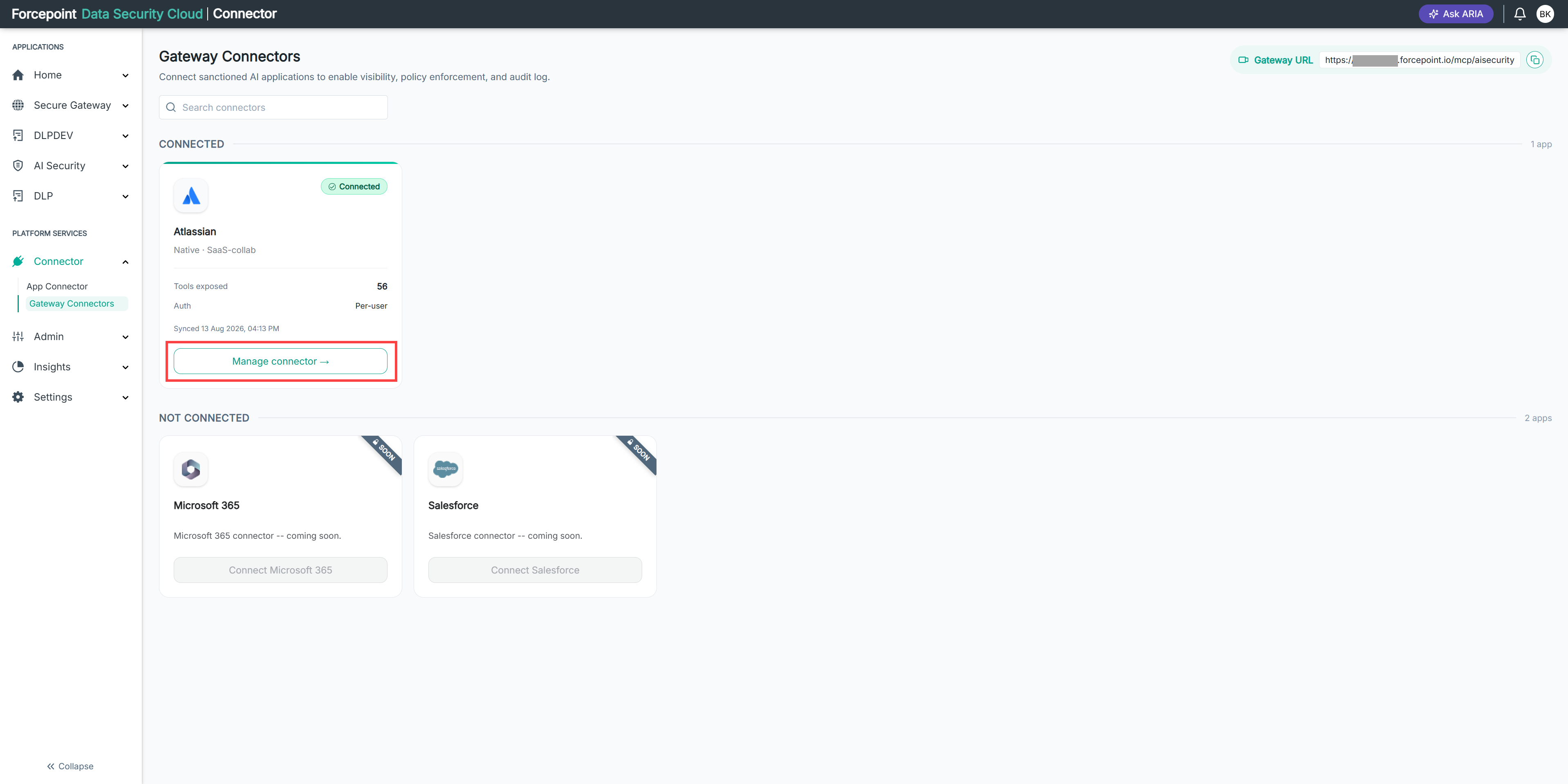
Open the Manage connector panel for the gateway connector.
-
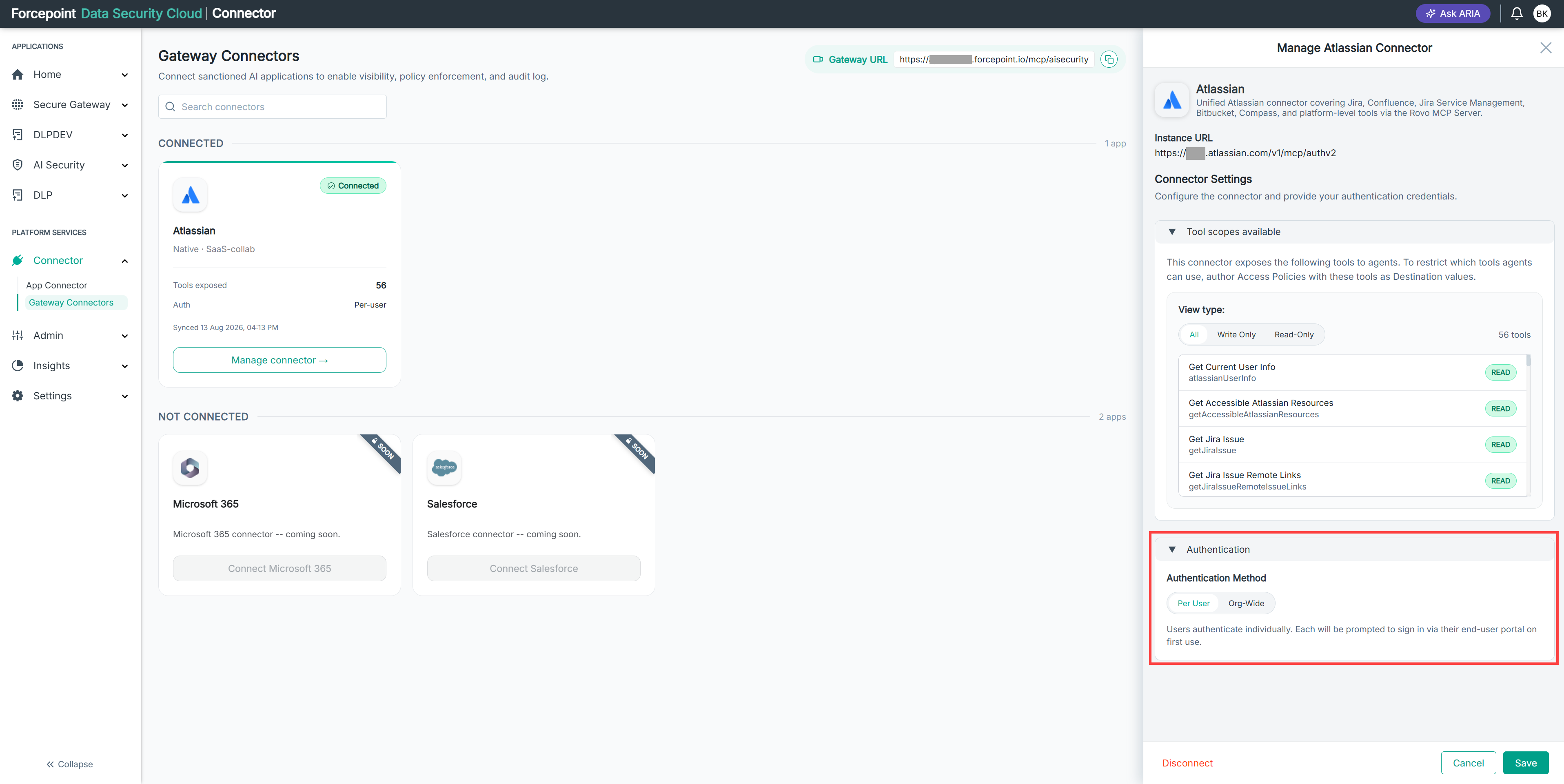
Expand Authentication.
-
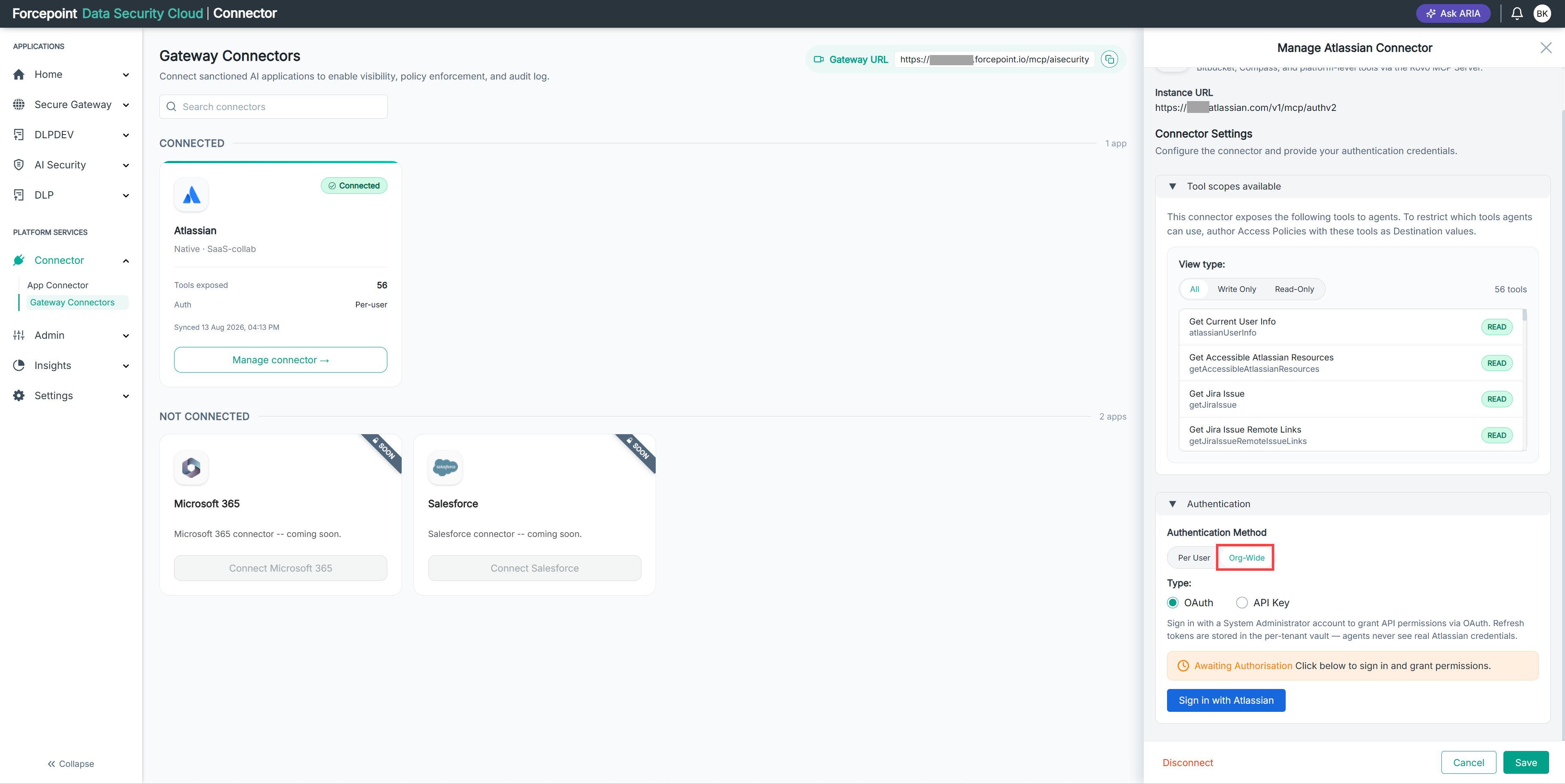
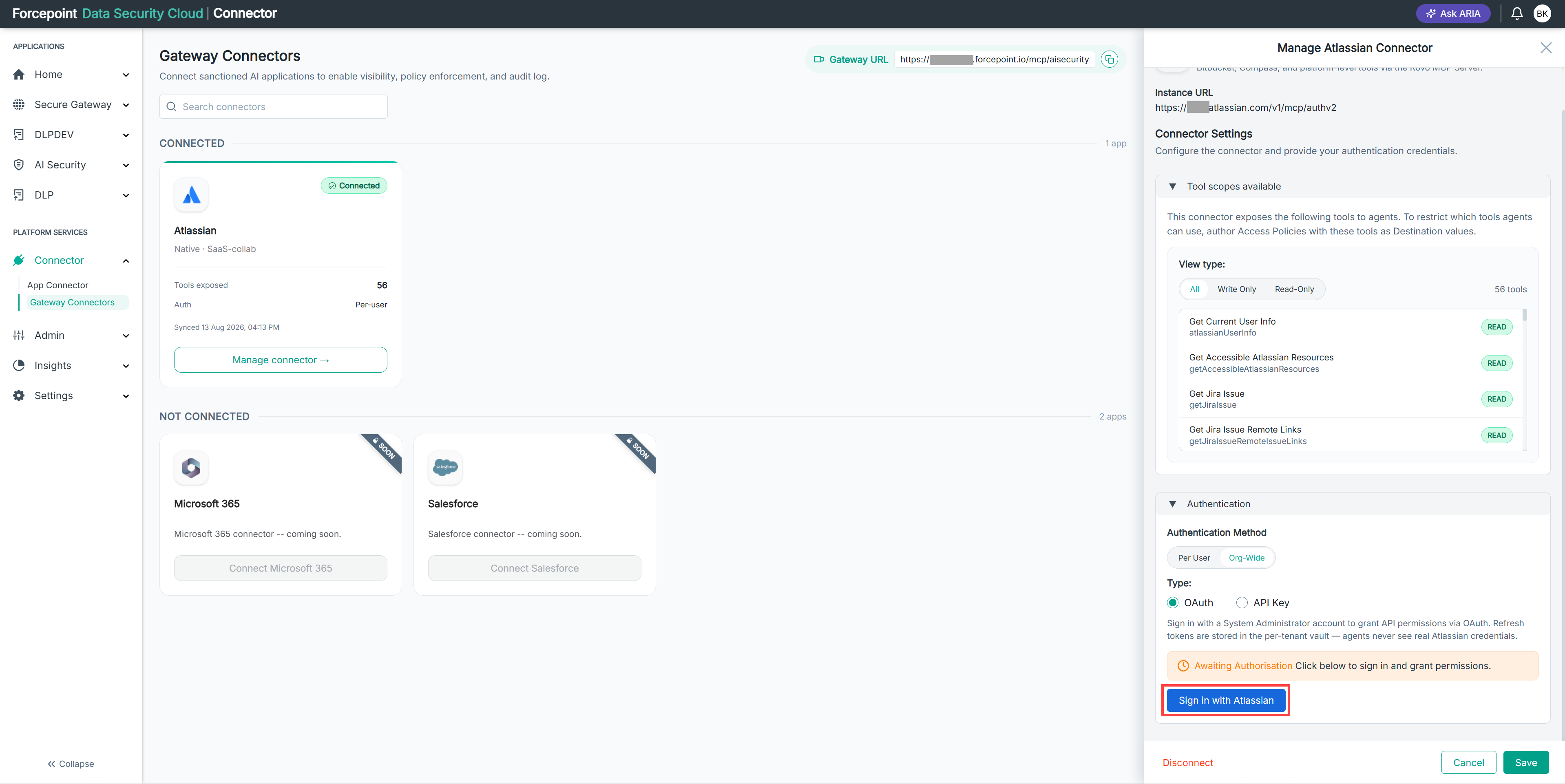
Under Authentication Method, select Org-Wide.
-
Under Type, select OAuth.
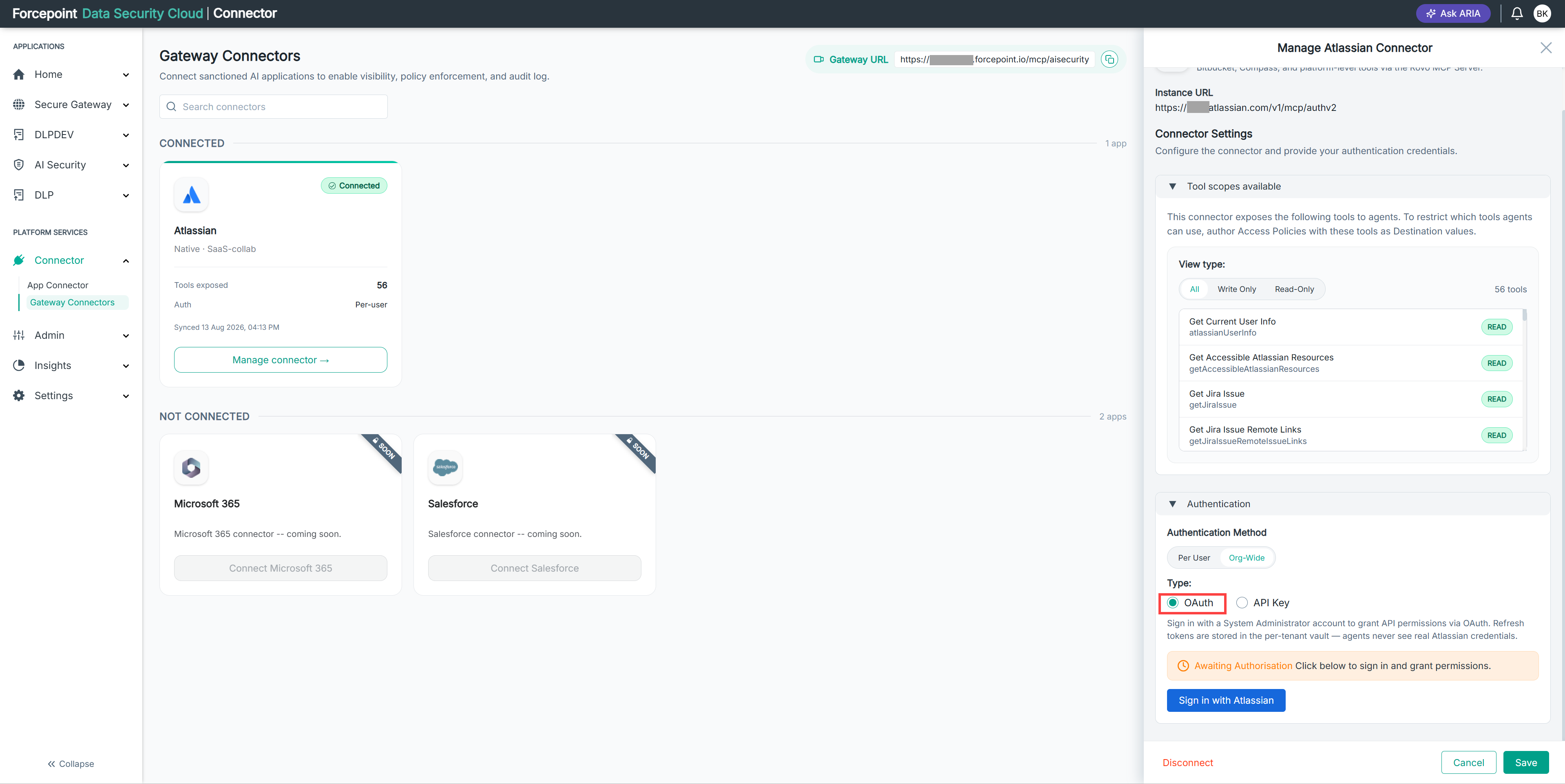
The connector shows Awaiting Authorisation until you complete the sign-in.
-
Sign in to the business application and grant the requested permissions.
-
Select Save.
Result
The connector is authorized. The Awaiting Authorisation message no longer appears, and the connector's tools are available to your agents.
Next steps
If the permissions granted to the connector change in the business application, authorize the connector again.