
Viewing the MCP Gateway Connections Monitored by AI Security
Review how much your AI agents are using the business applications you have connected through the MCP gateway.
This section reports on agent activity rather than user activity. It tells you which of your business applications your agents are working in, and how heavily.
Steps
-
Open the AI Governance Dashboard.
-
Select the AI Landscape tab.
-
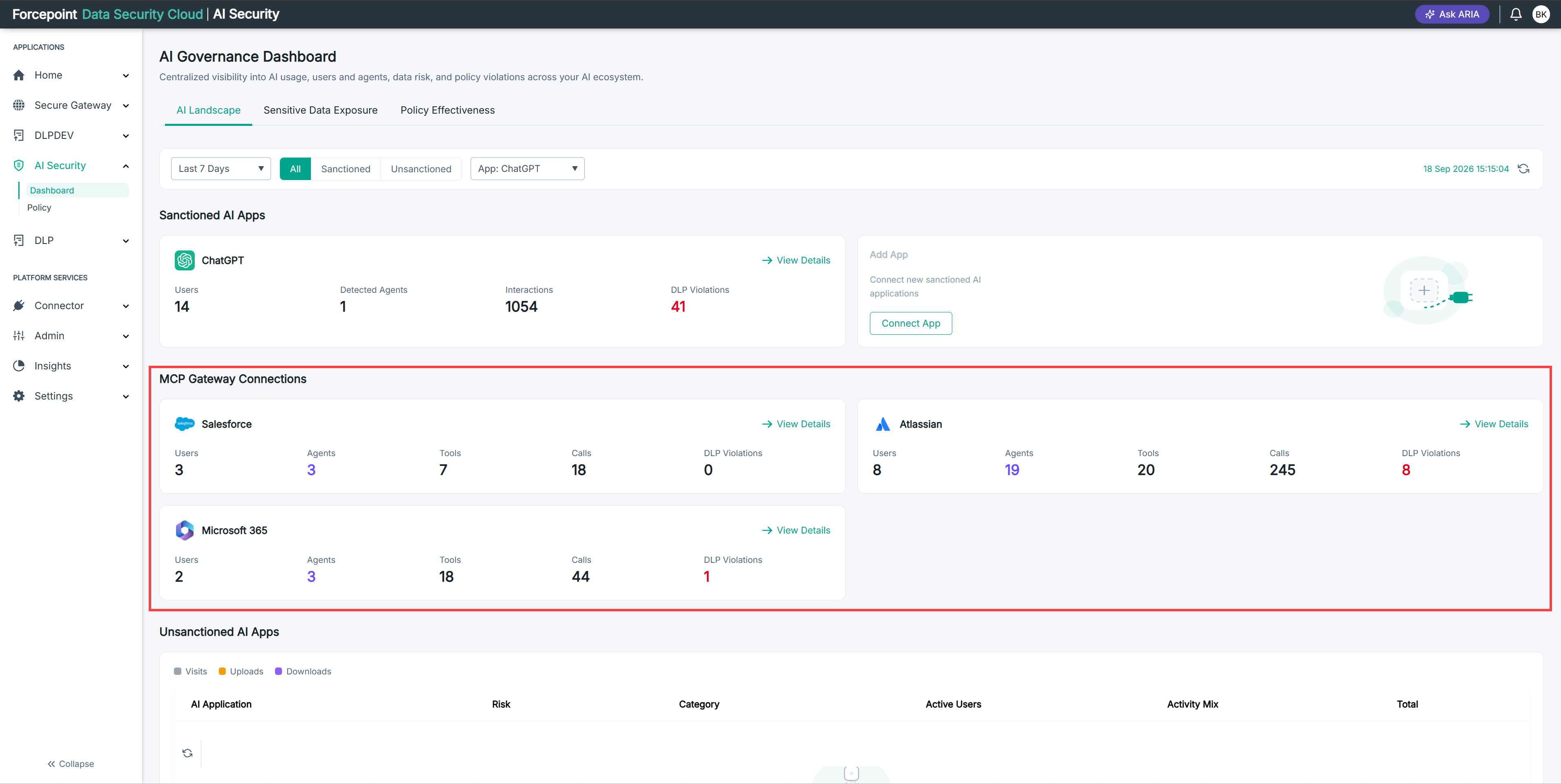
Review the cards under MCP Gateway Connections.
Each card shows the following for one gateway connector:
- Users — the number of people on whose behalf agents acted.
- Agents — the number of agents that called the connector.
- Tools — the number of tools those agents used.
- Calls — the number of calls made to the connector.
Result
You can see the agent activity on every connected gateway connector for the selected period.
Next steps
If a connector shows no activity, confirm that your agents are configured to use your gateway URL. An agent that calls the application directly does not appear here.