
Viewing the List of Registered Agents
Review the AI agents registered in your environment, who owns them, and what they are allowed to reach.
The agent list is the record of every AI agent permitted to call your business applications through the MCP gateway. Agents that are not in this list cannot reach your connectors.
Steps
-
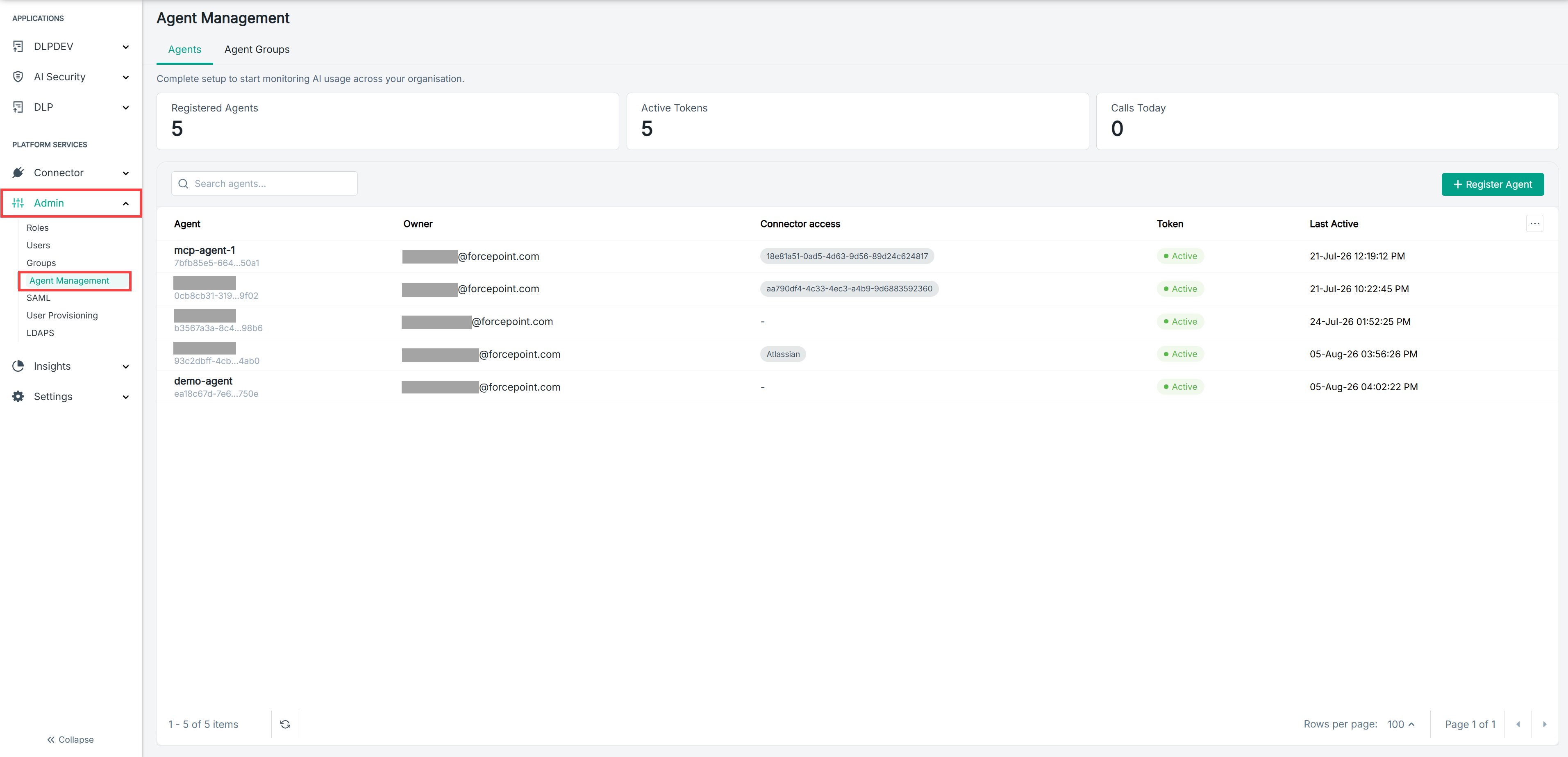
Open the Agent Management page.
-
Select the Agents tab.
-
Review the details shown for each agent.
The list shows the following for every registered agent:
- Agent — the agent name and its agent ID.
- Owner — the user responsible for the agent.
- Connector access — the connectors the agent is permitted to call.
- Token — whether the agent's token is active.
- Last Active — when the agent last made a call.
-
Optional: To find a specific agent, enter its name in Search agents.
Result
You can see every agent registered in your environment and what each one is permitted to reach.
Next steps
An agent that has never been active may not yet be configured to use your gateway URL.