
Viewing the List of Unsanctioned AI Applications Detected in Your Environment
Review the AI applications your people are using that you have not approved.
Unsanctioned AI applications, sometimes called shadow AI, are the AI services AI Security has detected in your traffic but that you have not connected. You have visibility of the activity, but not control over what is sent.
Steps
-
Open the AI Governance Dashboard.
-
Select the AI Landscape tab.
-
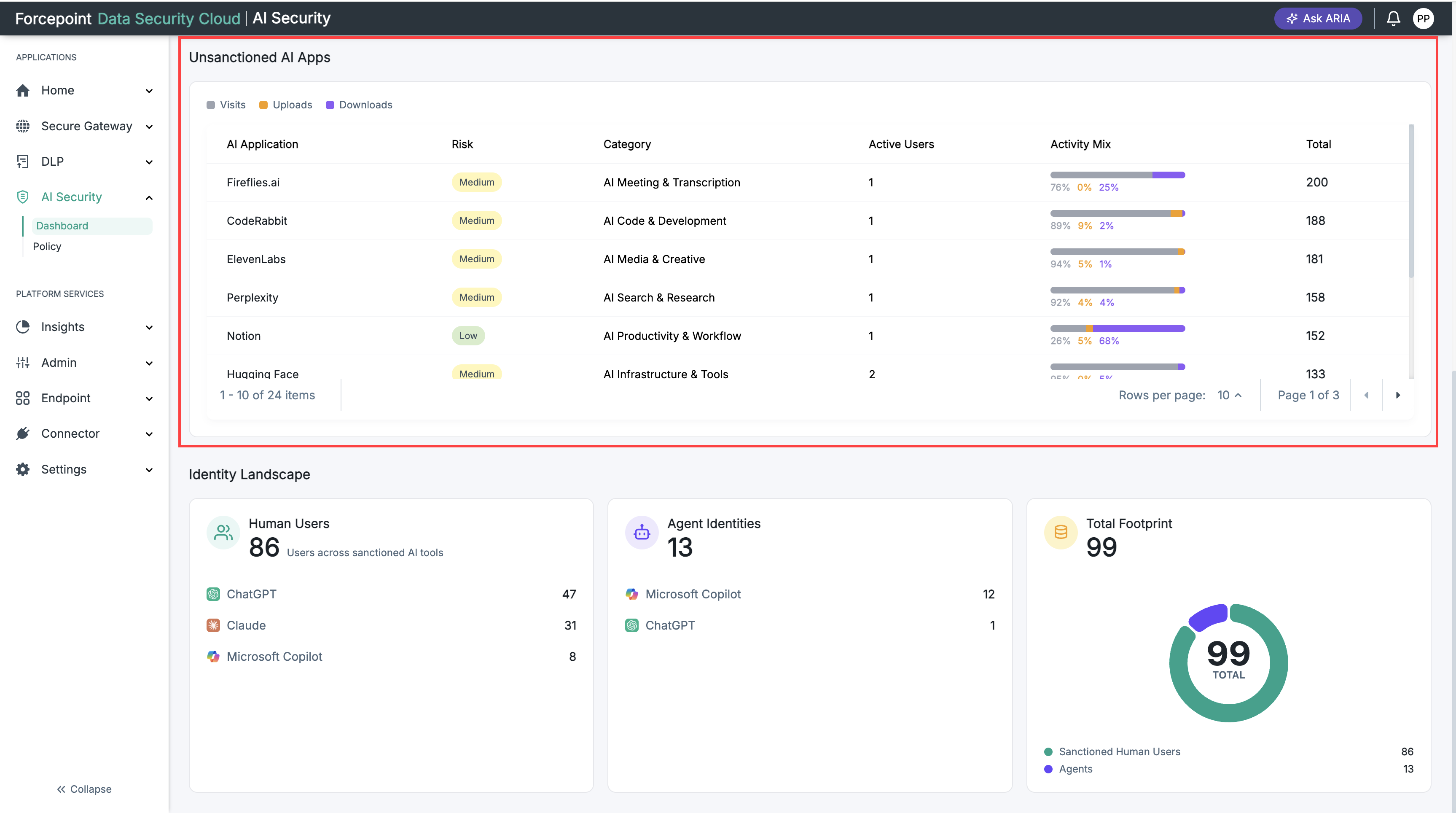
Review the table under Unsanctioned AI Apps.
The table shows the following for each application:
- AI Application — the name and web address of the service.
- Risk — the risk level assigned to it.
- Category — the kind of AI service it is.
- Active Users — how many of your people used it.
- Activity Mix — the split between visits, uploads, and downloads.
- Total — the total activity recorded.
-
Optional: To see more applications, change the number of rows displayed per page or move to the next page.
Result
You can see the unsanctioned AI applications detected in your environment for the selected period.
Next steps
Pay particular attention to applications with a high share of uploads. Uploads are how sensitive files leave your organization.