
Viewing the List of Sanctioned AI Applications in Your Environment
Review the AI applications you have approved and connected, and how much they are being used.
Sanctioned AI applications are the ones you have connected with an app connector. Because AI Security inspects their traffic, the dashboard can report on how your people are using them.
Steps
-
Open the AI Security Dashboard.
-
Select the AI Landscape tab.
-
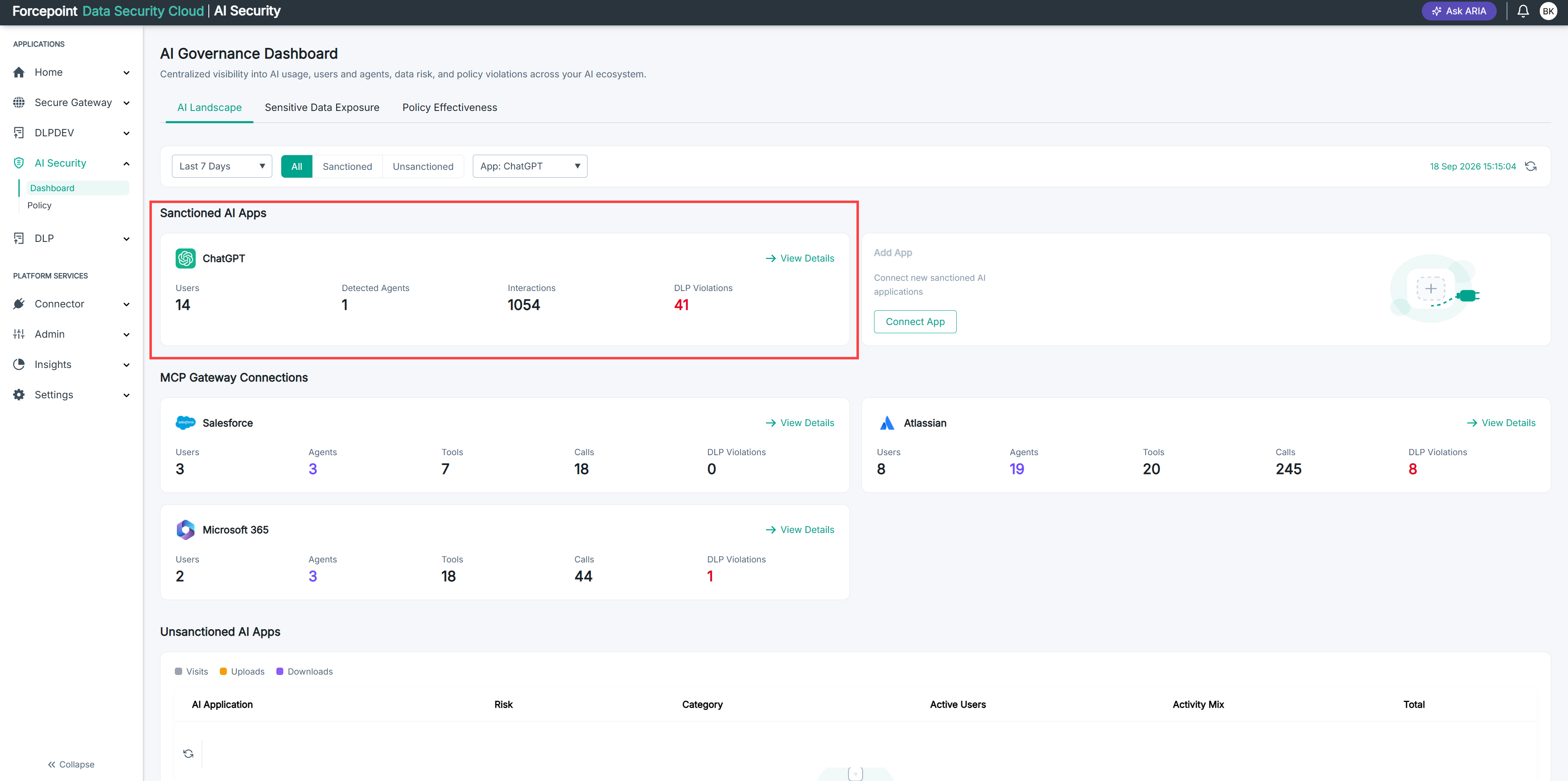
Review the cards under Sanctioned AI Apps.
Each card shows the following for one application:
- Users — the number of people using the application.
- Detected Agents — the number of agents identified in its traffic.
- Interactions — the number of exchanges between your users and the application.
- DLP Violations — the number of times your data protection policies were triggered.
Result
You can see every connected AI application and its activity for the selected period.
Next steps
If an application you have connected does not appear, confirm that its connector is active and has synced.