
Opening the Add Policy Panel
Open the Add Policy panel to create an access policy that controls what your AI agents can do.
Before you begin
Add the gateway connector the policy will apply to before you begin. You cannot select a connector that has not been added. See Adding a Gateway Connector.
Steps
-
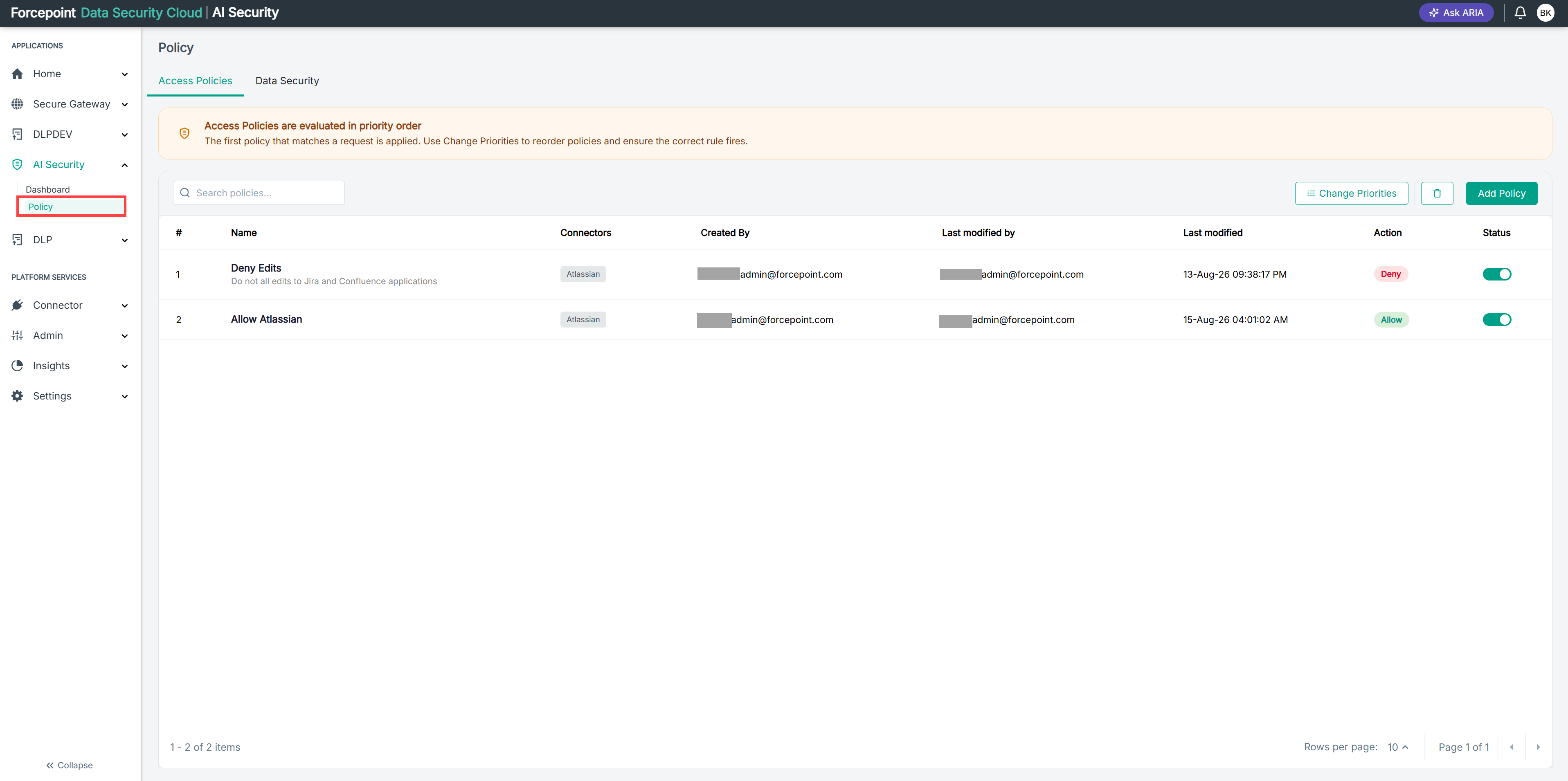
Open the Policy page.
-
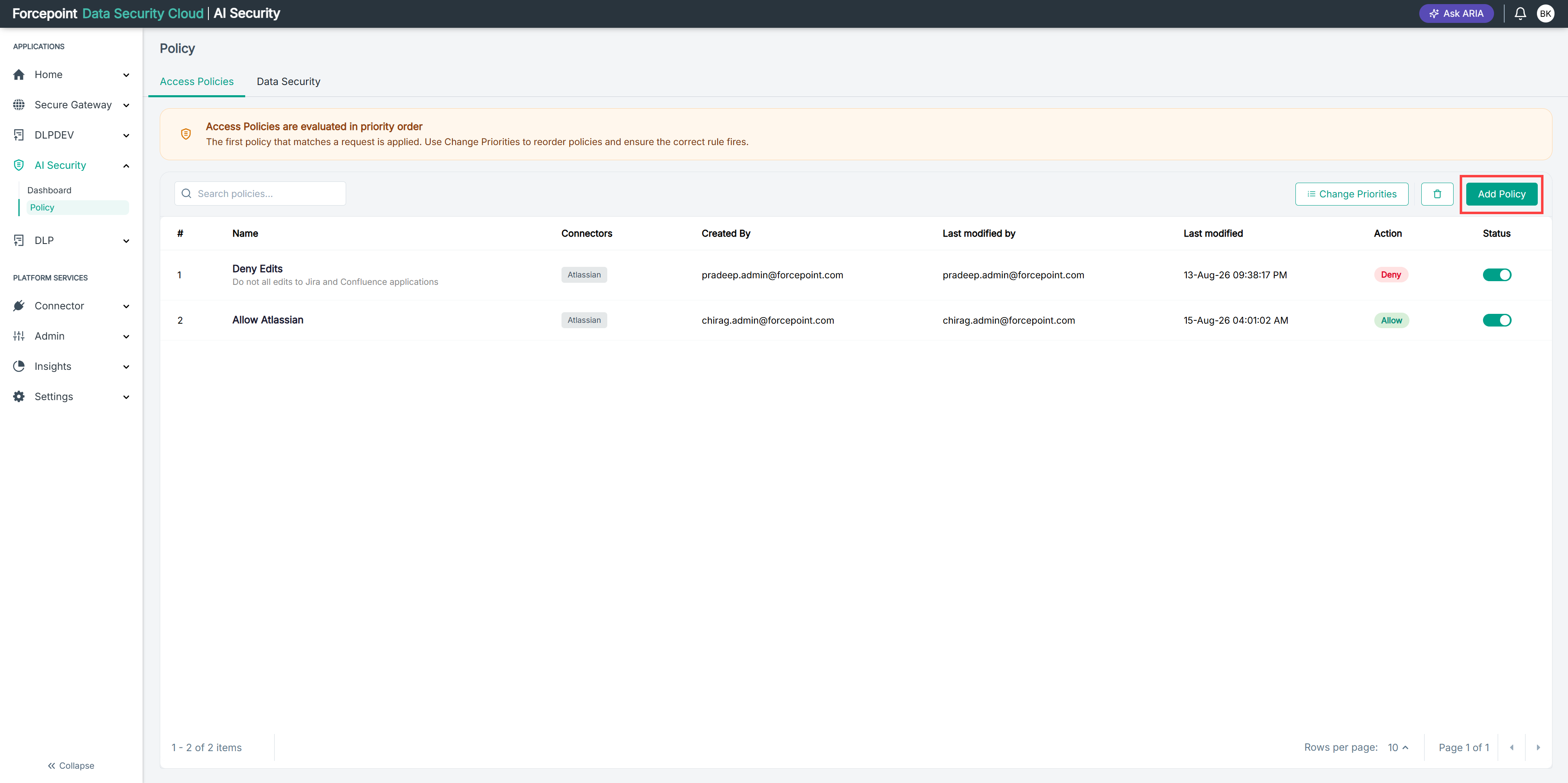
Select Add Policy.
Result
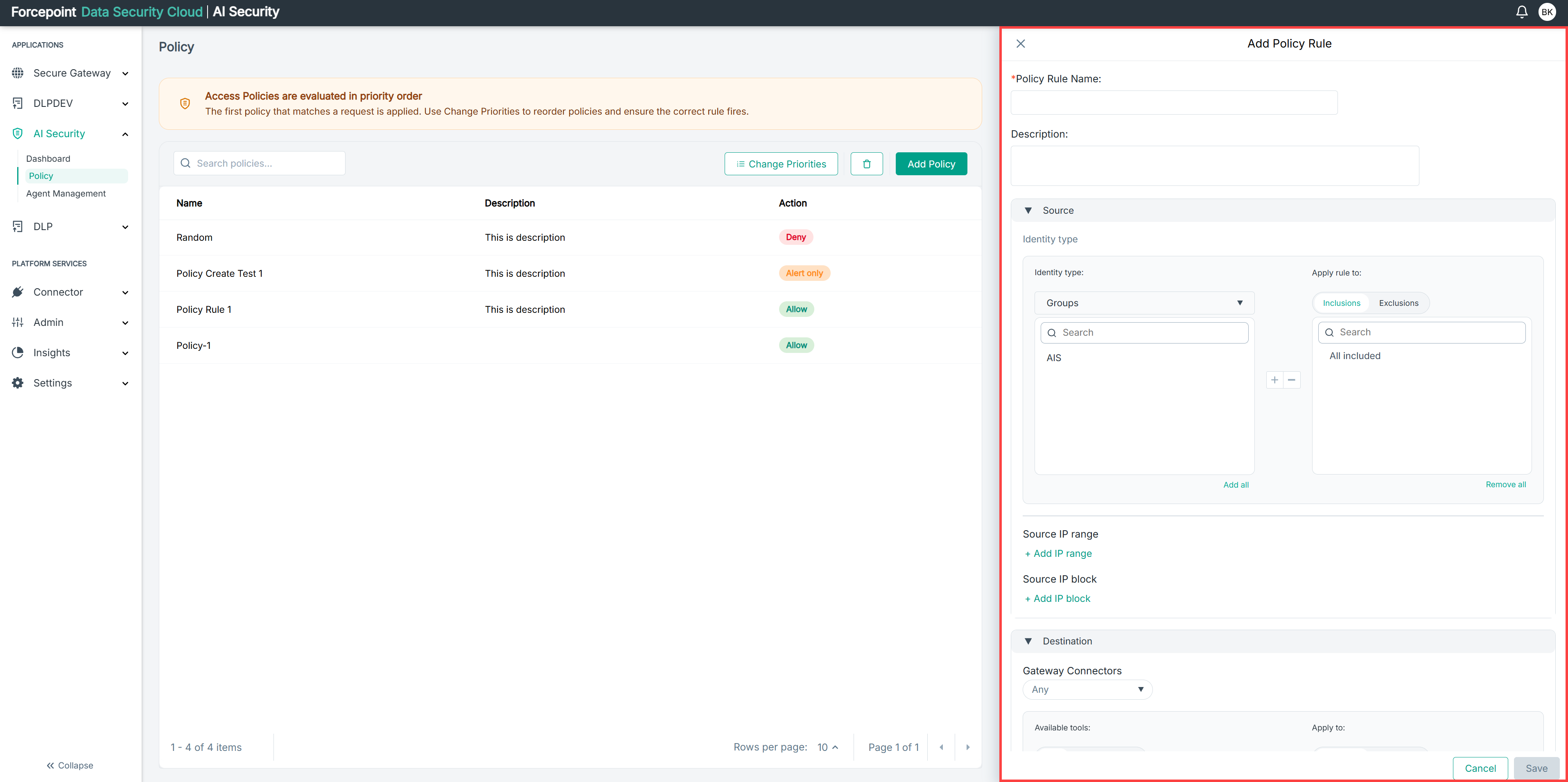
The Add Policy panel opens, showing the Source, Destination, and Action sections.
Next steps
To close the panel without creating a policy, select Cancel.