
Selecting the Identity Type for a Policy
Choose the kind of identity the policy applies to, so that you can select the specific identities in its scope.
The identity type determines what appears in the selection list below it. Select the type first, then choose the individual identities.
Steps
-
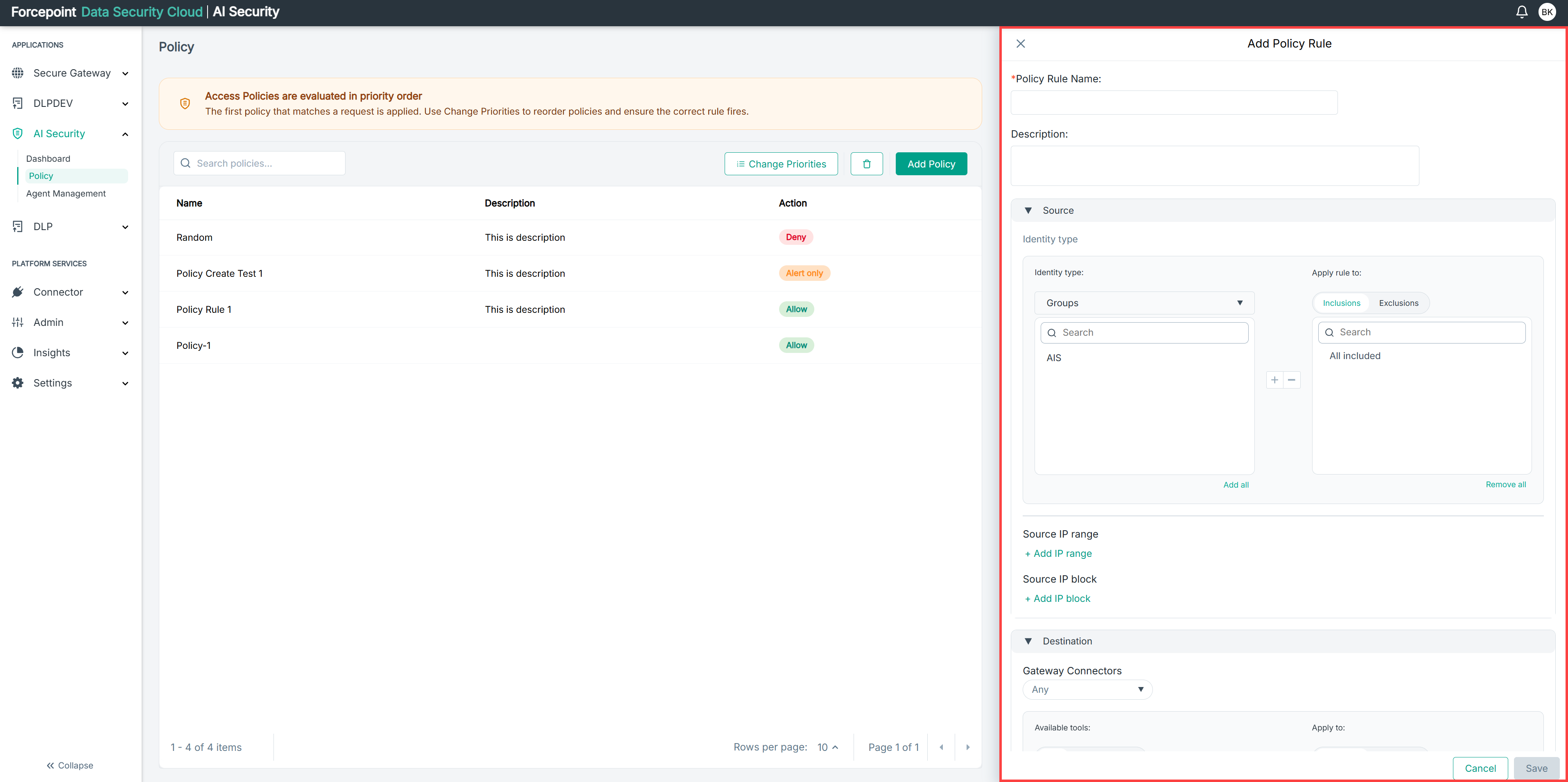
Open the Add Policy panel.
-
Expand Source.
-
From the Identity type list, select the type of identity the policy applies to.
The identities of that type are listed below, ready for you to select.
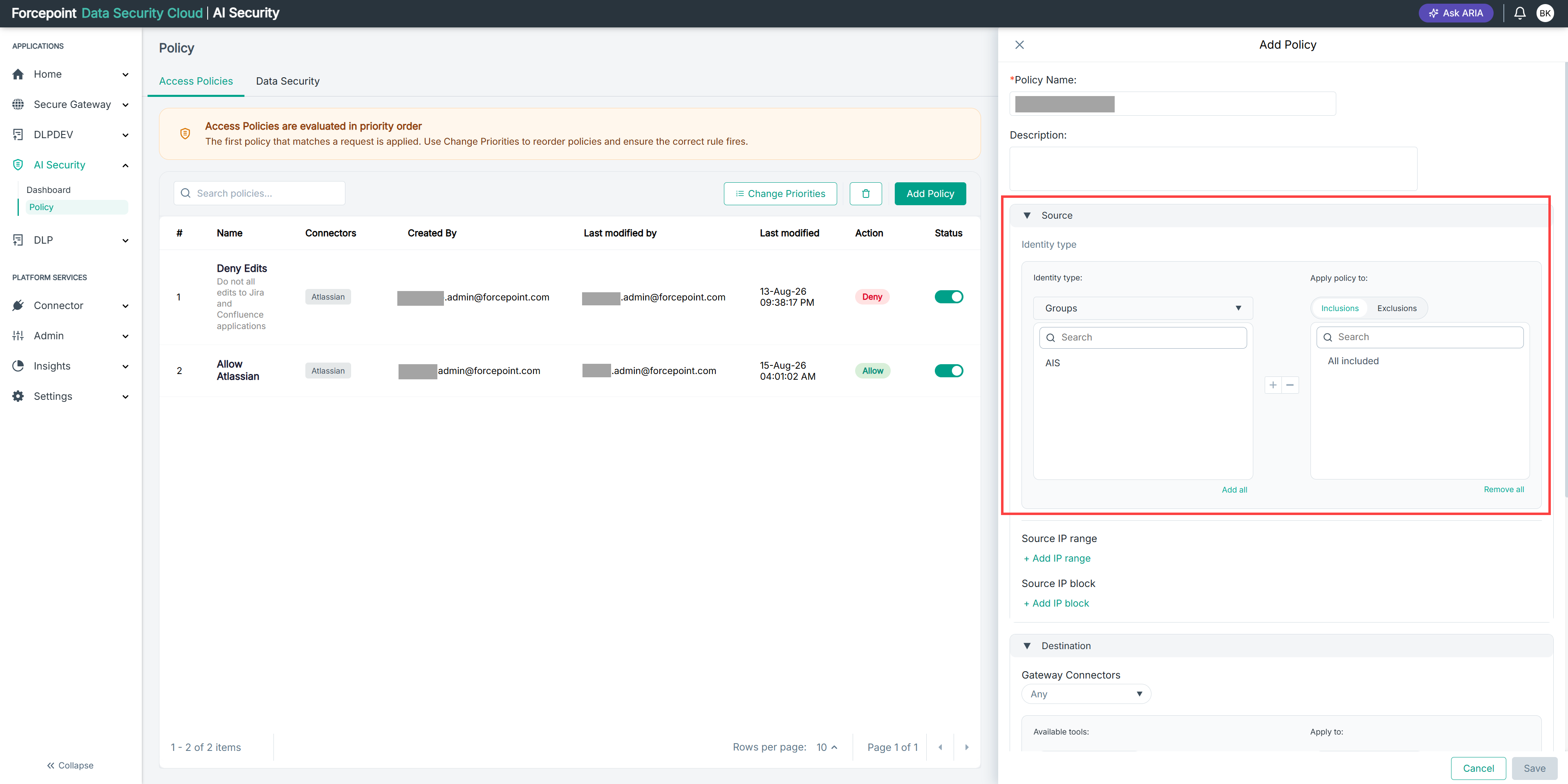
Result
The identities available for the type you selected are displayed.
Next steps
Add the identities the policy applies to, using inclusions or exclusions.