
Restricting a Policy by Source IP Block
Limit a policy to requests that originate from a single network block.
Use a source IP block when the network you want to match is expressed as one CIDR block rather than a start and end address.
Steps
-
Open the Add Policy panel.
-
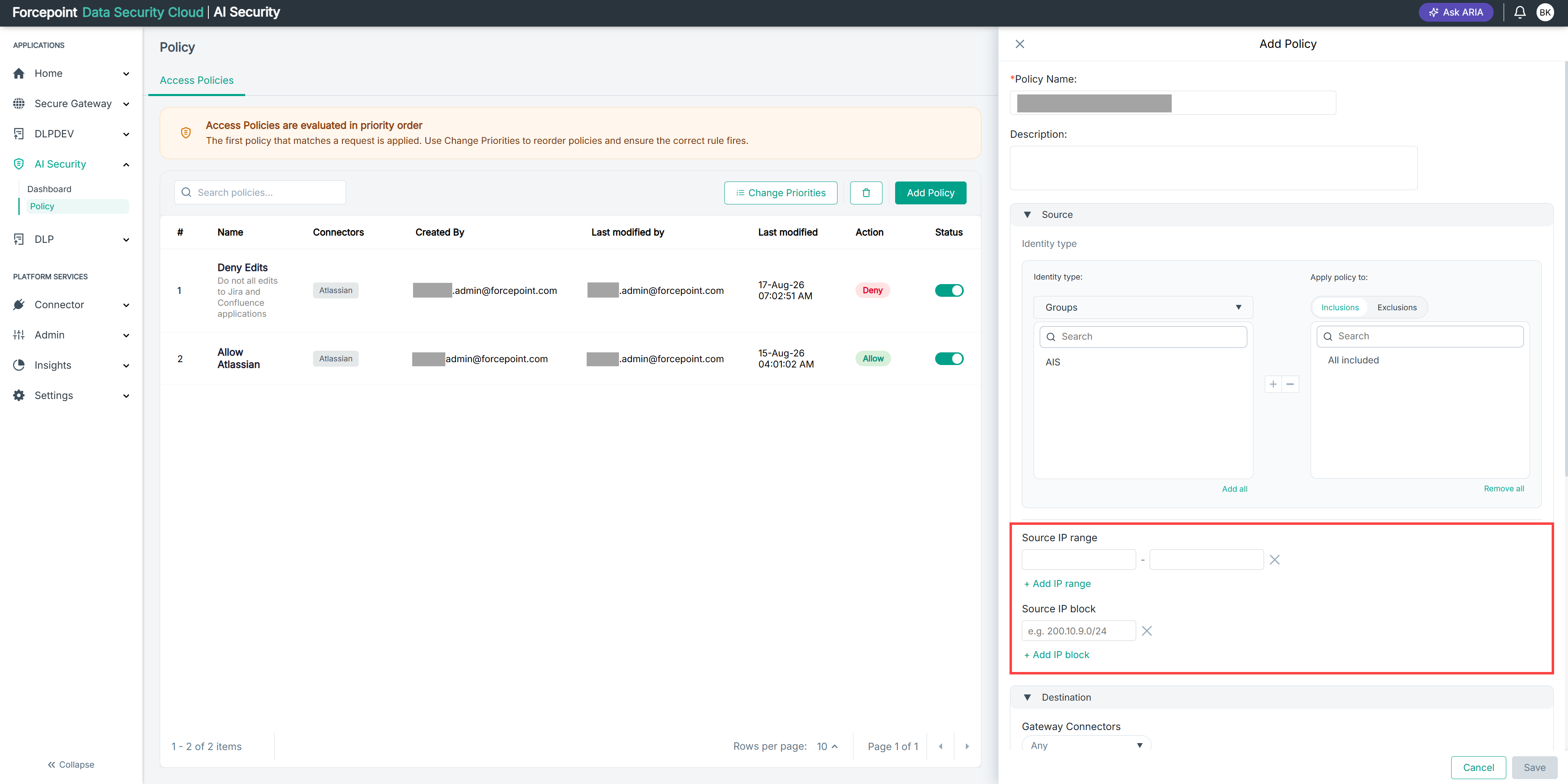
Expand Source.
-
Under Source IP block, select + Add IP block.
-
Enter the network block, using CIDR notation.
For example,
200.10.9.0/24.
Result
The policy applies only to requests originating from within the block you specified.
Next steps
To match a span of addresses rather than a single block, add a source IP range.