
Using the Tool Scope List When Authoring Access Policies
Work out which tools to name in a policy by reviewing what the connector exposes before you write it.
Adding a gateway connector makes all of its tools available to your agents. Access policies are how you narrow that down. The tool scope list tells you what there is to narrow.
The Write Only view is the most useful starting point, because those are the tools that change data in your business application.
Steps
-
Open the Manage connector panel for the gateway connector.
-
Expand Tool scopes available.
-
Select Write Only.
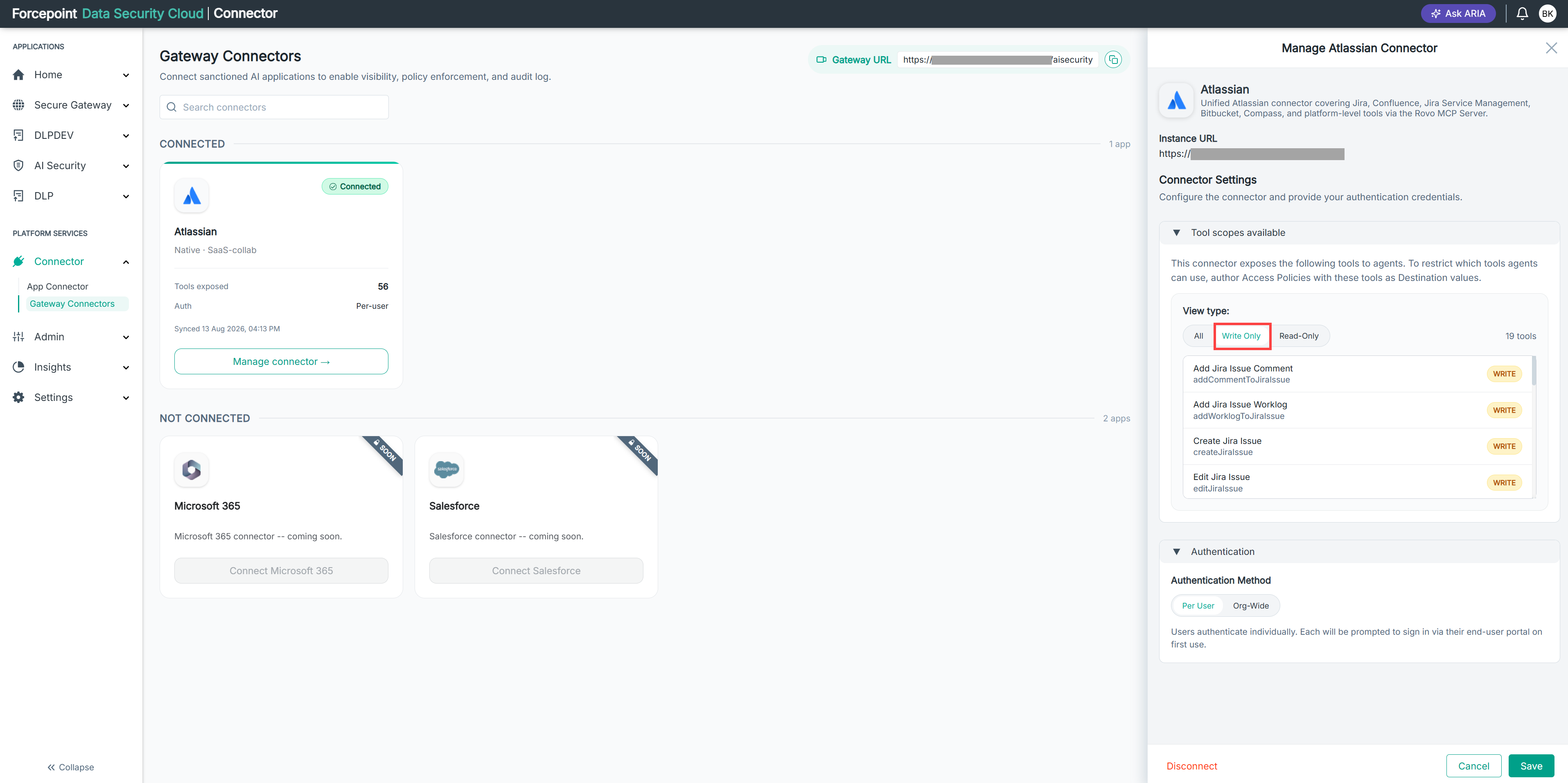
-
Identify the tools your agents should not be permitted to call.
-
Record the technical name of each of those tools.
The technical name is the value you select when you define the destination of a policy.
-
Create an access policy that denies those tools.
Result
Your policy names the specific tools you intend to restrict, rather than blocking the connector as a whole.
Next steps
Review the tool scope list again after a connector syncs. A connector can expose new tools when the business application adds them.