
Identifying High-Risk Unsanctioned AI Applications
Find the unsanctioned AI applications that present the greatest exposure, so that you can deal with them first.
Risk level alone does not tell you where to start. An application marked high risk that nobody uses matters less than a medium risk application used by a large part of your organization to upload files.
Steps
-
Open the AI Security Dashboard.
-
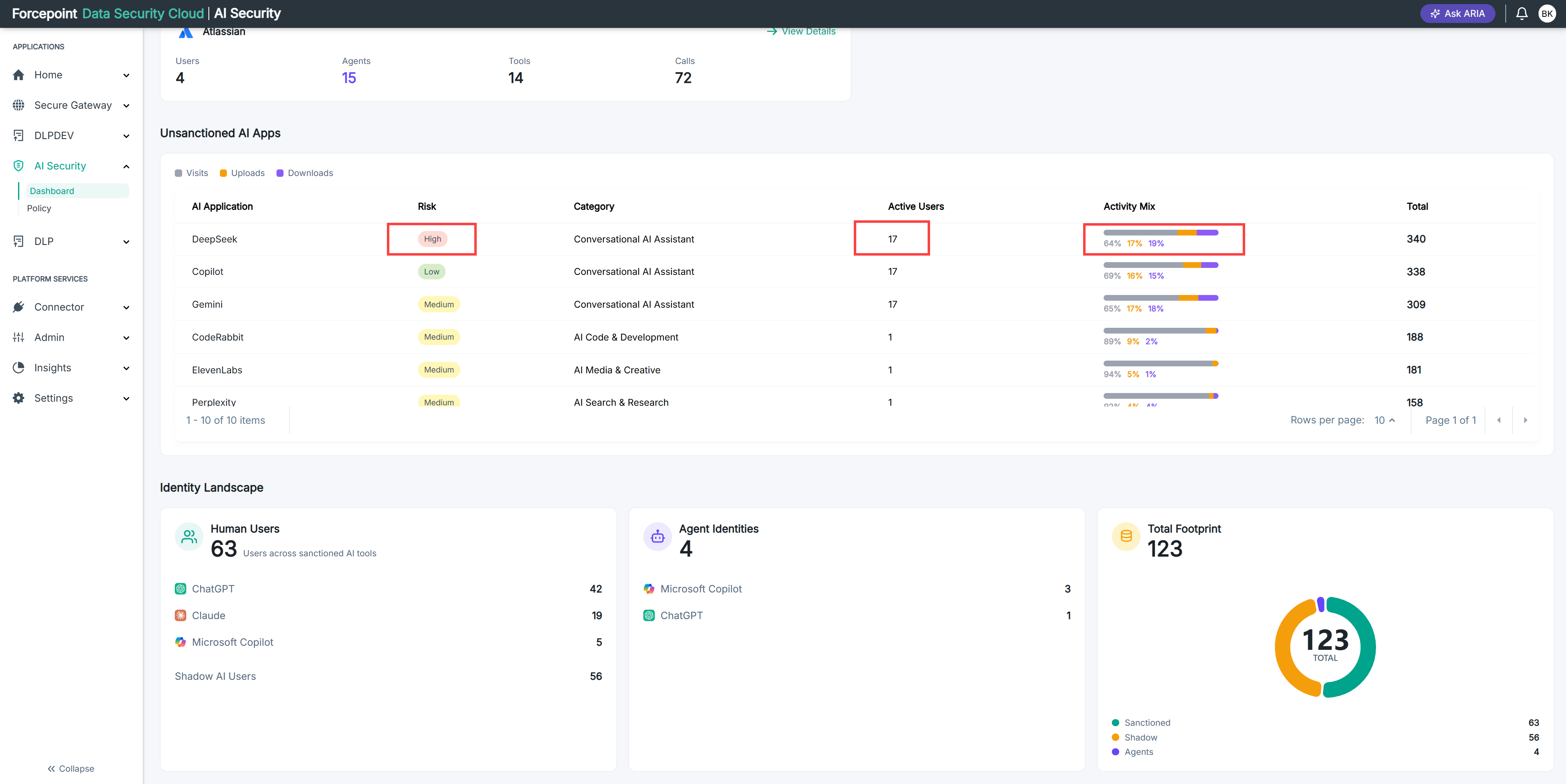
Review the Risk column in the Unsanctioned AI Apps table.
-
Note the applications marked as high risk.
-
Compare their Active Users counts.
A high-risk application used across your organization needs attention before one used by a single person.
-
Review the Activity Mix for each of those applications.
A high share of uploads means files are leaving your organization, not just being viewed.
-
Rank the applications by risk level, user count, and upload activity together.
Result
You have a shortlist of unsanctioned AI applications to address first.
Next steps
For an application your people clearly need, consider sanctioning it and connecting it with an app connector. Doing so brings its traffic under your data protection policies rather than leaving it uncontrolled.