
Viewing the Tools a Gateway Connector Exposes to Agents
Review the individual actions your AI agents can perform in a business application through the MCP gateway.
A gateway connector exposes the business application to your agents as a set of tools. Each tool is one action, such as reading an issue or creating a page. Knowing which tools a connector exposes is what lets you decide which ones to restrict.
Steps
-
Open the Manage connector panel for the gateway connector.
-
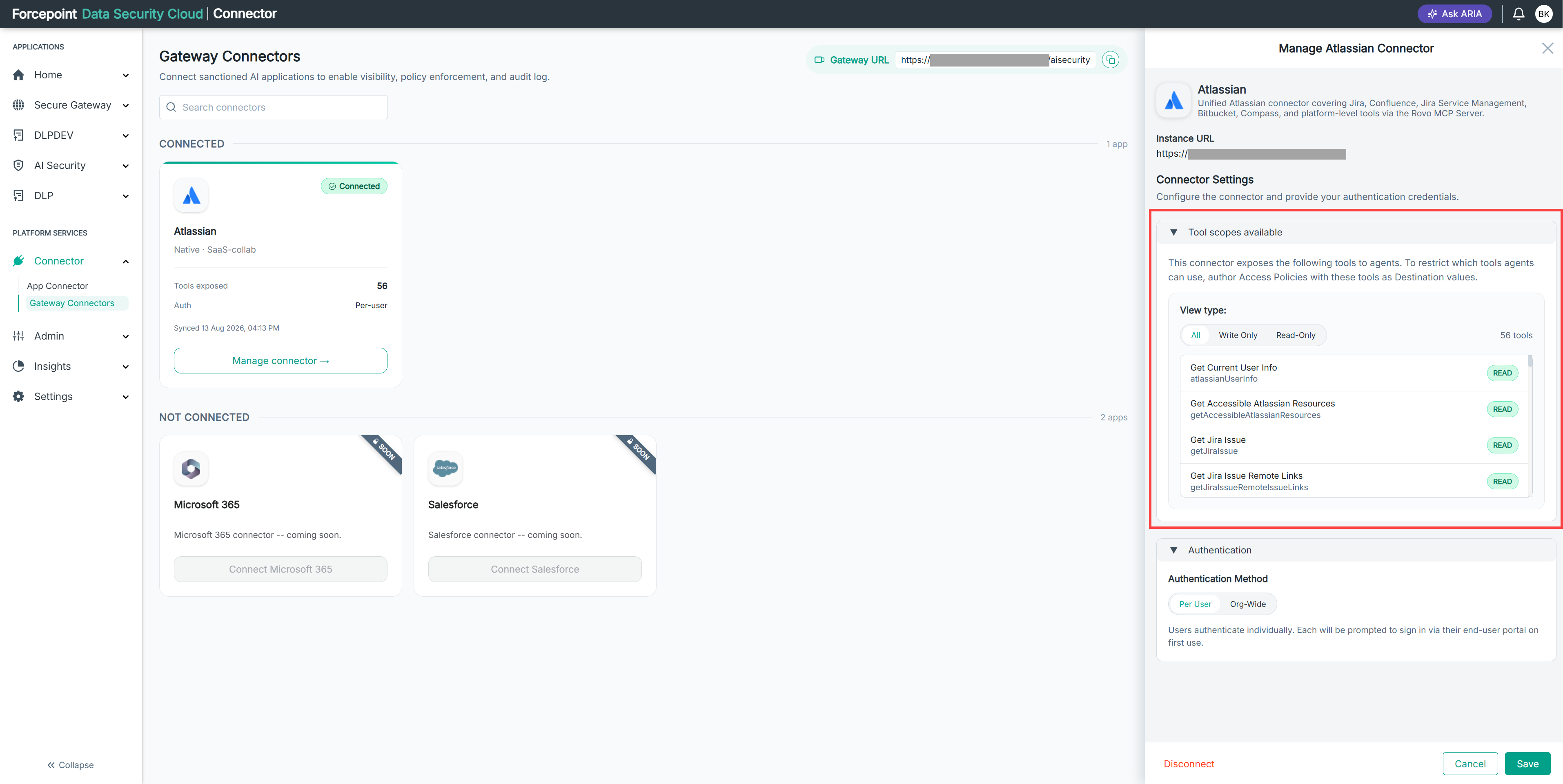
Expand Tool scopes available.
The total number of tools is shown to the right of the view type controls.
-
Review the entry for each tool.
Each entry shows a display name, the technical name used in access policies, and a badge indicating the kind of access the tool has.
- READ — the tool retrieves information.
- WRITE — the tool creates or changes data.
- ACTION — the tool performs an operation that changes state.
-
Optional: Select Write Only to show only the tools that change data.
-
Optional: Select Read-Only to show only the tools that retrieve information.
Result
You can see every tool the connector exposes, and which of them can change data in your business application.
Next steps
Use the technical names from this list as destination values when you write access policies.