
Opening the AI Governance Dashboard
Open the AI Governance Dashboard to see how AI is being used across your organization, and where your data is going.
Before you begin
You must be signed in to Forcepoint Data Security Cloud with permission to view AI Security.
Steps
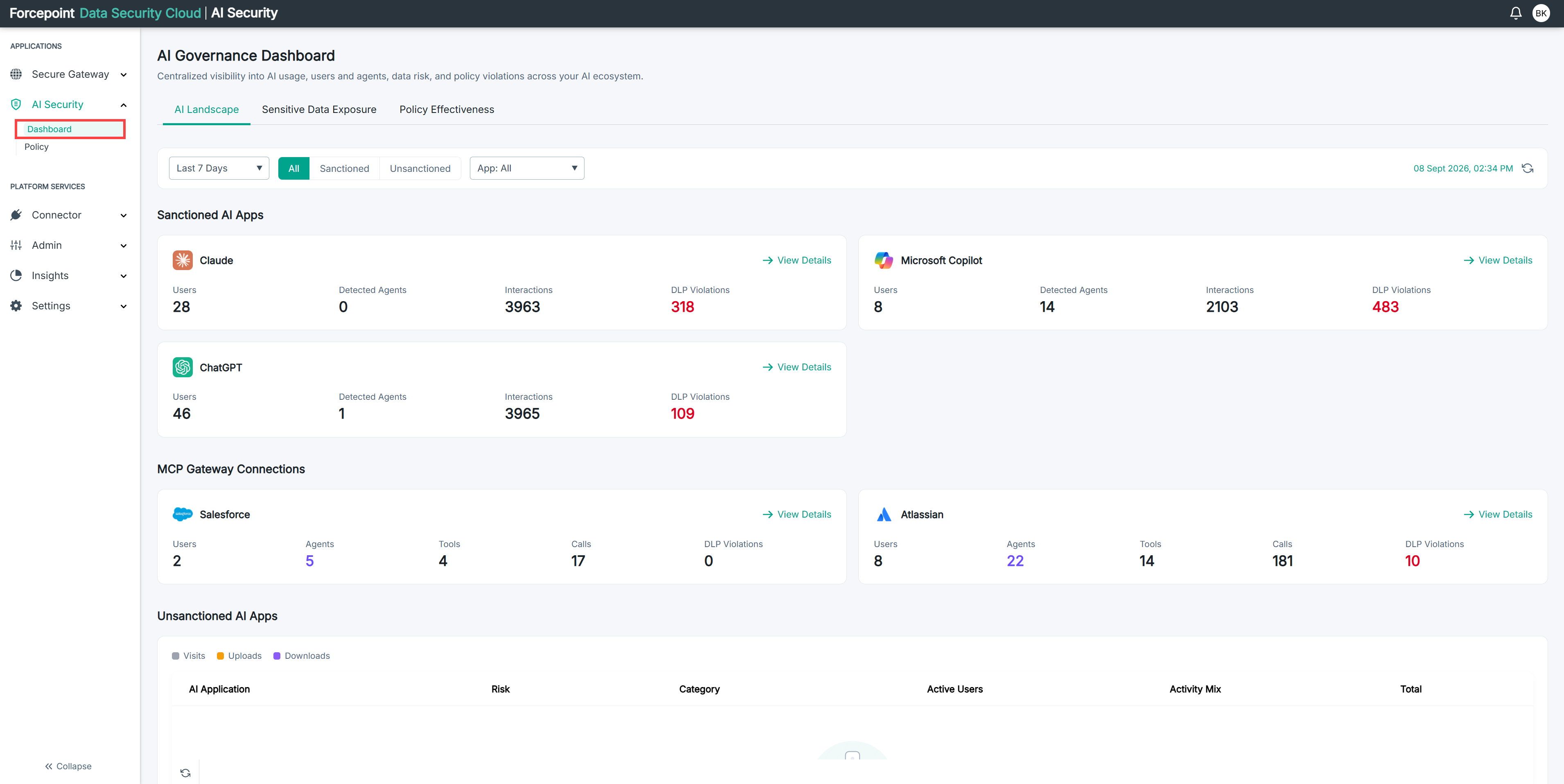
- In the left navigation, under APPLICATIONS, select AI Security.
- Select Dashboard.
Result
The AI Governance Dashboard opens on the AI Landscape tab, showing your sanctioned AI applications, your MCP Gateway connections, the unsanctioned AI applications detected in your environment, and your identity landscape.
Next steps
If the dashboard shows no data, confirm that you have connected your AI applications and that inspection is active.