
Saving a New Agent
Complete the registration so that the agent can authenticate to the MCP gateway.
Before you begin
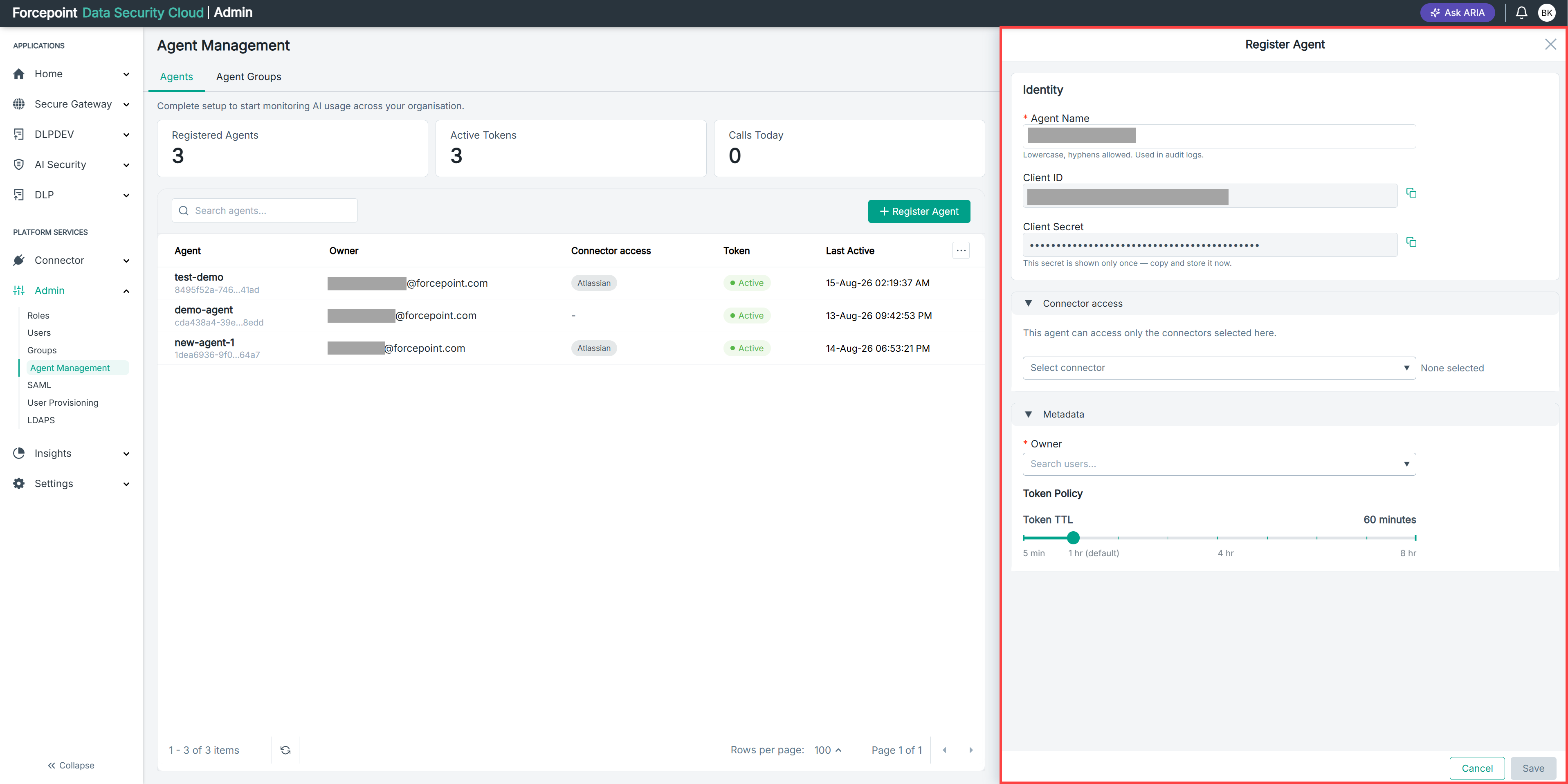
Before you save, confirm that you have entered an agent name, selected the connectors the agent needs, assigned an owner, and set the token time to live.
Steps
-
Review the details you have entered in the Register Agent panel.
-
Select Save.
AI Security registers the agent and displays its client ID and client secret.
-
Copy the client ID.
-
Copy the client secret.
-
Store both values in your secret manager.
-
Verify that the stored secret is complete.
-
Close the panel.
Result
The agent appears in the agent list and the Registered Agents count increases by one. The Active Tokens count increases when the agent first authenticates.
Next steps
Next, see Configuring an Agent With Its Credentials and Gateway URL.