
Applying a Policy to Specific Identities Using Inclusions
Use inclusions to apply a policy to a named set of identities and to nobody else.
An inclusion list names the identities the policy applies to. Any identity not in the list is outside the policy scope, and the policy does not match requests from it.
Use inclusions when you know exactly which groups or users the policy should cover.
Steps
-
Open the Add Policy panel.
-
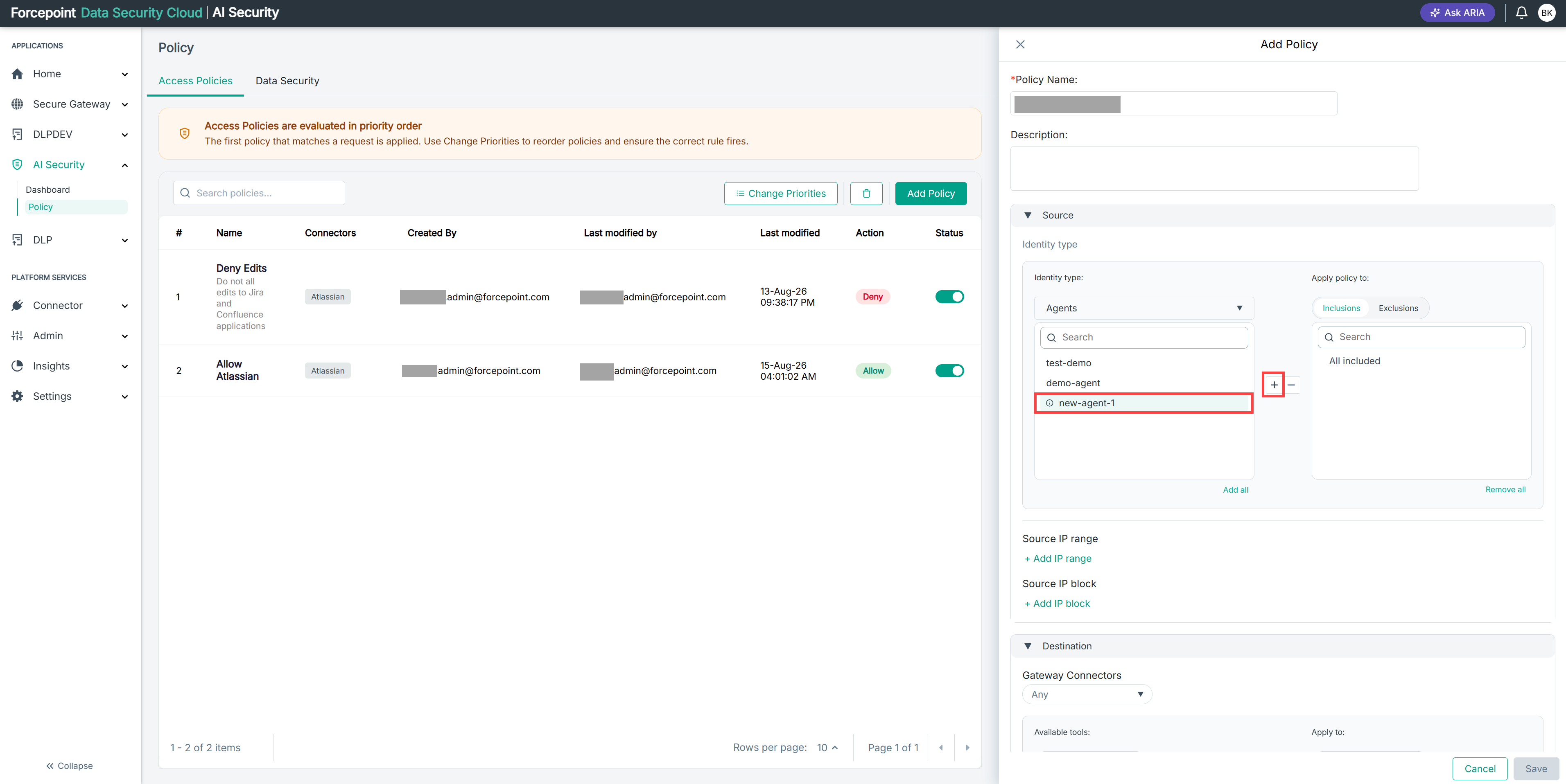
Expand Source.
-
From the Identity type list, select the type of identity the policy applies to.
-
Under Apply policy to, select Inclusions.
-
Add each identity the policy should apply to.
-
Confirm that the Apply policy to list contains only the identities you intend.
Result
The policy applies only to the identities you listed.
Next steps
To apply a policy broadly while leaving out a few identities, use exclusions instead.