
Authorizing a Gateway Connector
Grant AI Security permission to act on the business application, so that the connector can expose its tools to your agents.
Until a connector is authorized, it cannot reach the business application and your agents cannot use its tools. The way you authorize a connector depends on the authentication method you selected.
Table 1. How to authorize each authentication method
| Authentication method | How authorization works |
|---|---|
| Per user | Each user authenticates individually the first time their agent activity reaches the connector. |
| Org-wide, OAuth | A System Administrator signs in once and grants API permissions on behalf of the organization. |
| Org-wide, API key | You supply an API key generated in the business application. |
Steps
-
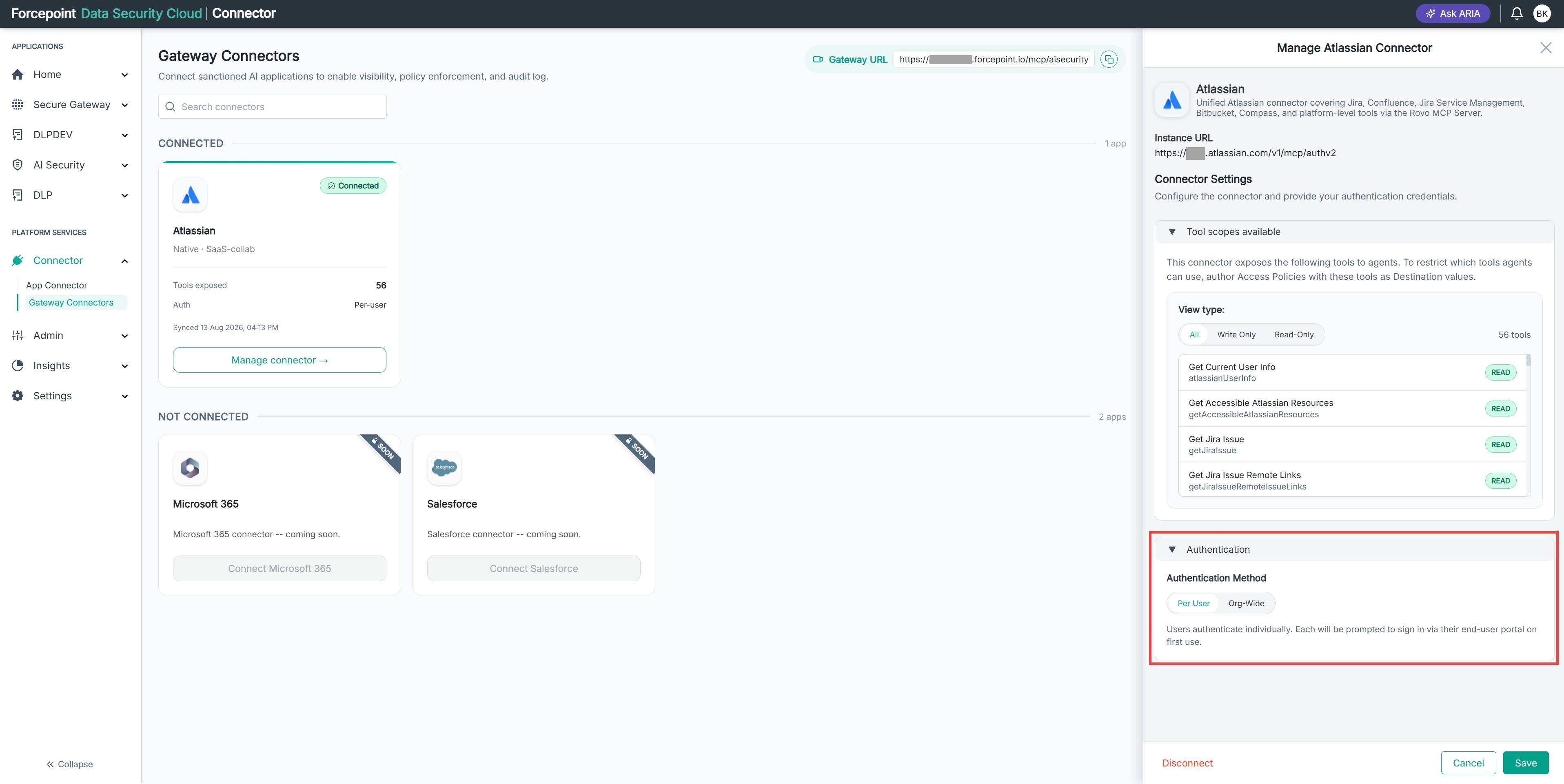
Open the Manage connector panel for the gateway connector.
-
Expand Authentication.
-
Select the authentication method for the connector.
-
Complete the authorization for the method you selected.
-
Select Save.
Result
The connector is authorized and its tools are available to your registered agents.
Next steps
If the connector shows Awaiting Authorisation, the authorization is not complete. Sign in and grant permissions to finish it.