
Restricting a Policy by Source IP Range
Limit a policy to requests that originate from a range of network addresses.
An IP condition narrows a policy further than identity alone. Use one when a policy should apply only to requests coming from a particular network location, such as a country or an office network.
Steps
-
Open the Add Policy panel.
-
Expand Source.
-
Under Source IP range, select + Add IP range.
-
Enter the start address of the range, using CIDR notation.
For example,
1.1.1.1/24. -
Enter the end address of the range, using CIDR notation.
For example,
2.2.2.2/32.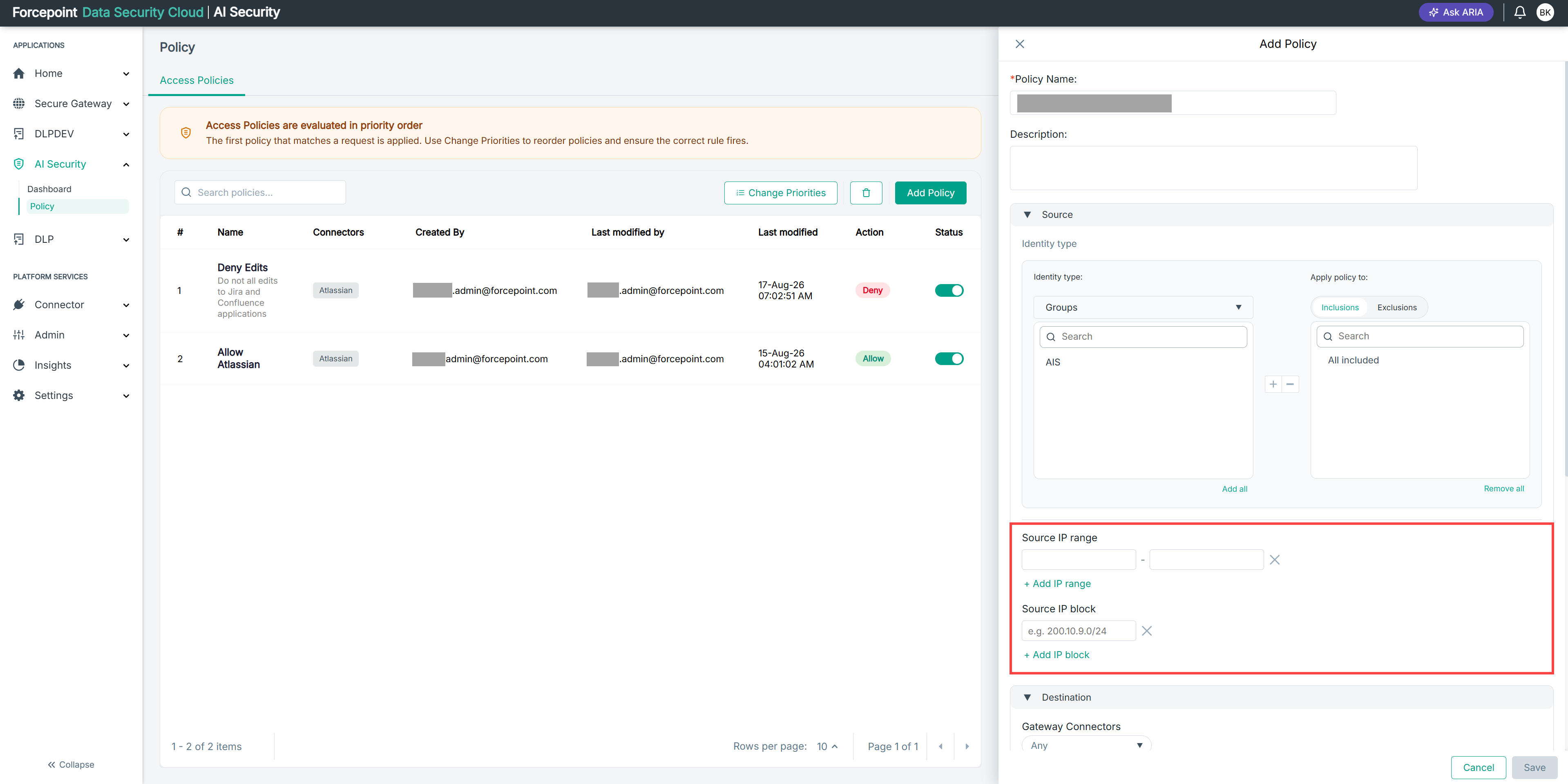
Result
The policy applies only to requests originating from within the range you specified.
Next steps
To restrict the policy to a single network block instead of a range, add a source IP block.