
Removing an Identity From the Policy Scope
Take an identity out of the policy scope so that the policy no longer applies to it.
Steps
-
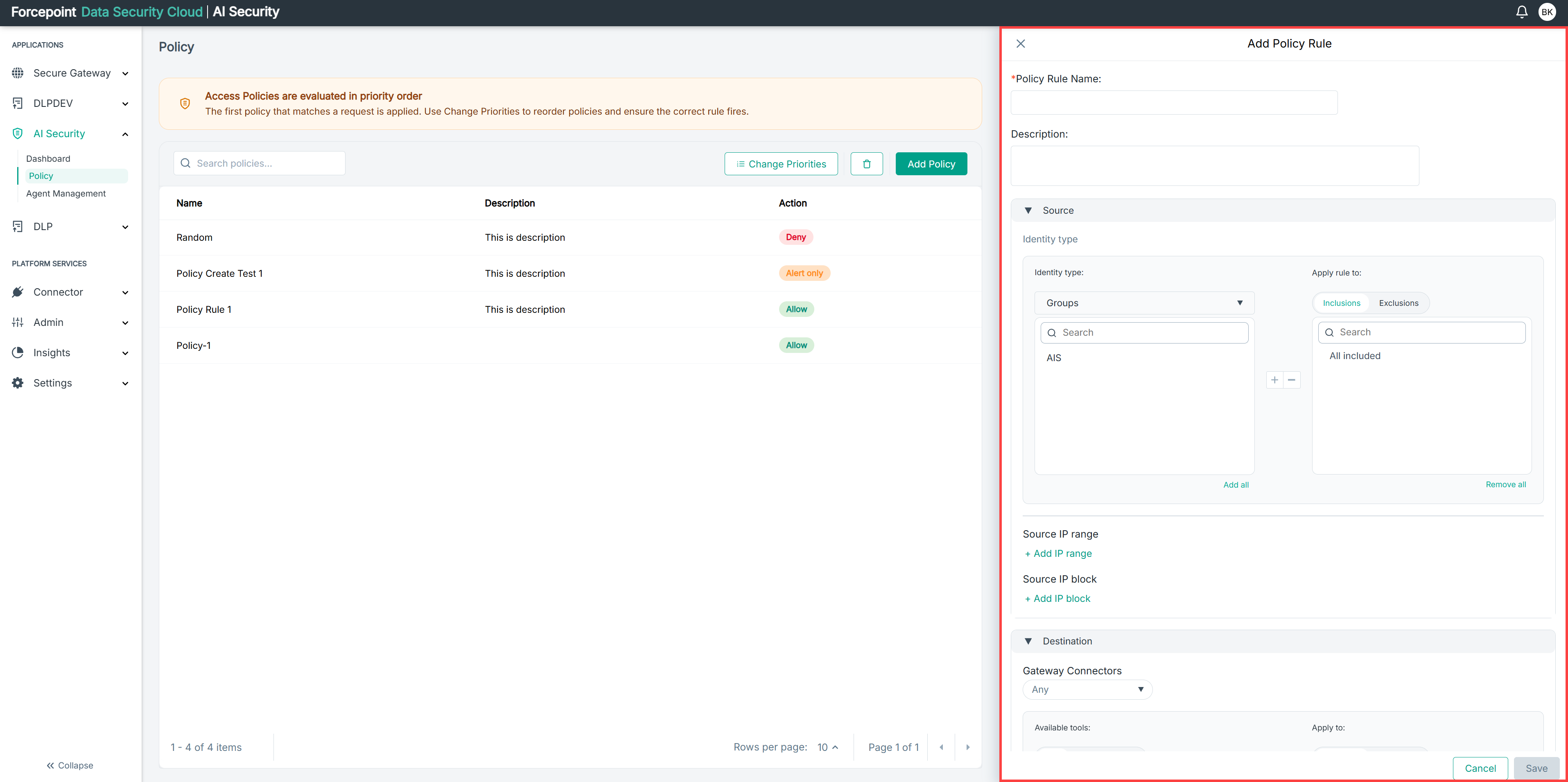
Open the Add Policy panel.
-
Expand Source.
-
In the Apply policy to list, select the identity you want to remove.
-
Select the remove icon.
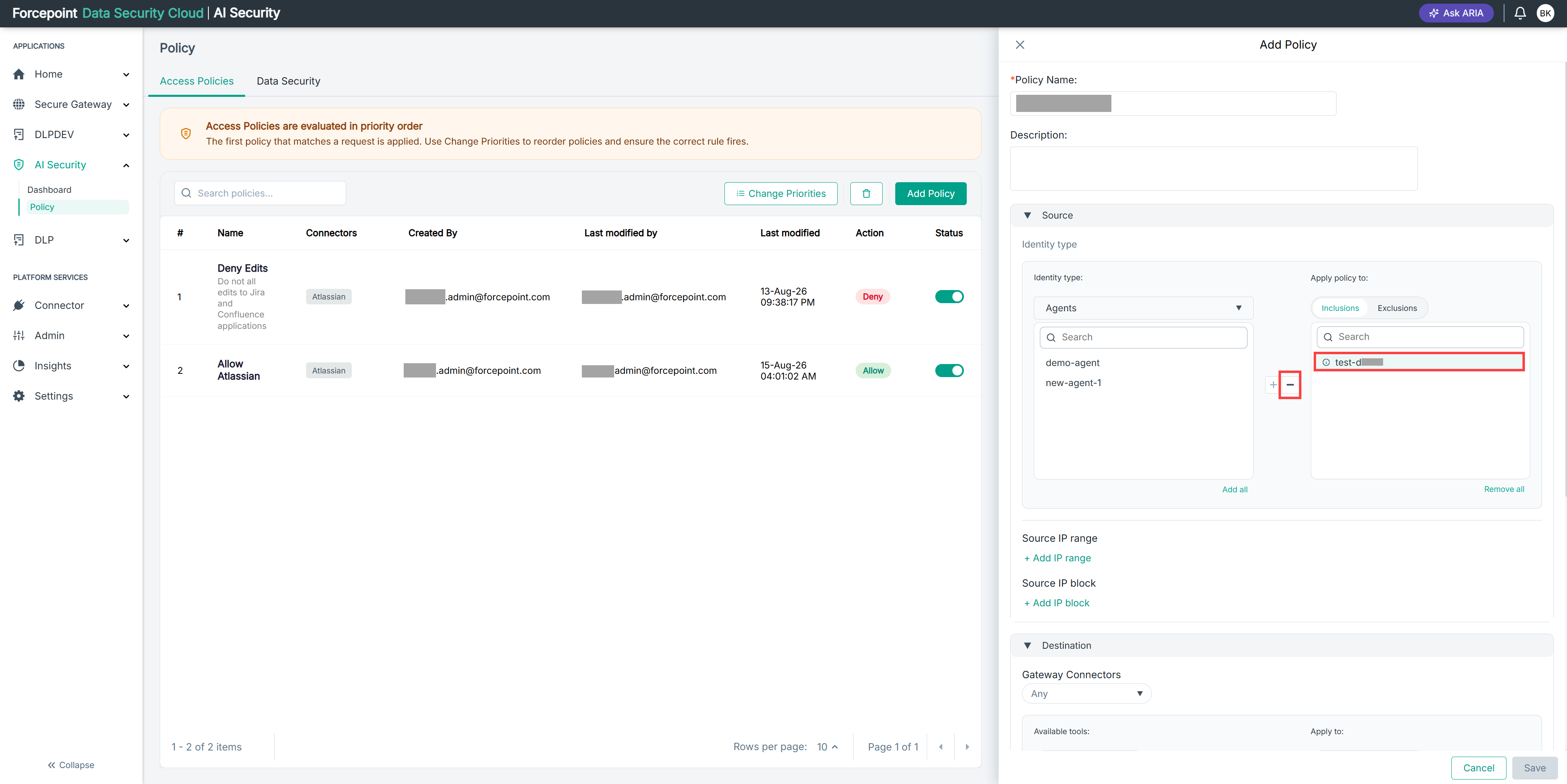
The identity returns to the list of available identities.
Result
The identity is no longer part of the policy scope.
Next steps
To clear the scope entirely, select Remove all. A policy with an empty scope does not identify any source to match.