
Understanding the AI Governance Dashboard
The AI Governance Dashboard gives you centralized visibility into AI usage, users and agents, data risk, and policy violations across your AI ecosystem.
It is one page with three tabs. Each answers a different question, and the three are meant to be read in order.
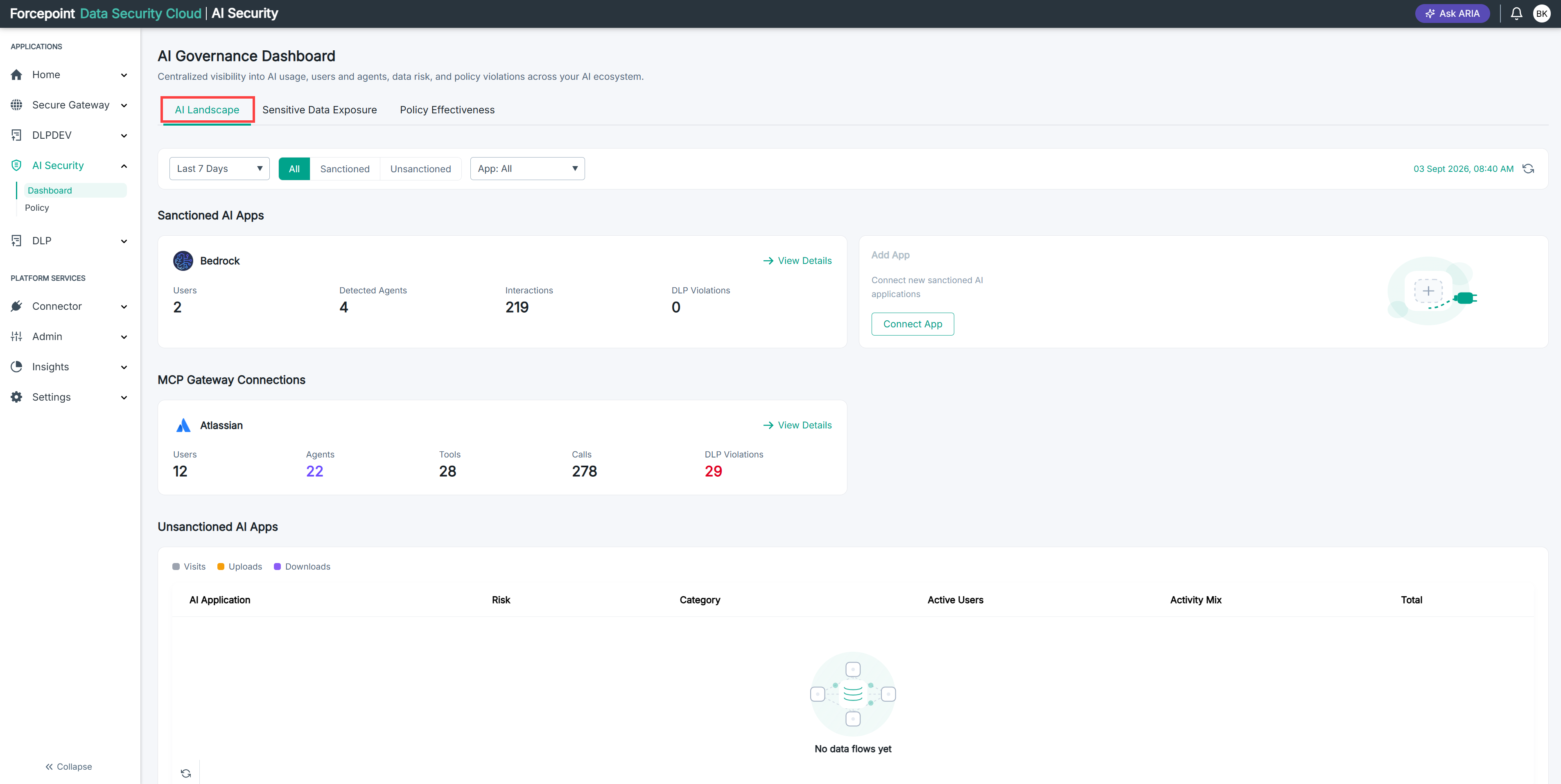
To open it, go to AI Security › Dashboard. The AI Landscape tab opens by default.
Three questions, in order
| Tab | The question it answers | Use it when |
|---|---|---|
| AI Landscape | What AI is being used in my organisation, by whom? | You want to see which approved applications are active, which unapproved ones your people have found, and how your agents are connecting to business systems |
| Sensitive Data Exposure | What sensitive data has left through it? | You want to see which categories of data were exposed, which AI tool they went through, and which individual events need attention |
| Policy Effectiveness | Is what we did about it working? | You want to see which policies are being triggered, which are doing nothing, and what action is being applied to each category of data |
The order matters. Discovering an unapproved application on the first tab tells you nothing about whether data left through it. Seeing a spike in exposure on the second tab tells you nothing about whether your policies caught it. The third tab closes the loop.
What each tab shows
AI Landscape reports on activity. It lists the AI applications you have connected, the business applications your agents reach through the MCP Gateway, the unapproved applications discovered in your traffic, and the balance between human users and AI agents in your environment.
Sensitive Data Exposure reports on data. It counts the violations recorded in a period, ranks the categories of sensitive data involved, shows which AI application each passed through, and lists the individual high-severity events.
Policy Effectiveness reports on your own configuration. It counts the policies in force, ranks them by how often each was triggered, and shows what action is being applied to each category of sensitive data.
Going deeper
Each tab offers a route into the detail behind a figure, rather than leaving you with a total.
- On AI Landscape, View Details on any application card opens a page for that application alone
- On Policy Effectiveness, clicking a policy in either chart opens a page for that policy alone
- On Sensitive Data Exposure, the events table lists individual violations rather than totals
What you can do from here
- See what AI is in use across your organisation
- Find AI applications your people are using without approval
- See which categories of sensitive data are most exposed, and through which tools
- Check whether your policies are being triggered, and which are dormant
- Drill into any application or policy that needs investigation