
Opening the Agent Management Page
Open the Agent Management page to register AI agents, review the agents already registered, and group them.
Before you begin
You must be signed in to Forcepoint Data Security Cloud with permission to manage agents.
Steps
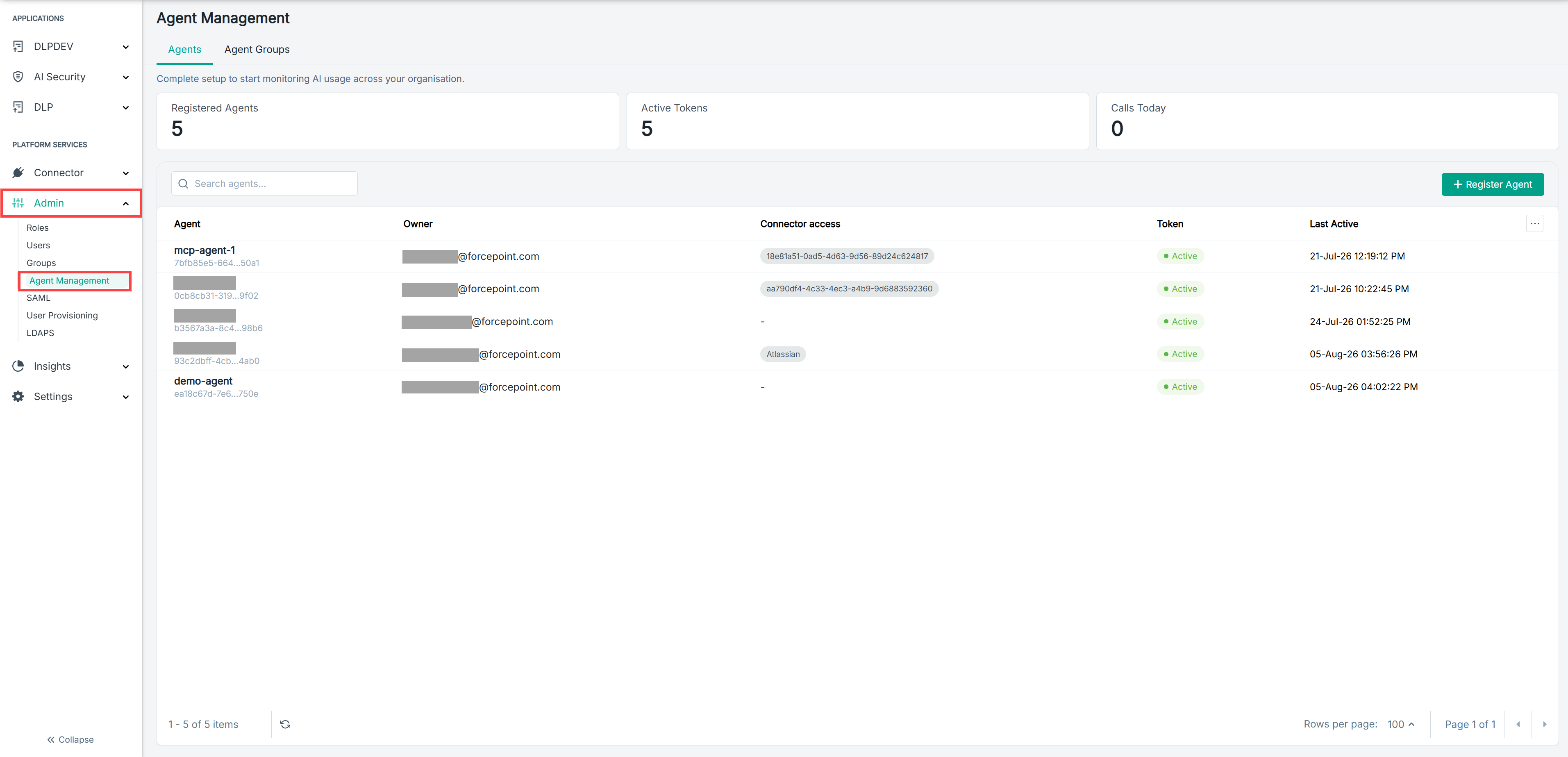
- In the left navigation, under PLATFORM SERVICES, select Admin.
- Select Agent Management.
Result
The Agent Management page opens on the Agents tab. Summary cards show the number of registered agents, the number of active tokens, and the number of calls made today.
Next steps
To work with agent groups, select the Agent Groups tab.