
Viewing the Client ID Generated for an Agent
Find the client ID issued to an agent. The agent uses it to identify itself to the MCP gateway.
AI Security generates a client ID for every agent you register. The client ID identifies the agent but does not authenticate it on its own, so it is not secret.
Steps
-
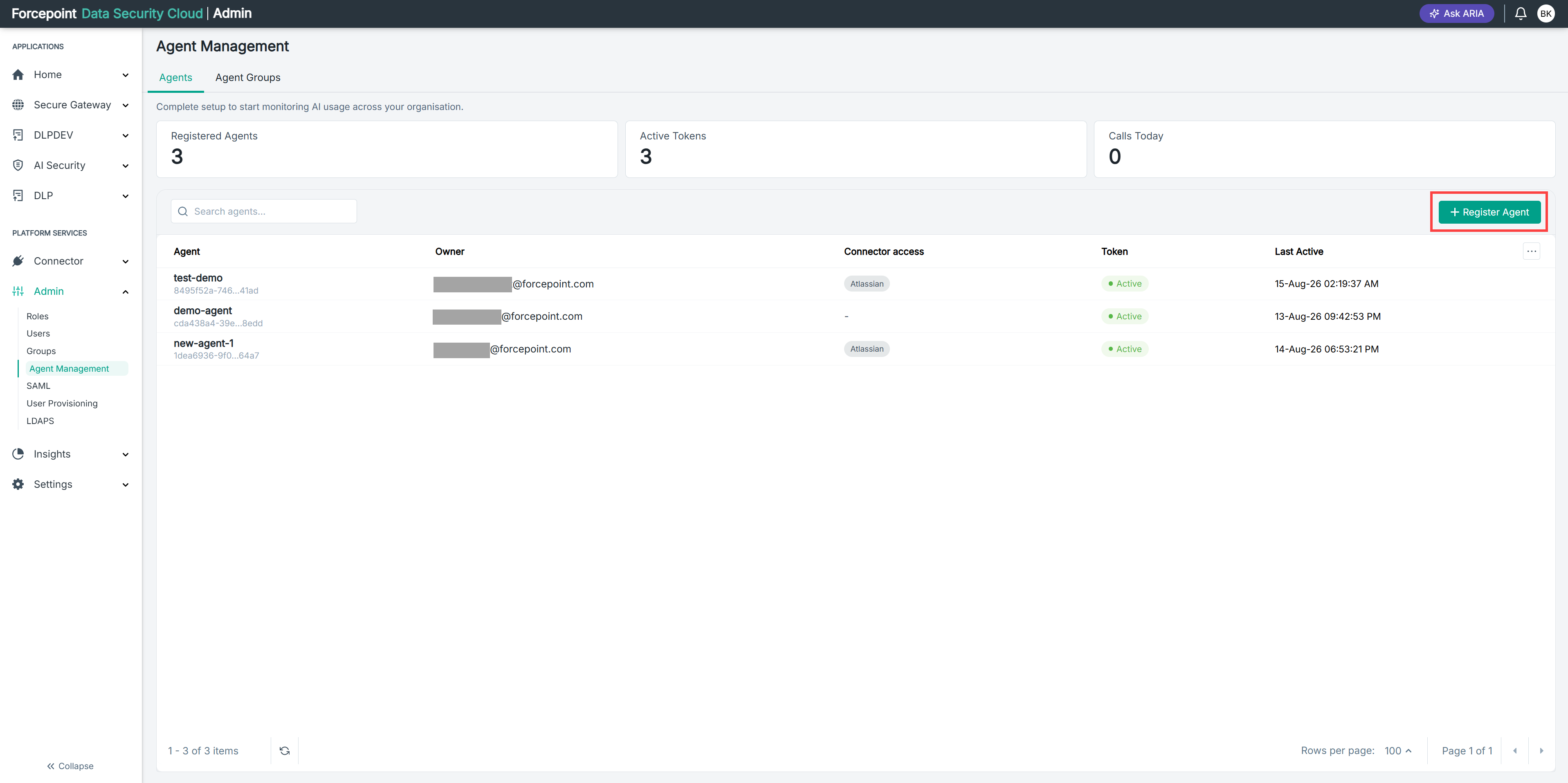
Open the Register Agent panel.
-
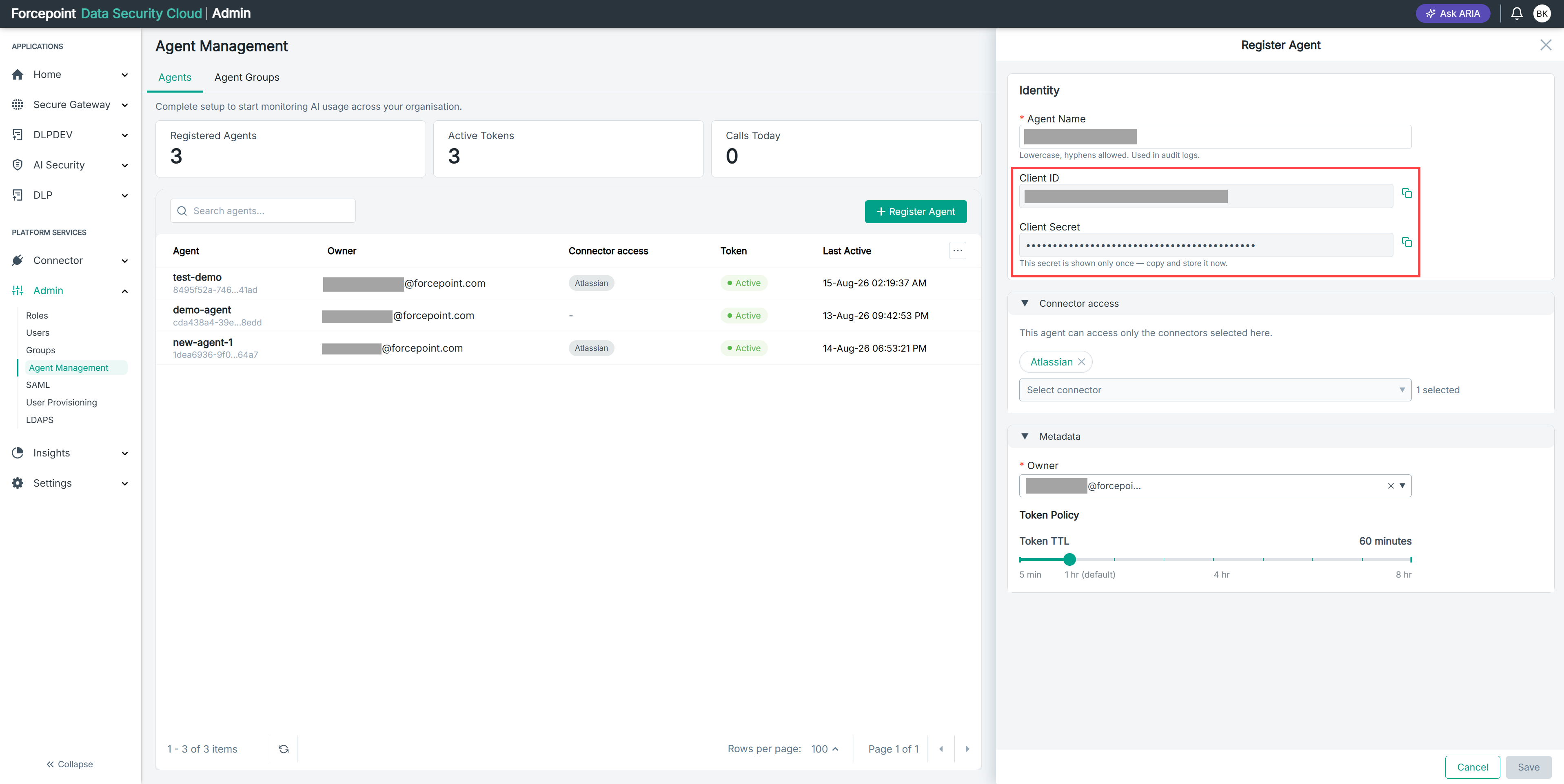
Under Identity, locate Client ID.
Result
The client ID for the agent is displayed.
Next steps
Copy the client ID and enter it in your agent configuration, together with the client secret and your gateway URL.