
Selecting the Gateway Connector a Policy Applies To
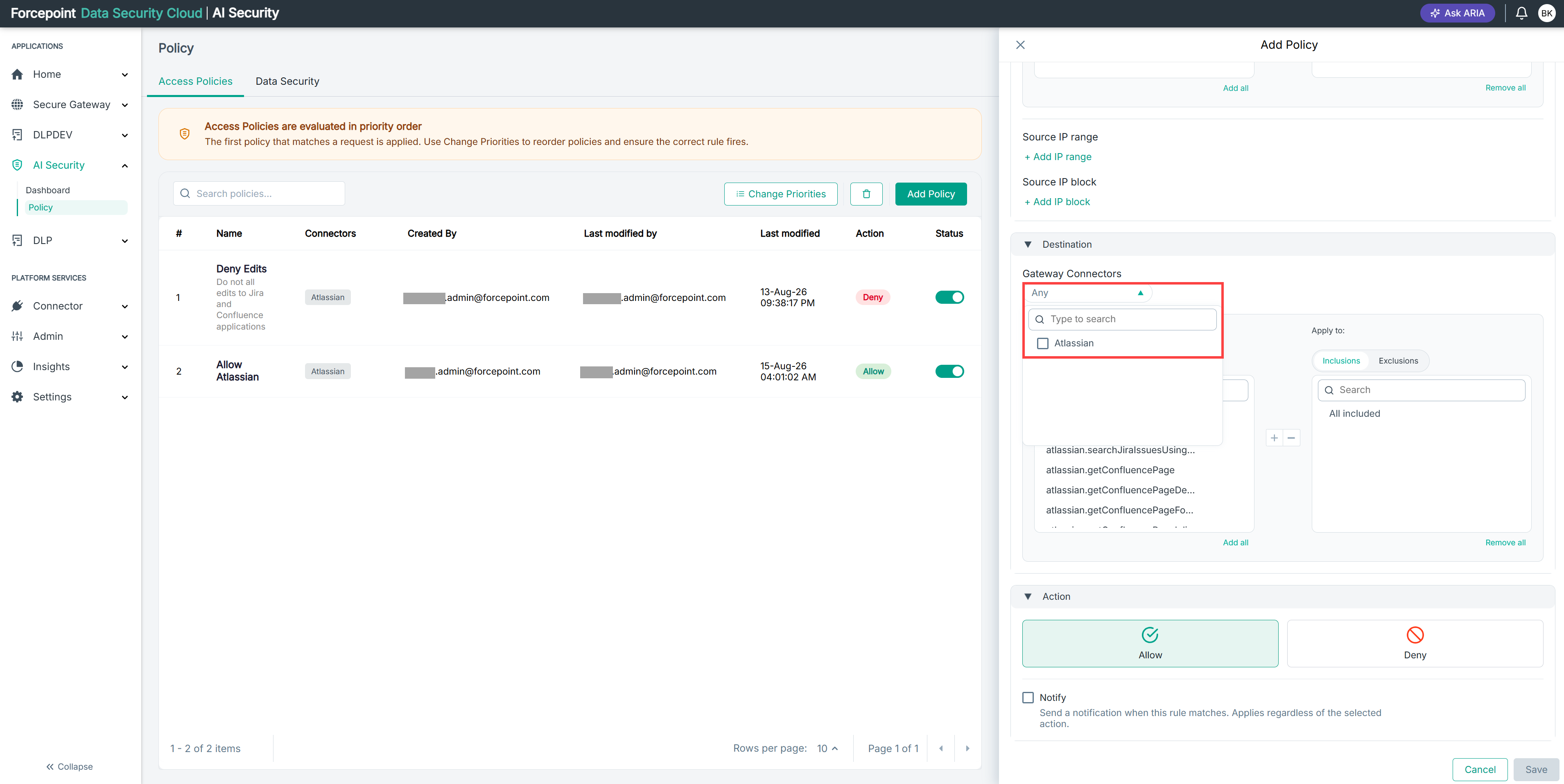
Choose which gateway connector the policy governs, so that you can select the tools within it.
Before you begin
The connector must already be added on the Gateway Connectors page.
The connector you select determines which tools appear in the list below it. To apply the policy across every connector, select Any.
Steps
-
Open the Add Policy panel.
-
Expand Destination.
-
From the Gateway Connectors list, select the connector the policy applies to.
The tools exposed by that connector are listed under Available tools.
Result
The tools available for the selected connector are displayed and ready for you to add to the policy.
Next steps
Add the tools the policy applies to. To narrow the list first, filter it by Write or Read.