
Finding Your Gateway URL
Locate the gateway URL for your tenant so that you can configure your AI agents to route their calls through AI Security.
The gateway URL is specific to your tenant. Use the URL shown in your own console rather than one taken from documentation or from another tenant.
Steps
-
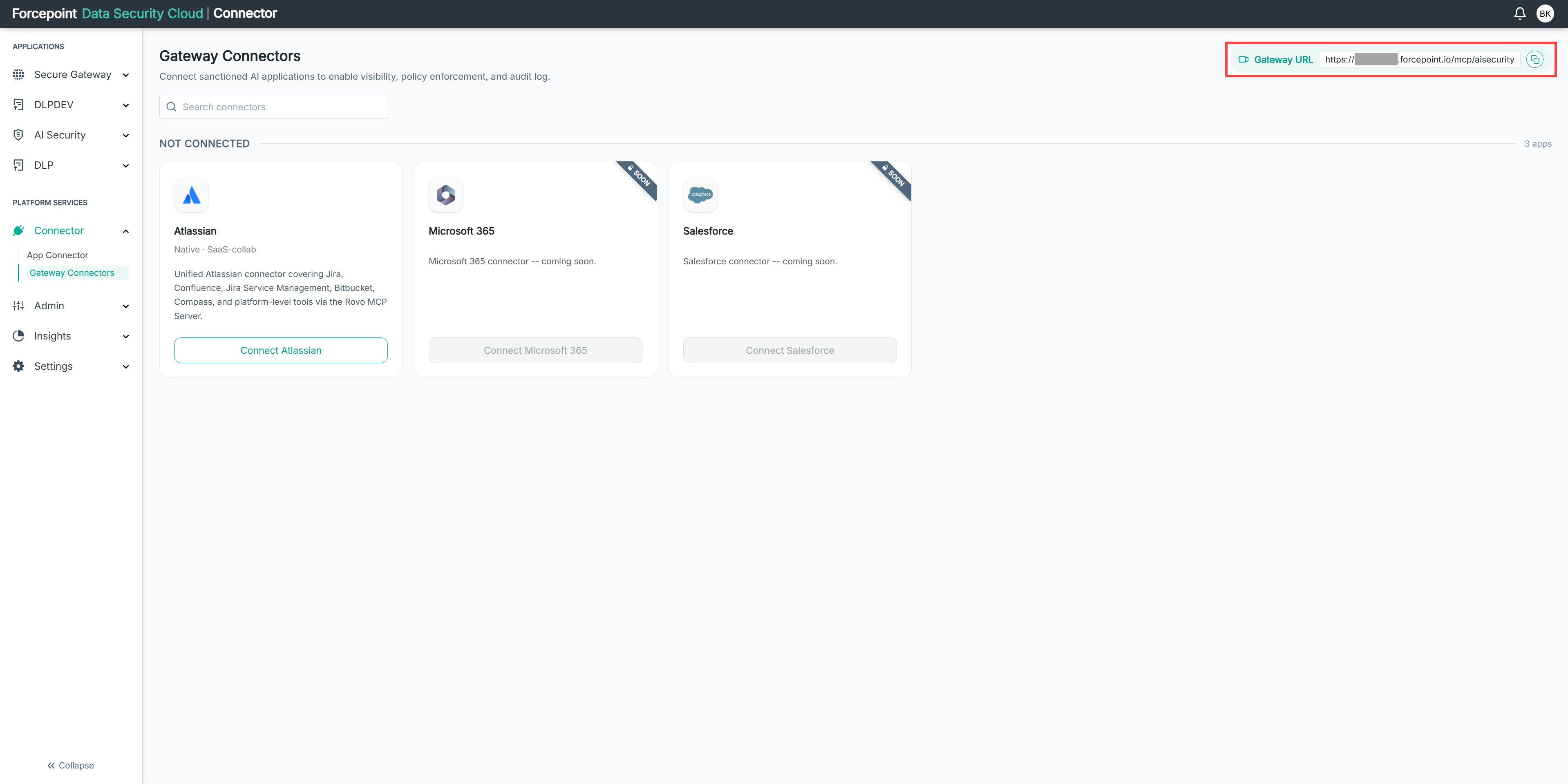
Open the Gateway Connectors page.
-
Locate Gateway URL in the top right corner of the page.
The gateway URL for your tenant is displayed.
Result
You have the gateway URL for your tenant.
Next steps
Copy the gateway URL and configure your AI agents to use it.