
Authorizing a Connector Using an API Key
Authorize a gateway connector by supplying an API key generated in the business application, instead of signing in with OAuth.
Before you begin
Generate an API key from a System Administrator account in the business application before you begin.
AI Security stores the key in the per-tenant vault. Your agents never receive the real credentials for the business application.
Steps
-
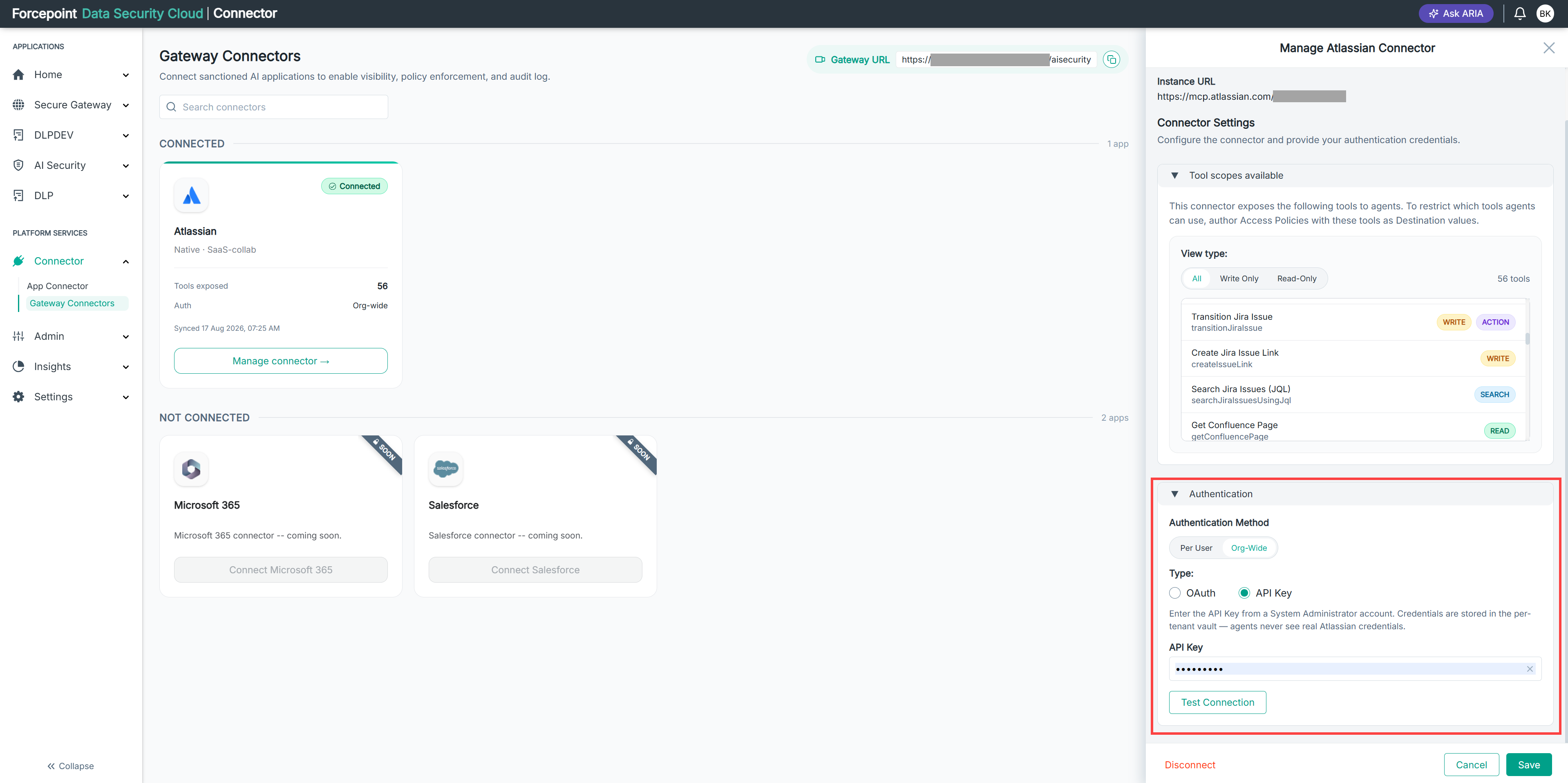
Open the Manage connector panel for the gateway connector.
-
Expand Authentication.
-
Under Authentication Method, select Org-Wide.
-
Under Type, select API Key.
-
In API Key, enter the key from your System Administrator account.
-
Select Test Connection.
Testing confirms that the key is valid before you save it.
-
Select Save.
Result
The connector is authorized using the API key, and its tools are available to your registered agents.
Next steps
If the key is rotated or revoked in the business application, enter the replacement key and test the connection again.