
Understanding the Difference Between an App Connector and a Gateway Connector
AI Security uses two kinds of connector. An app connector inspects what your users send to an AI application. A gateway connector controls what AI agents are allowed to do inside your business applications. Use this topic to decide which one you need.
Both connector types are configured under Connector in the left navigation, and both give you visibility, policy enforcement, and an audit trail. They differ in what sits at each end of the traffic they govern.
How the two connector types differ
Table 1. App connectors compared with gateway connectors
| App connector | Gateway connector | |
|---|---|---|
| What it connects to | A sanctioned AI application, such as Claude Enterprise, ChatGPT Enterprise, or Microsoft Copilot. | A business application that AI agents call, such as Atlassian. |
| Who generates the traffic | Your users, working directly in the AI application. | AI agents, acting on your business data. |
| What you are protecting against | Sensitive data leaving your organization inside prompts and uploads. | An agent reading or changing more than it should in your business systems. |
| How it inspects traffic | API inspection against the AI application. | Agent calls are routed through the MCP Gateway URL. |
| How credentials are handled | You supply the credentials for the AI application when you connect it. | The gateway brokers access to the business application. Your agents never hold its credentials directly. |
| How you control it | Data loss prevention policies applied to the connector. | Access policies that name individual tools as destination values. |
| Where you configure it | Connector › App Connectors | Connector › Gateway Connectors |
Choosing the connector you need
The connector you need depends on who or what generates the traffic to the application you want to bring under AI Security.
If your users open the application and work in it directly, the traffic is user traffic. If an AI agent calls the application programmatically to read or update records, the traffic is agent traffic.
Table 2. Matching the connector to the traffic
| If the traffic is | Use |
|---|---|
| User traffic to an AI application | An app connector |
| Agent traffic to a business application | A gateway connector |
Where each connector type is configured
App connectors are on the App Connectors page, at Connector › App Connectors.
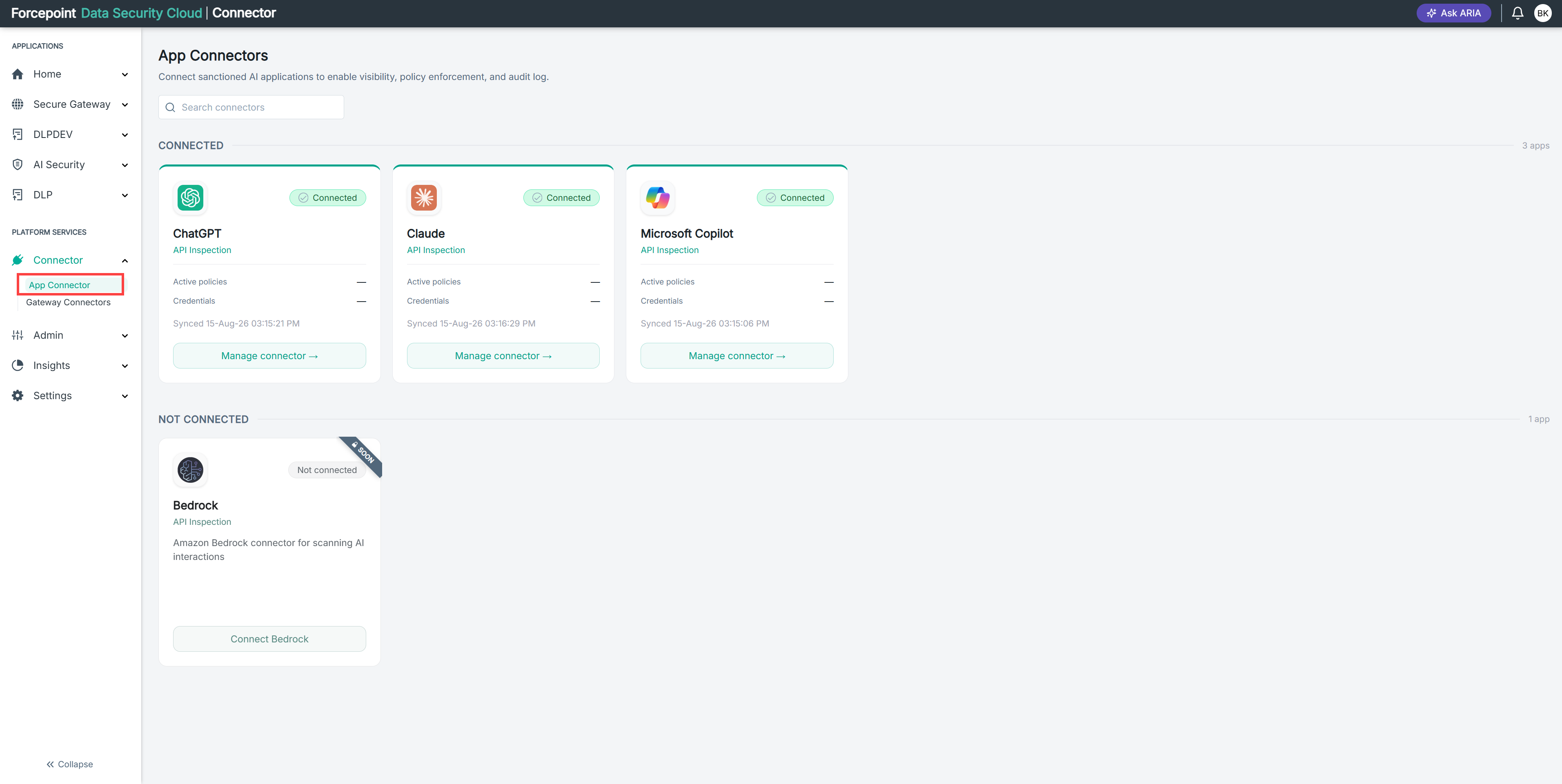
Gateway connectors are on the Gateway Connectors page, at Connector › Gateway Connectors.
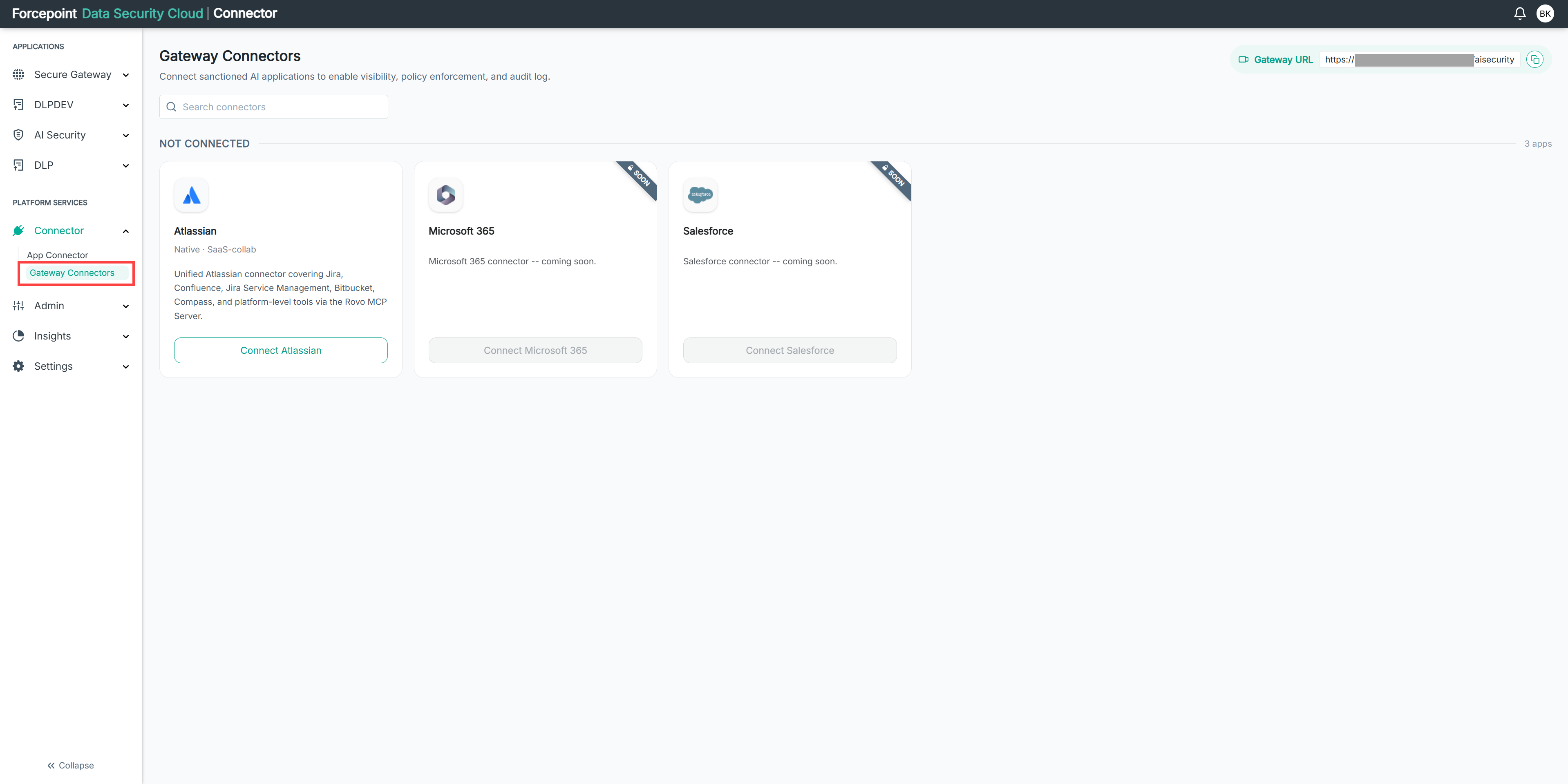
If you need both
Most organizations need both. An app connector tells you what your people are sending to AI tools. A gateway connector tells you what your AI agents are doing with your data, and lets you stop the actions you do not want.
If you need both, connect your AI applications first. Doing so gives you visibility into user activity while you set up the gateway and register your agents.