
Searching for a Group, User, or Other Identity
Find a specific identity in the Source section without scrolling through the full list.
Steps
-
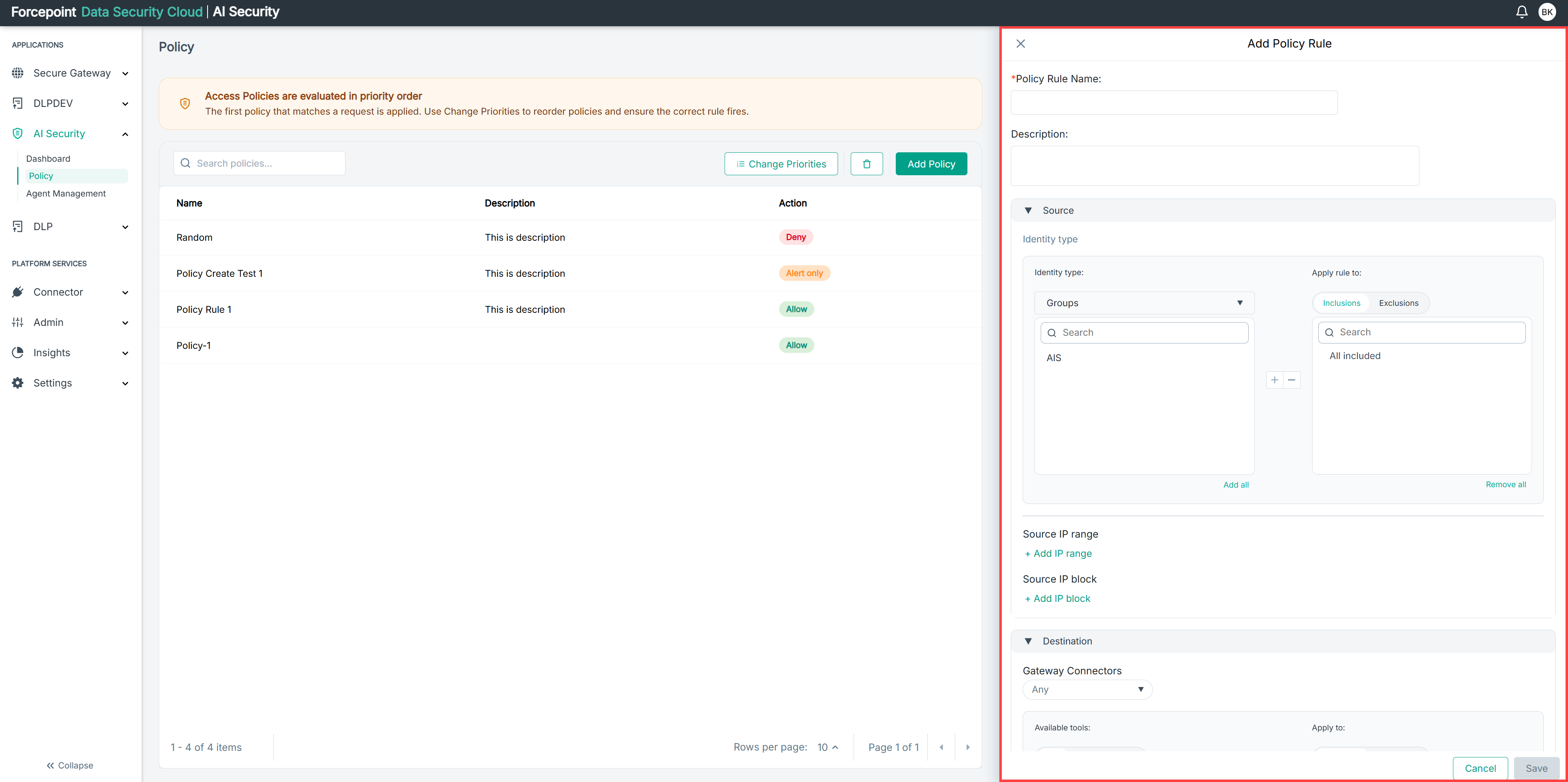
Open the Add Policy panel.
-
Expand Source.
-
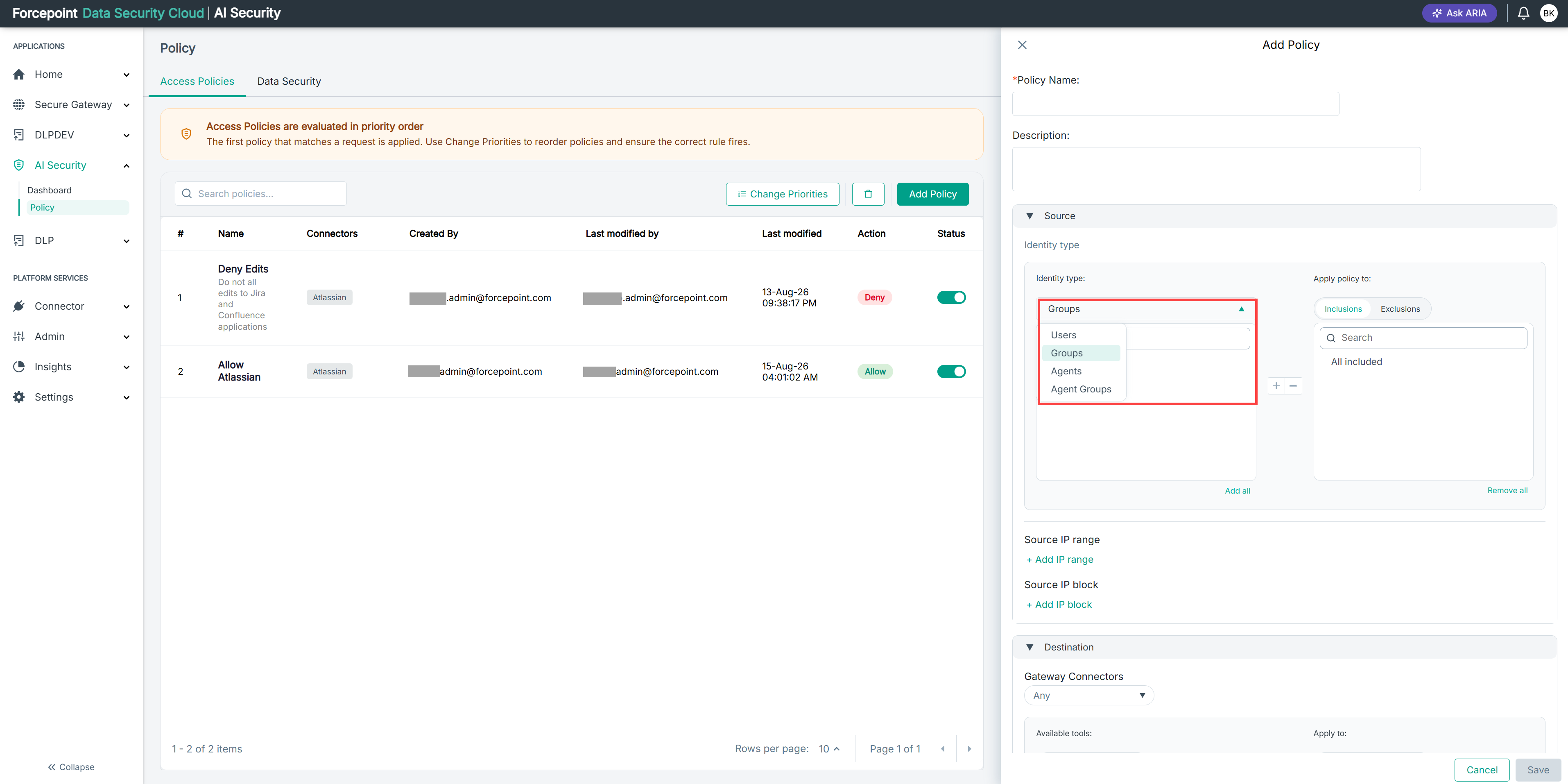
From the Identity type list, select the type of identity you are looking for.
-
In the Search box above the identity list, enter the name of the identity.
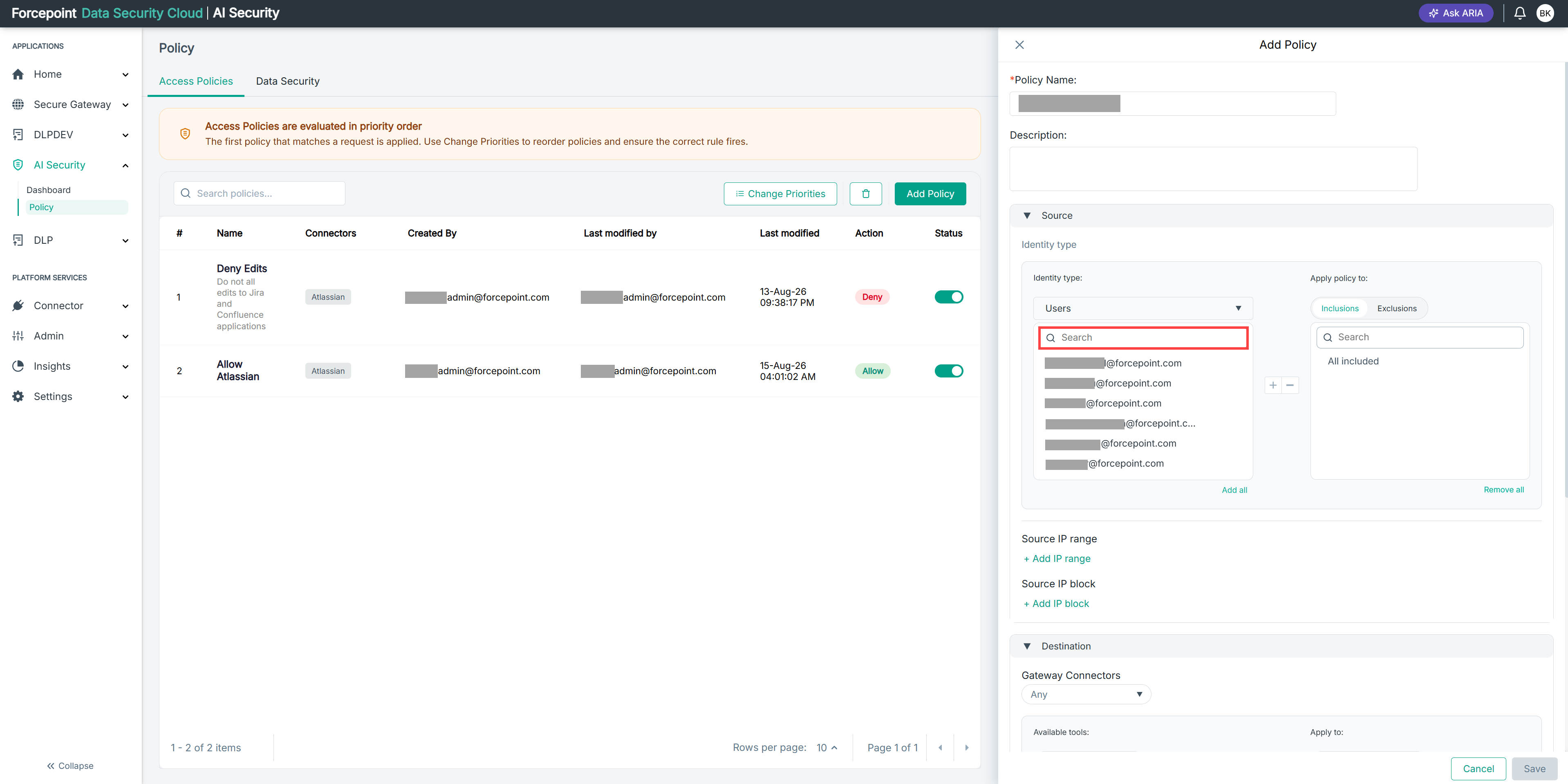
The list shows only the identities that match what you entered.
Result
The identity you are looking for is displayed and ready to add to the policy scope.
Next steps
If the identity you expect does not appear, check that you have selected the correct identity type.