
Opening the Register Agent Panel
Open the Register Agent panel to add a new AI agent to your environment.
Before you begin
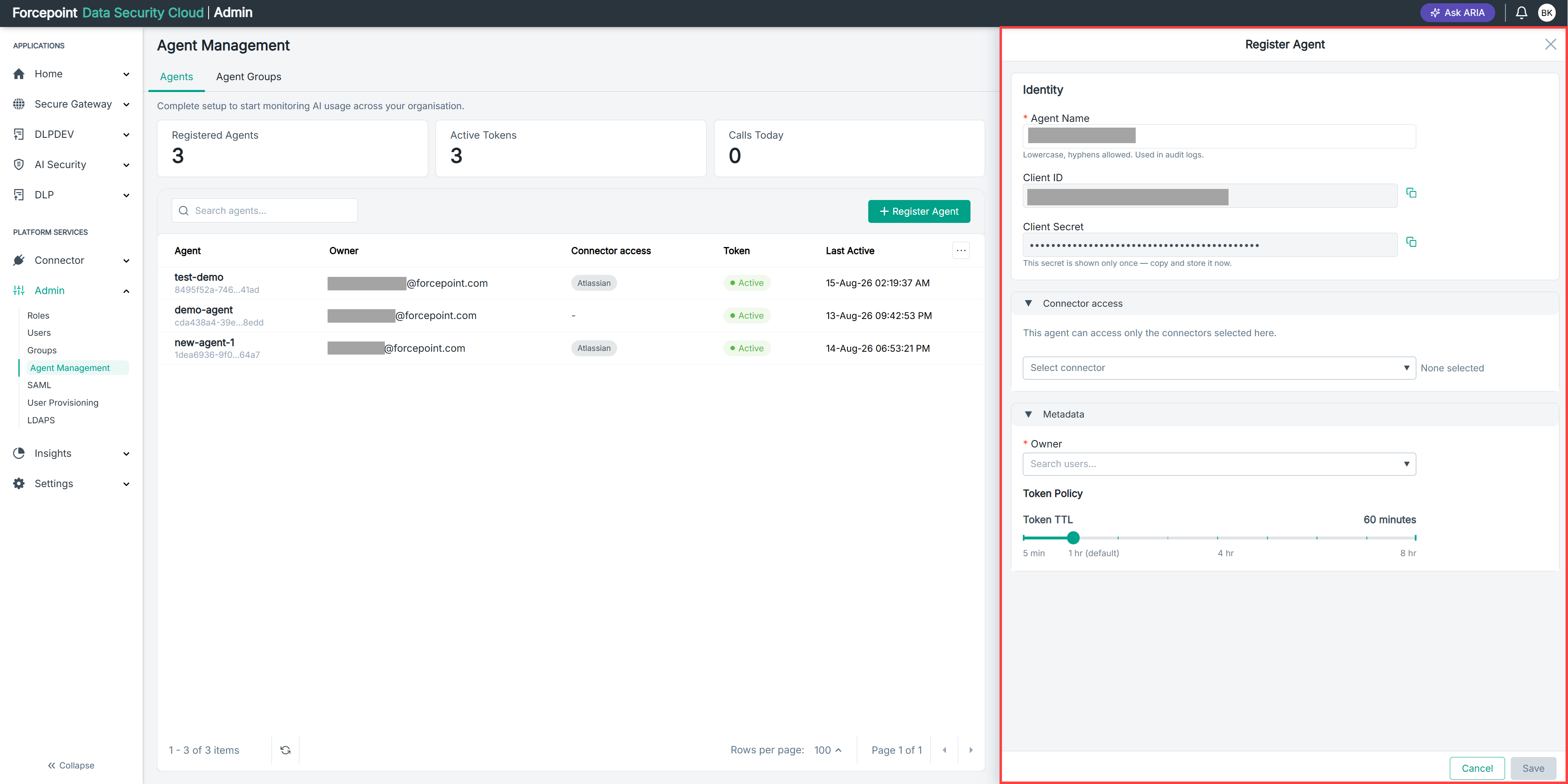
Be ready to copy the client secret as soon as the agent is registered. It is displayed only once.
Steps
-
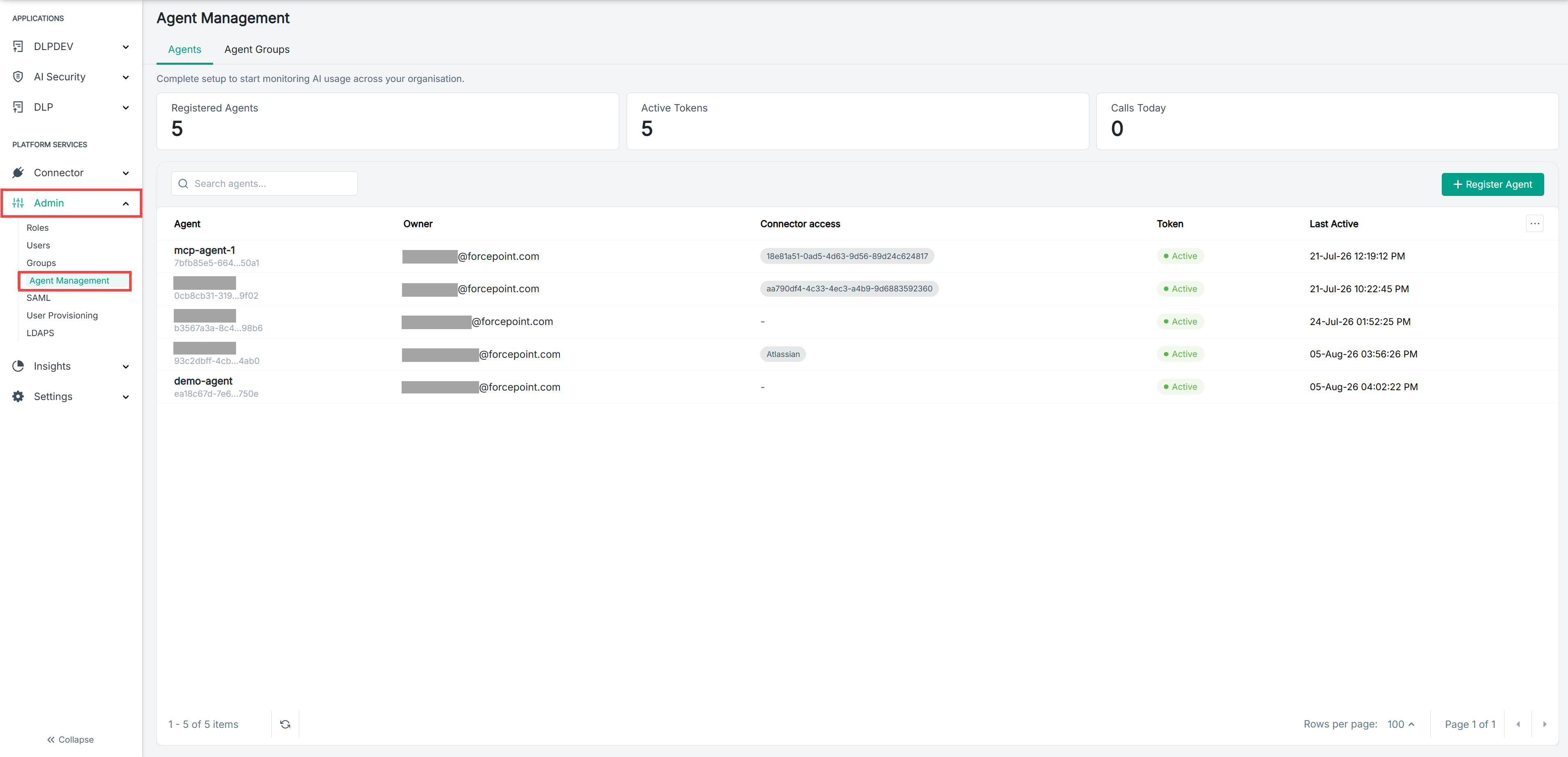
Open the Agent Management page.
-
Select the Agents tab.
-
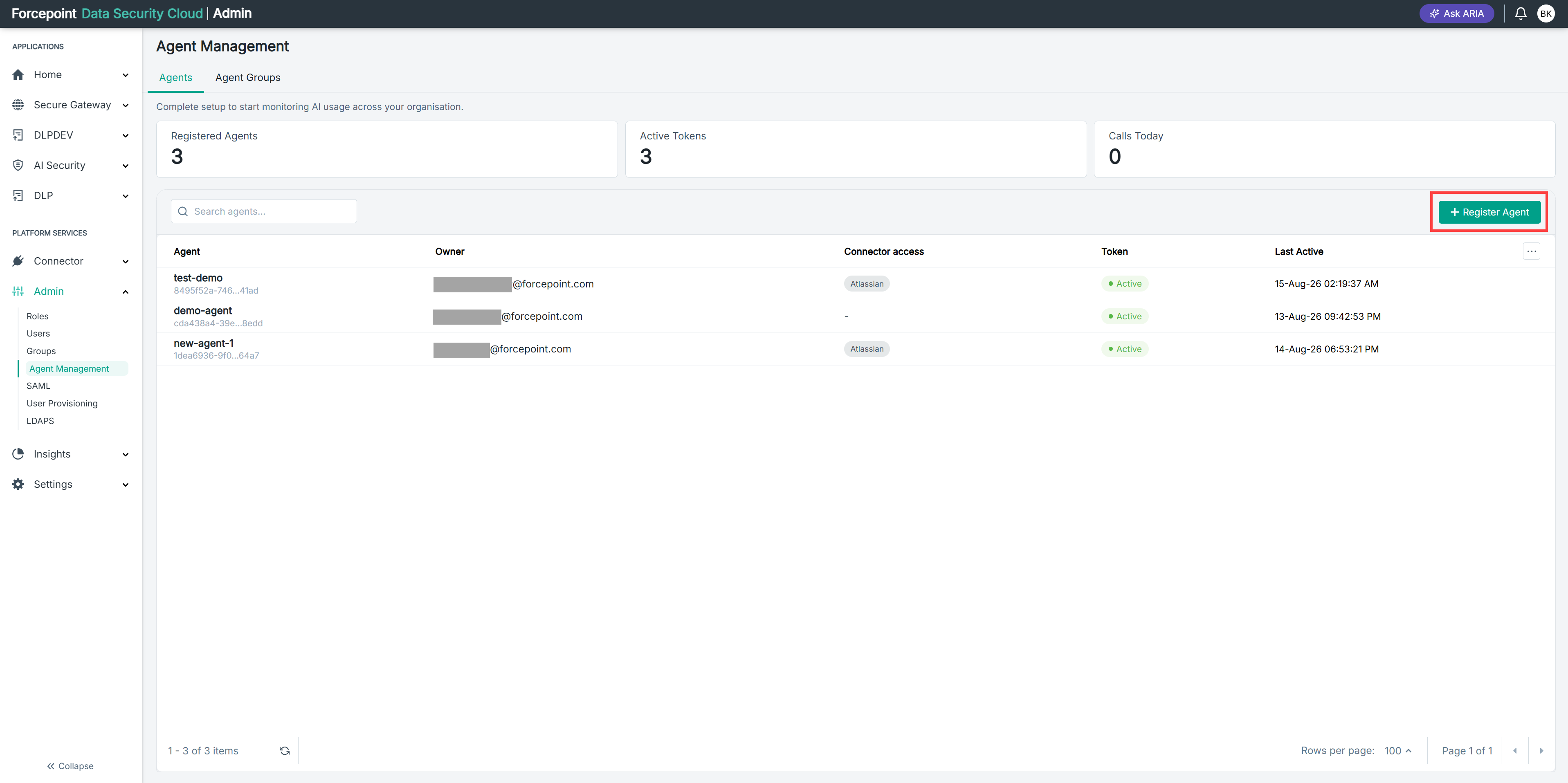
Select Register Agent.
Result
The Register Agent panel opens, showing the Identity, Connector access, and Metadata sections.
Next steps
To close the panel without registering an agent, select Cancel.