
Expanding an Event to See Which Policy and Rule Matched
Open a single violation to find out exactly which policy caught it and which rule inside that policy produced the match.
Before you begin
You are looking at the Recent High Severity Events list.
Steps
-
Select the event you want to investigate.
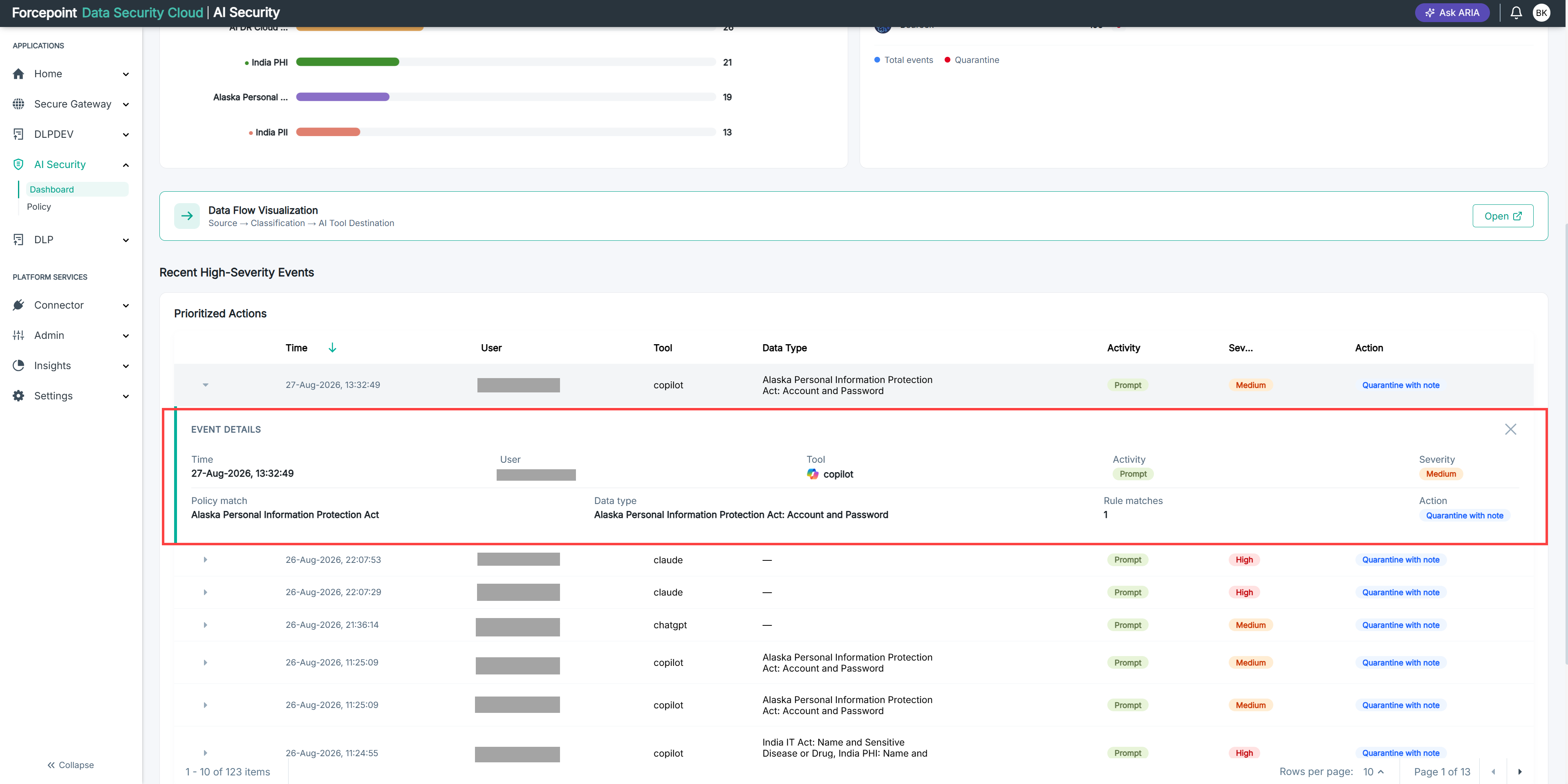
The row expands to show the detail behind the event.
-
Read which data security policy matched.
-
Read which rule within that policy produced the match.
The rule tells you what was actually detected in the content the user sent.
-
Select the event again to collapse it.
Result
You know why the violation was recorded and can judge whether the policy behaved correctly.