
Adding an Agent to a Group
Select the agents that belong to a group so that you can manage them together.
Before you begin
The agents you want to add must already be registered.
Steps
-
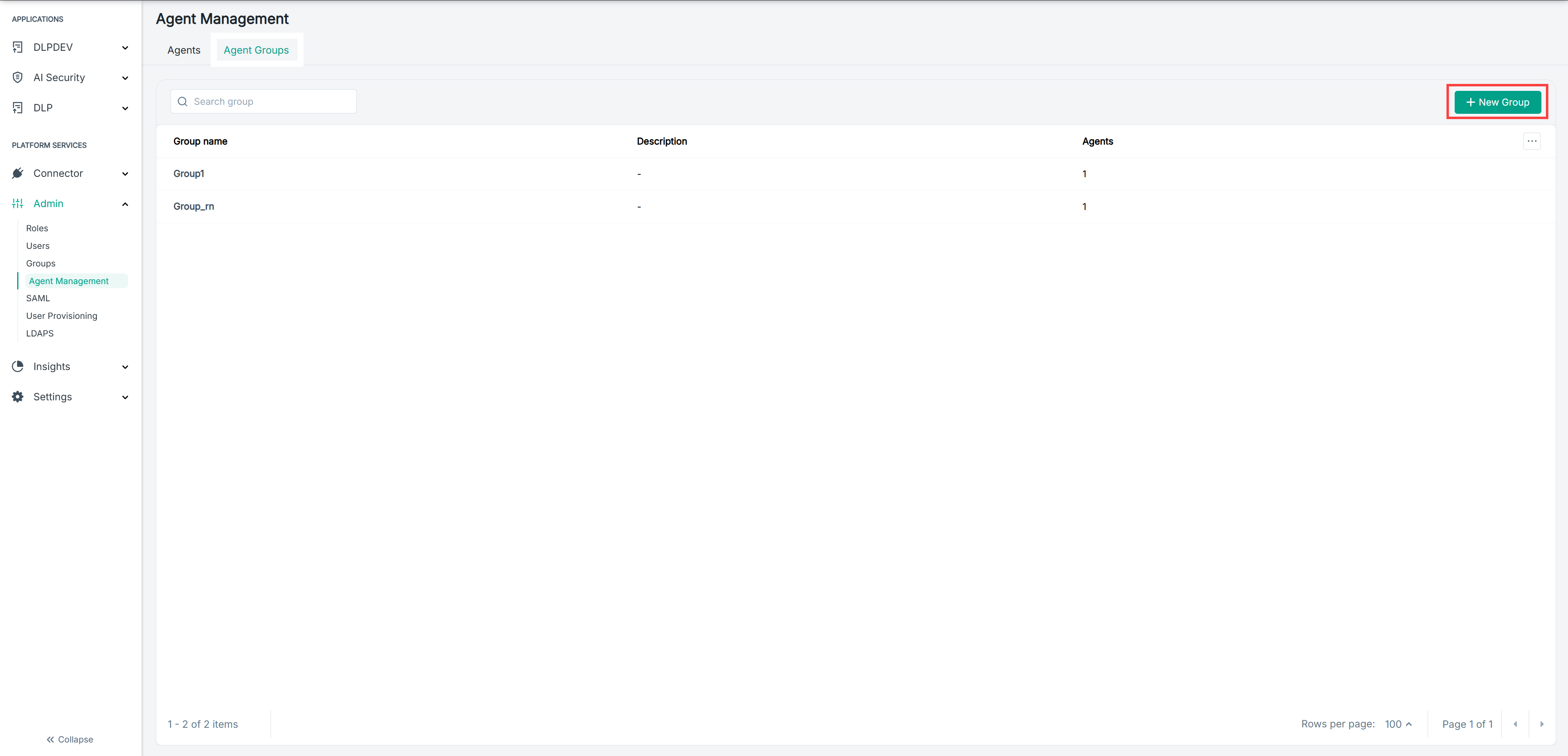
Open the New Group panel.
-
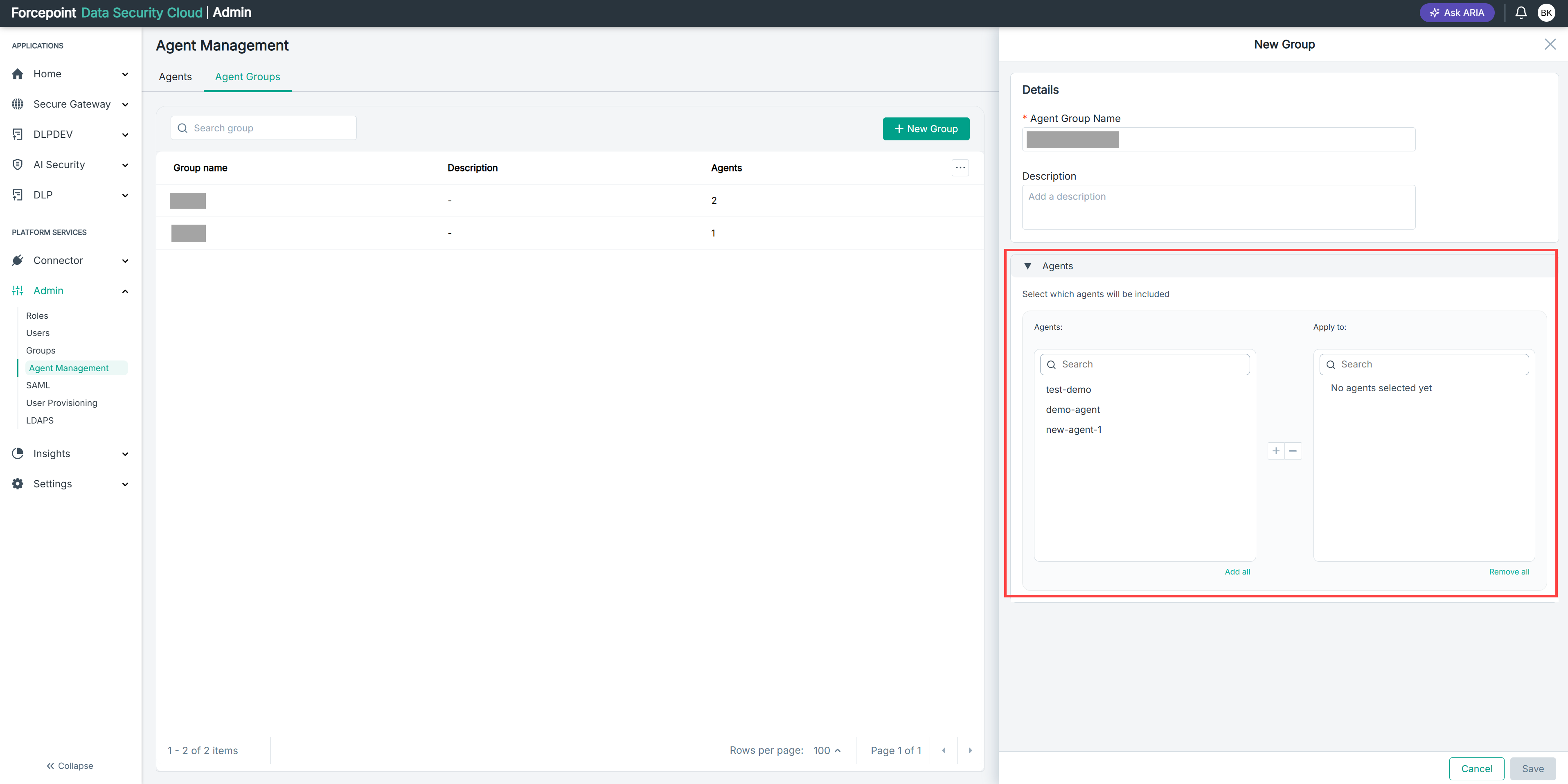
Expand Agents.
The Agents list on the left shows the agents available to add. The Apply to list on the right shows the agents already selected.
-
Optional: To find an agent quickly, enter its name in the Search box above the Agents list.
-
Select the agent you want to add.
-
Select the add icon.
The agent moves to the Apply to list.
-
Repeat for each agent you want to include.
To add every available agent at once, select Add all. To take an agent out of the group, select it in the Apply to list and select the remove icon.
Result
The agents you selected are listed under Apply to and are included in the group when you save it.