
Understanding the New Group Panel
The New Group panel is where you create an agent group and choose which agents belong to it.
A group exists so that an access policy can refer to it instead of naming agents one at a time. This panel is where the group and its membership are set up.
To open it, go to Admin › Agent Management, click Agent Groups, then click New Group.
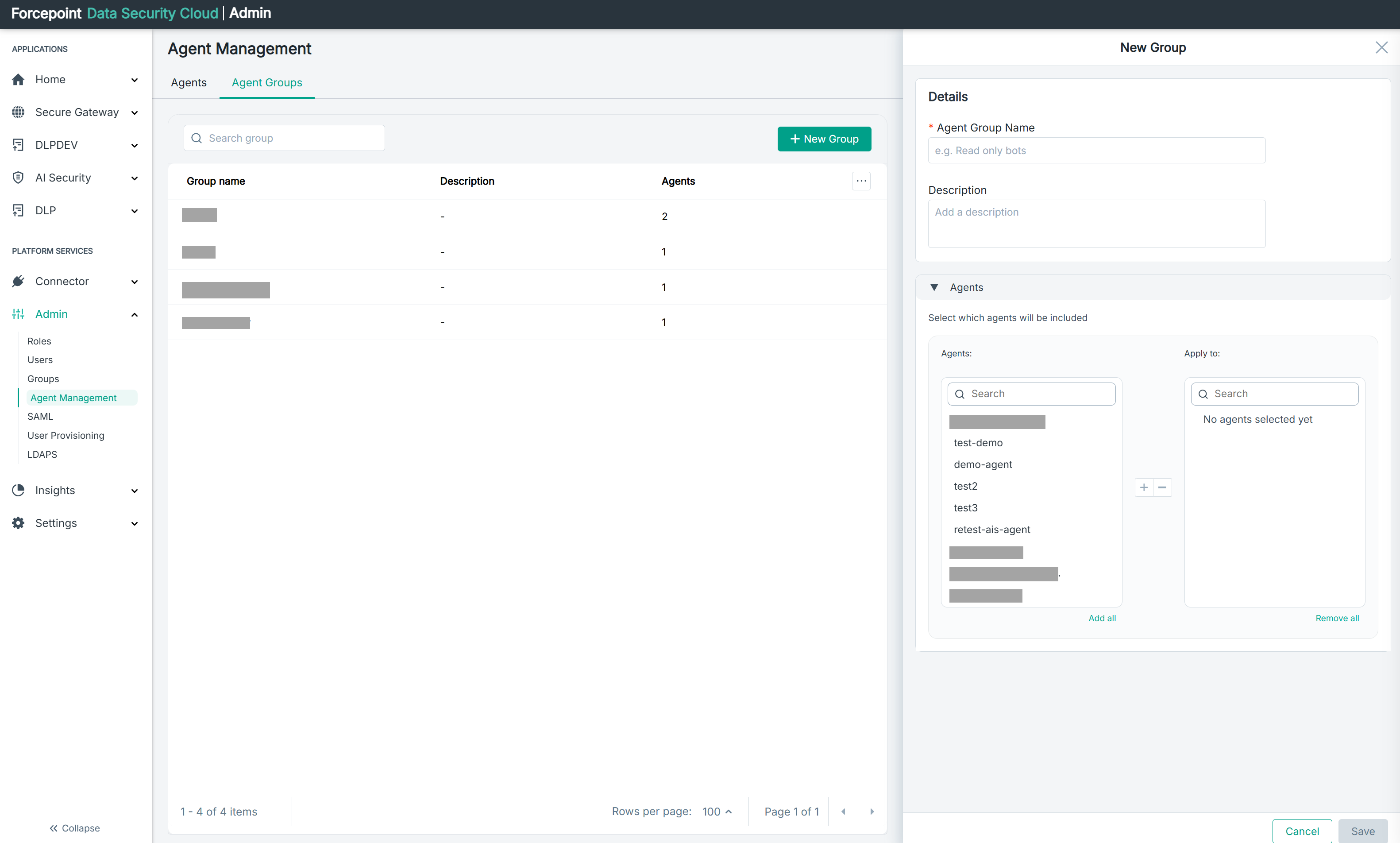
What the panel contains
| Area | What it holds |
|---|---|
| Details | The group name and description |
| Agents | Which agents belong to the group |
| Cancel | Closes the panel without creating the group |
| Save | Creates the group |
The panel opens empty. There is no Delete Group option, because there is nothing to delete until the group exists.
Details
| Field | What it is for |
|---|---|
| Agent Group Name | The name the group is known by. Required |
| Description | What the group is for. Optional |
The example shown in the name field is a useful hint about how to name a group: describe what the agents in it are allowed to do, rather than who created the group or when.
A name that describes a purpose tells a colleague reviewing a policy why those agents were grouped. A name taken from a person or a test label does not.
Complete the description even though it is optional. It is the only place to record why the group exists, and a group with a dash in the Description column of the list gives a reviewer nothing to go on.
Choosing which agents belong
The Agents section holds two lists. The list on the left shows the agents available to add, and the list on the right, headed Apply to, shows the agents you have chosen.
Use the plus and minus buttons between the lists to move agents from one to the other, or Add all and Remove all to move everything at once. Either list can be filtered with its search box.
Until you add something, the right-hand list reads No agents selected yet. A group can be saved empty, but a policy that names an empty group matches nothing, so it is better to add the agents now.
What you can do from here
- Name a group and record what it is for
- Add agents to it, or leave it empty for now
- Create the group
- Close the panel without creating anything