
Disabling an Access Policy
Turn off a policy without deleting it, so that you can restore it later.
Disabling a policy keeps its configuration intact but takes it out of evaluation. Use it to test the effect of a policy, or to suspend one temporarily rather than deleting and rebuilding it.
Steps
-
Open the Policy page.
-
Locate the policy in the list.
-
In the Status column, select the toggle to turn the policy off and click Disable.
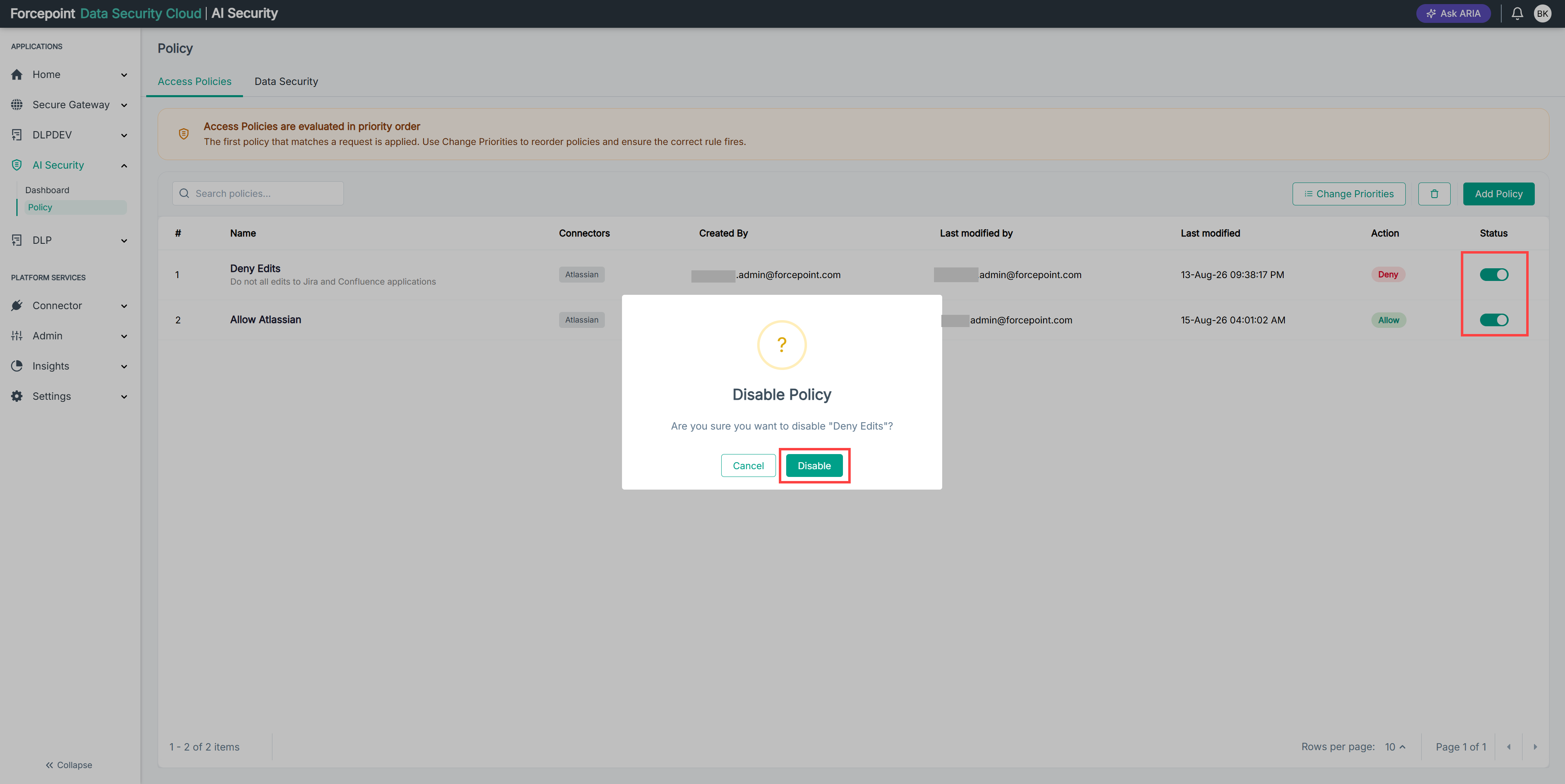
Result
The policy is no longer evaluated. Requests that it previously matched are now evaluated against the policies below it.