
Understanding What a Gateway Connector Does
A gateway connector links AI Security to a business application that your AI agents call, so that you can see which tools the agents use and control what they are allowed to do.
AI agents act on your business data. An agent might read a Jira issue, update a Confluence page, or transition a ticket. Without a gateway connector, those actions happen outside your control and leave no audit trail in AI Security.
When you add a gateway connector, AI Security does the following:
- Exposes the application's tools to your agents through the MCP gateway.
- Records which agents call which tools, and how often.
- Enforces the access policies you write against individual tools.
- Holds the credentials for the application, so that your agents never receive them.
A gateway connector governs agent traffic to a business application. To govern what your users send to an AI application, use an app connector instead.
Steps
-
Open the Gateway Connectors page.
-
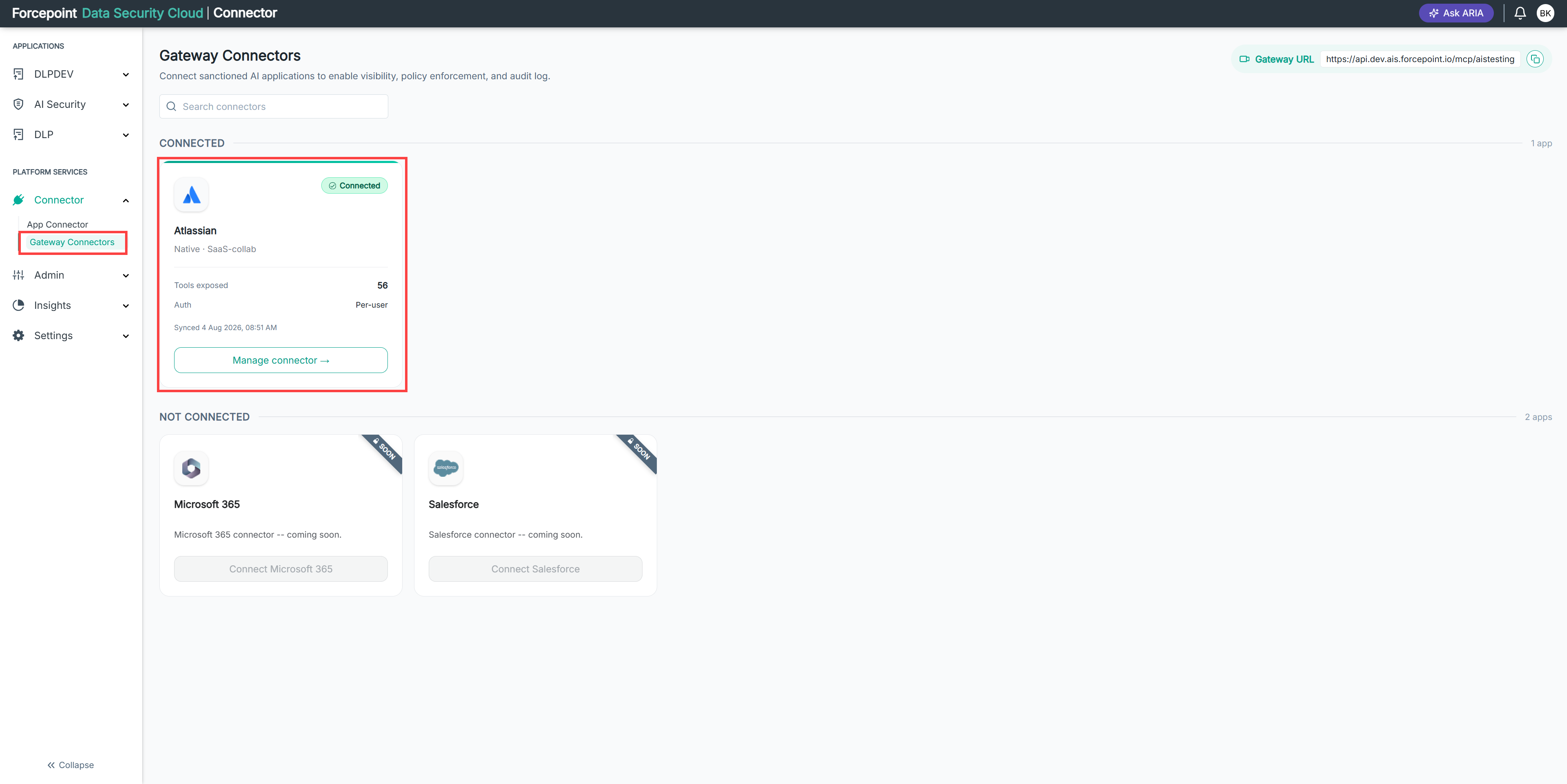
Review the applications listed on the page.
Each card shows the application name, the connector type, the number of tools exposed, and the authentication mode in use.
-
Identify the business applications your AI agents need to reach.
-
Add a gateway connector for each of those applications.
Result
Each connected application appears under CONNECTED with a Connected status, and its tools become available to your registered agents.