
Viewing the Identity Landscape Section
Review how many people and how many agents are interacting with AI in your organization.
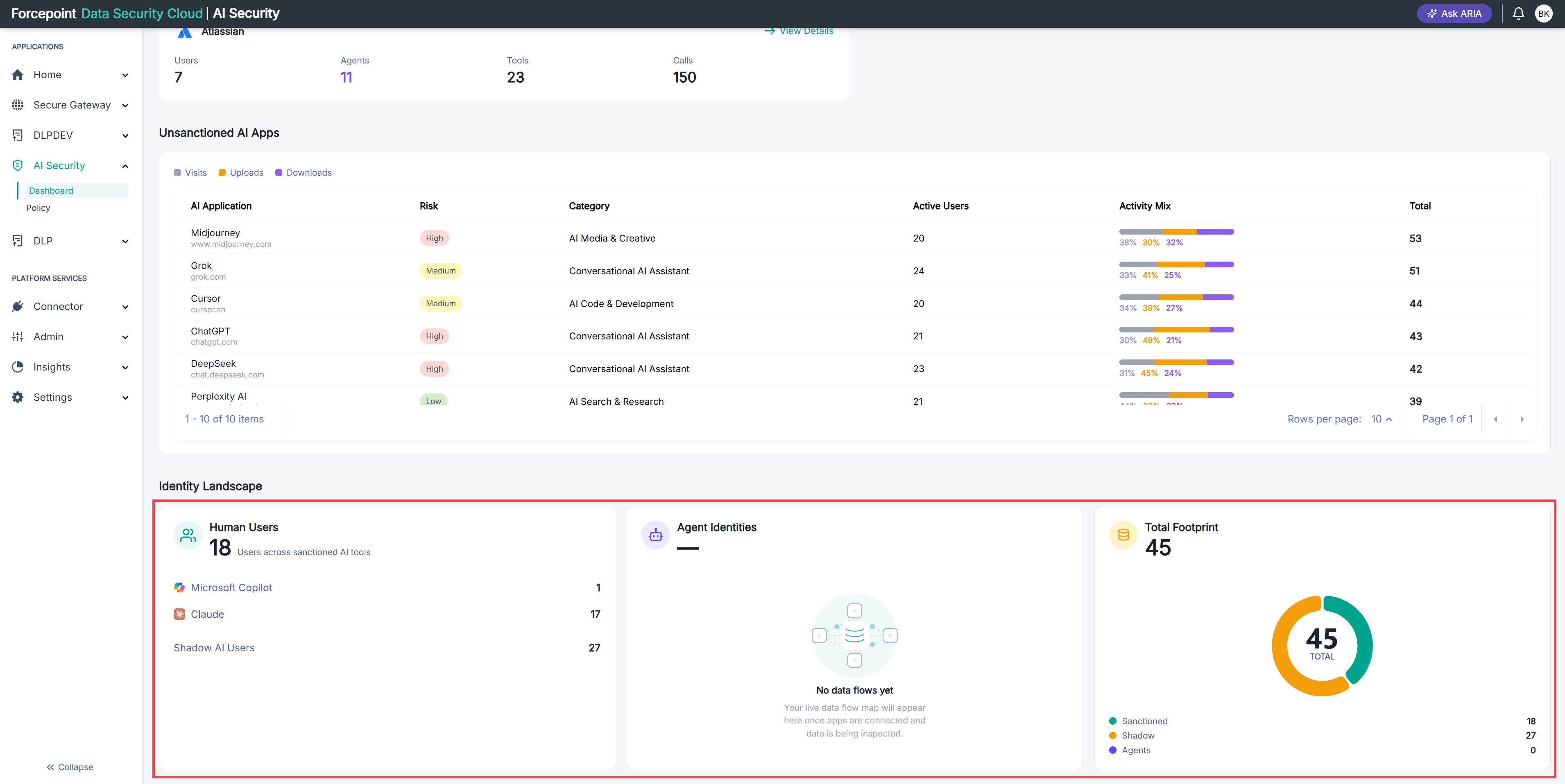
The Identity Landscape counts the identities behind your AI activity, separating the people from the agents. Agent identities often grow faster than human ones, and each agent acts without a person watching each call.
Steps
-
Open the AI Governance Dashboard.
-
Select the AI Landscape tab.
-
Scroll to Identity Landscape.
-
Review the three cards.
- Human Users — the people interacting with AI applications.
- Agent Identities — the agents acting in your environment.
- Total Footprint — the two counts combined.
Result
You can see the size and composition of your AI identity footprint for the selected period.
Next steps
If a card reports that it cannot load data, refresh the dashboard. If the message persists, confirm that your connectors are active and reporting.