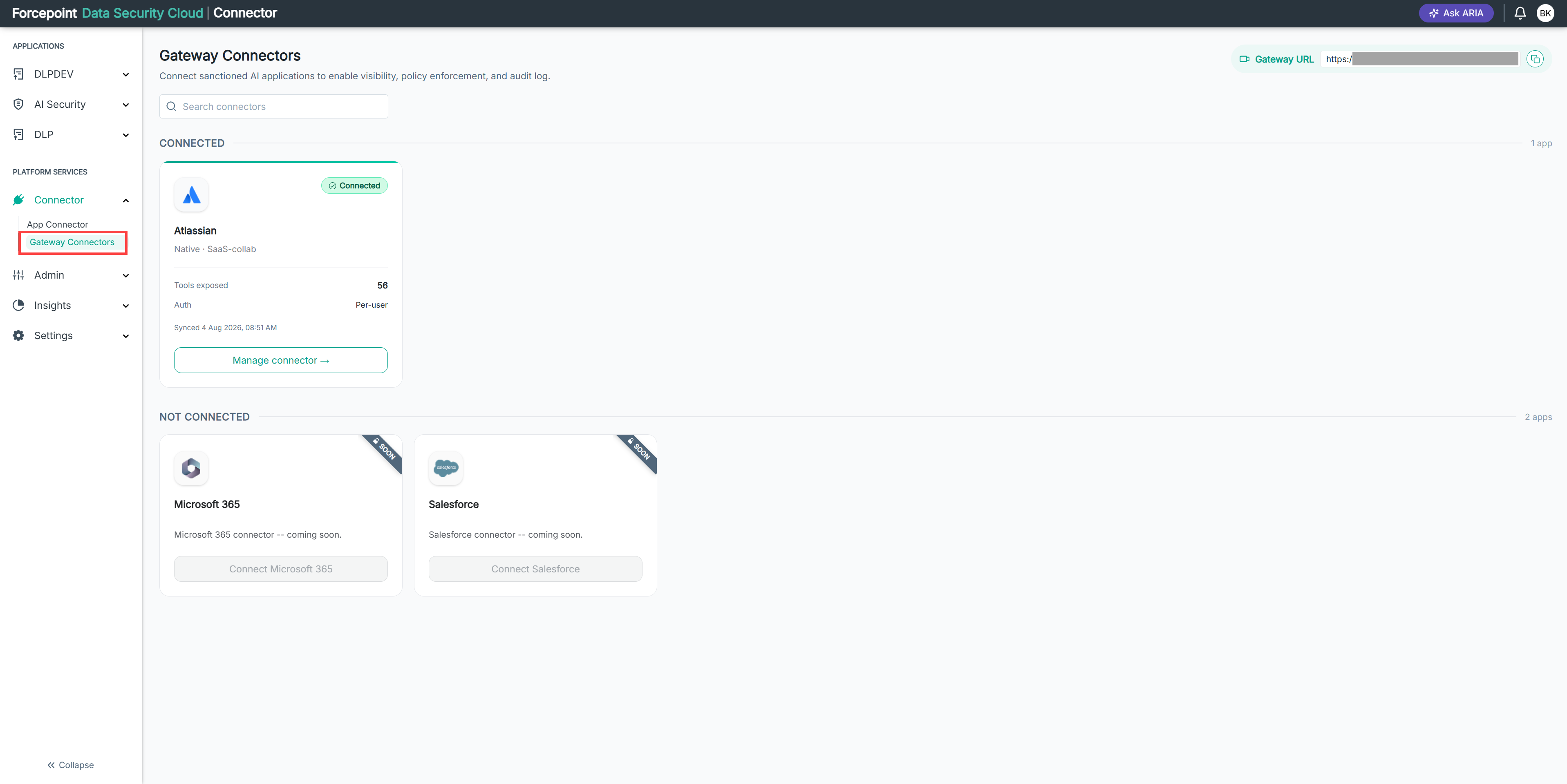
Opening the Gateway Connectors Page
Open the Gateway Connectors page to see which business applications your AI agents can reach, and to find your gateway URL.
Before you begin
You must be signed in to Forcepoint Data Security Cloud with permission to manage connectors.
Steps
- In the left navigation, under PLATFORM SERVICES, select Connector.
- Select Gateway Connectors.
Result
The Gateway Connectors page opens. Your gateway URL appears in the top right corner. Connected applications are listed under CONNECTED, and applications you have not connected yet are listed under NOT CONNECTED.