Understanding message personalization options
While creating and updating notifications, you can insert (Message Personalization) variables to the body of the notifications.
| Personalization Tag | Description | Access | Session | API |
|---|---|---|---|---|
| Application | App user was trying to login to | X | X | X |
| Batch table | The Batch Table token displays individual notifications as table rows in the email body. In the Email Body field, enter only column names separated by commas. Do not include additional text anything outside the column names will not appear in the table.1 | X | ||
| Condition |
Comma separated text for the following conditions in rule that matched:
|
X | ||
| Device Match | The Device type that matched the policy line | X | ||
| Direction | The direction of traffic flow when watermark was applied (Uploaded or Downloaded) | X | ||
| Email Address | User account Company Email attribute | X | X | X |
| File link | The URL that directs to the scanned file. 2 | X | ||
| First Name | User account First Name attribute. | X | X | X |
| IP Address | Users IP address when watermark event occurred. | X | X | |
| Label | The classification label value that triggered the policy. Available only when the Google Badge Labels feature is enabled for the tenant. | X | ||
| Last Name | User account Last Name attribute | X | X | X |
| Location | Associated log location (reverse IP or browser lookup) | X | X | |
| Logout All Sessions Link | A link that allows the user to logout all of their sessions across all devices. | X | X | X |
| OS | OS extracted from associated log User Agent | X | X | |
| Password Change Link | Link to allow the user to change their password (if Forcepoint Data Security Cloud | App Security is the IdP). | X | X | X |
| Pattern_Name | The name of the DLP pattern that was matched on the policy | X | ||
| RDNS of IP Address | Reverse-DNS lookup to find the domain associated with an IP address. | X | X | |
| Region Match | The region/location of the user at time of matching the policy line | X | X | |
| Subject header | The name of the scanned file. 3 | X | ||
| Timestamp | Timestamp of the event in YYYY-MM-DD HH:MM GMT format. | X | X | X |
| Transaction ID | Watermark event transaction ID | X | X |
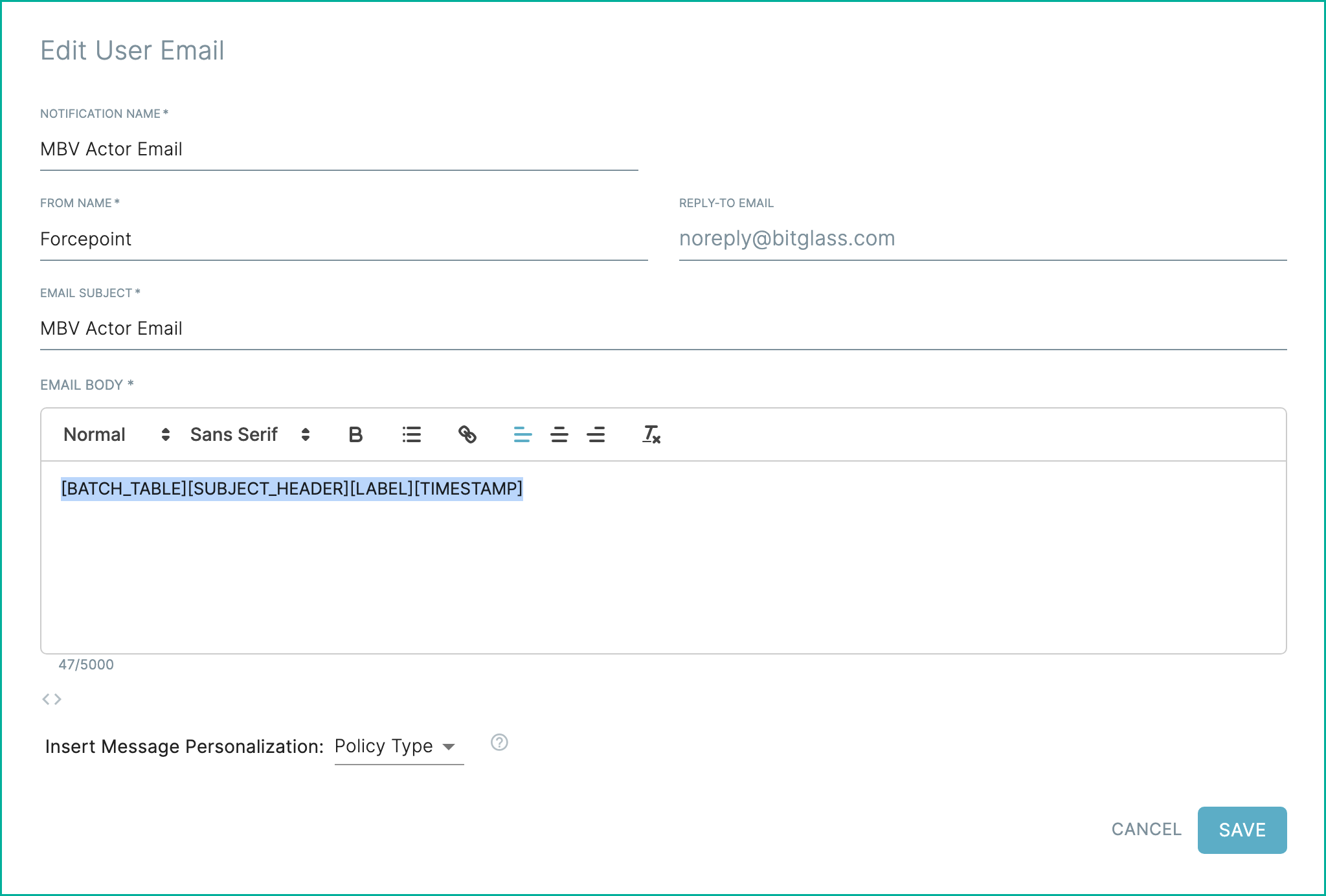
Here is an example of a Actor Email template.
1 When you use
[SUBJECT_HEADER] and
[FILE_LINK] together in the BATCH_TABLE, they combine into a single column. This column displays the file name as a clickable link to the file's
URL.2 When you use
[SUBJECT_HEADER] and [FILE_LINK] together in the BATCH_TABLE, they
combine into a single column. This column displays the file name as a clickable link to the file's URL.3 When you use
[SUBJECT_HEADER] and [FILE_LINK] together in the BATCH_TABLE, they combine into a
single column. This column displays the file name as a clickable link to the file's URL.