These instructions describe how to setup Google Workspace in order to enable the Google Workspace mobile mail cutoff feature, ensuring that all mobile device users will connect through Forcepoint ONE SSE versus connecting directly to Google.
This will also ensure that even ActiveSync connections leverage your organization's Single Sign-On passwords rather than the separately defined and managed Google password.
Disabling Google workspace password sync agent
The Google Workspace Password Sync Agent must be disabled before deploying the Google Workspace mobile mail cutoff feature. Forcepoint ONE SSE requires the ability to manage users' passwords in Google on an ongoing basis, which conflicts with Google Workspace Password Sync Agent functionality.
Enabling API access
You will need to login to the Google admin console to enable API access.
- In the Google Apps admin console, click Security, then API Reference. Then check Enable API Access.
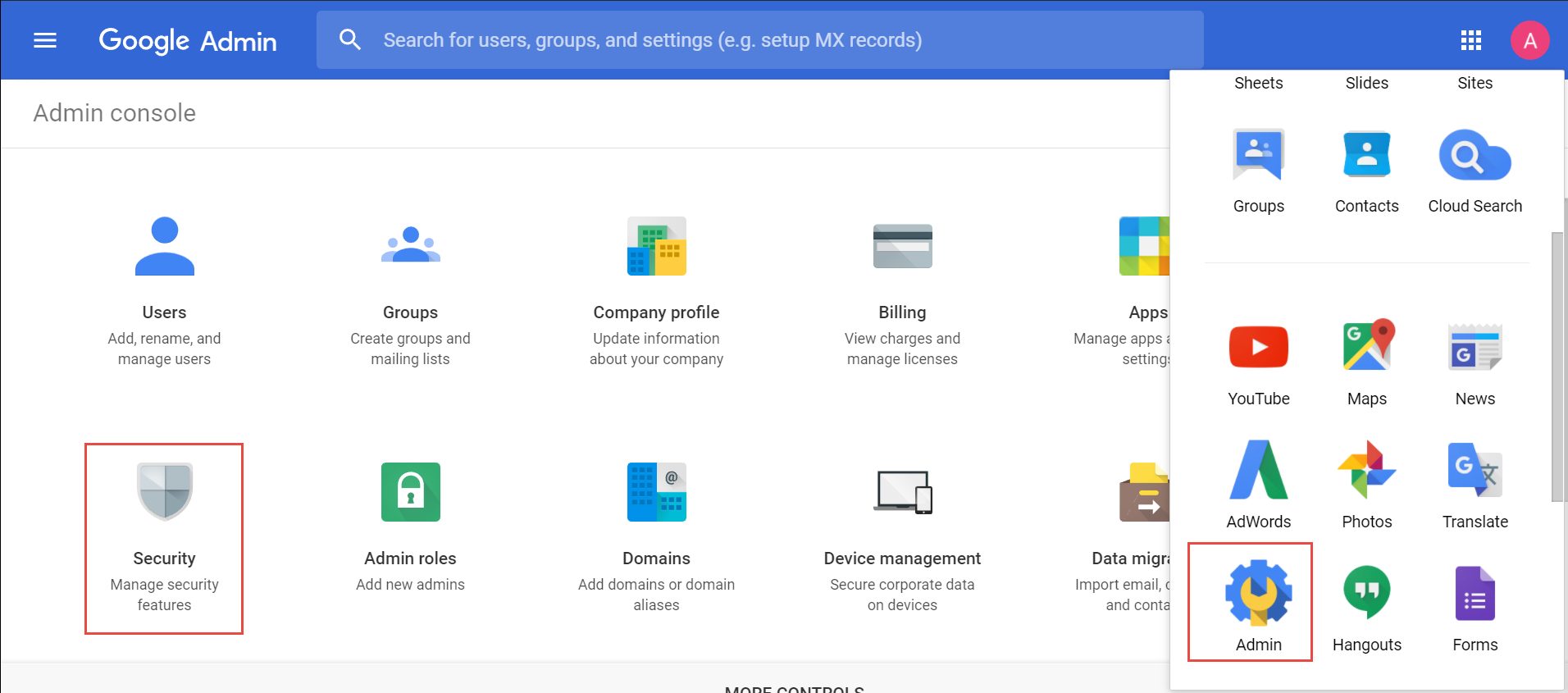
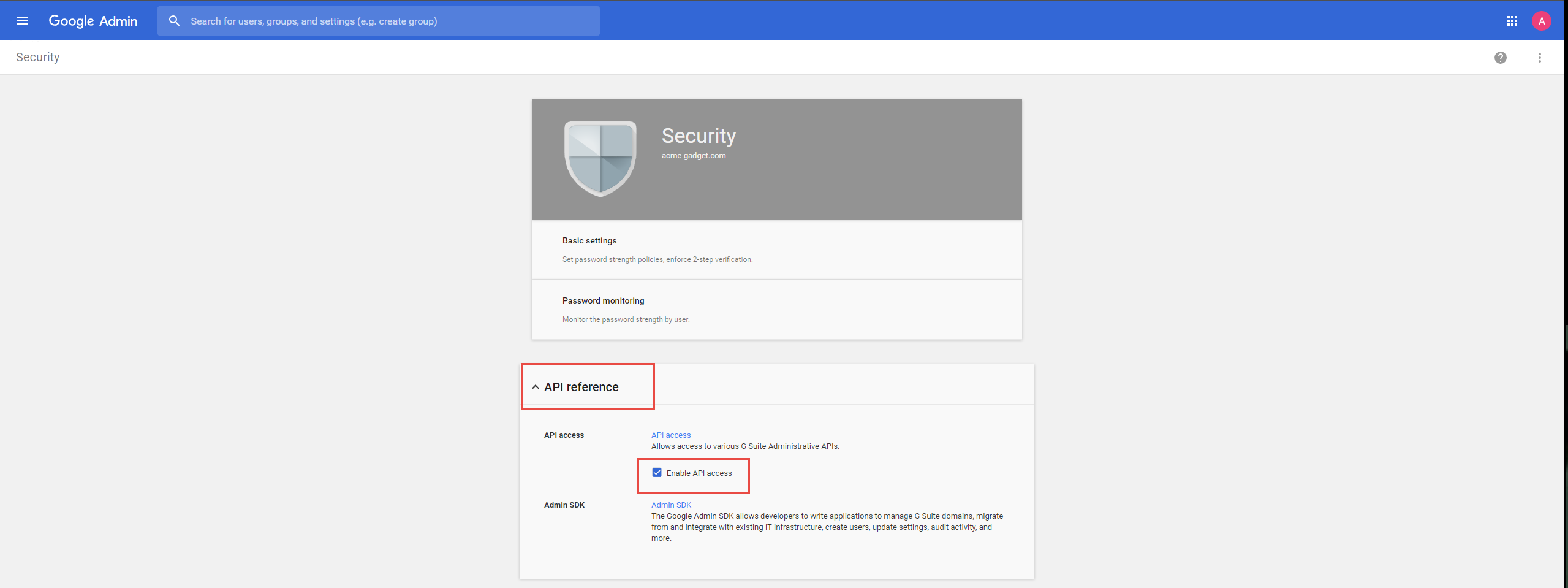
Granting Forcepoint ONE SSE API access
Forcepoint ONE SSE have provided links to allow you to quickly grant Forcepoint ONE SSE API Access.
- Authorize Access
- Accept the following access privileges:
- View and manage organization units on your domain
- View and manage the provisioning of groups on your domain
- View and manage the provisioning of users on your domain
- View and manage your mobile devices' metadata
- Once you are done you can then navigate back to the Forcepoint ONE SSE portal and enable migration and cutoff on the Google Apps page.
- Select the app instance on the Google Apps page and select the specific app instance you are making changes to.
- On the Google Apps Instance page enable cutoff.
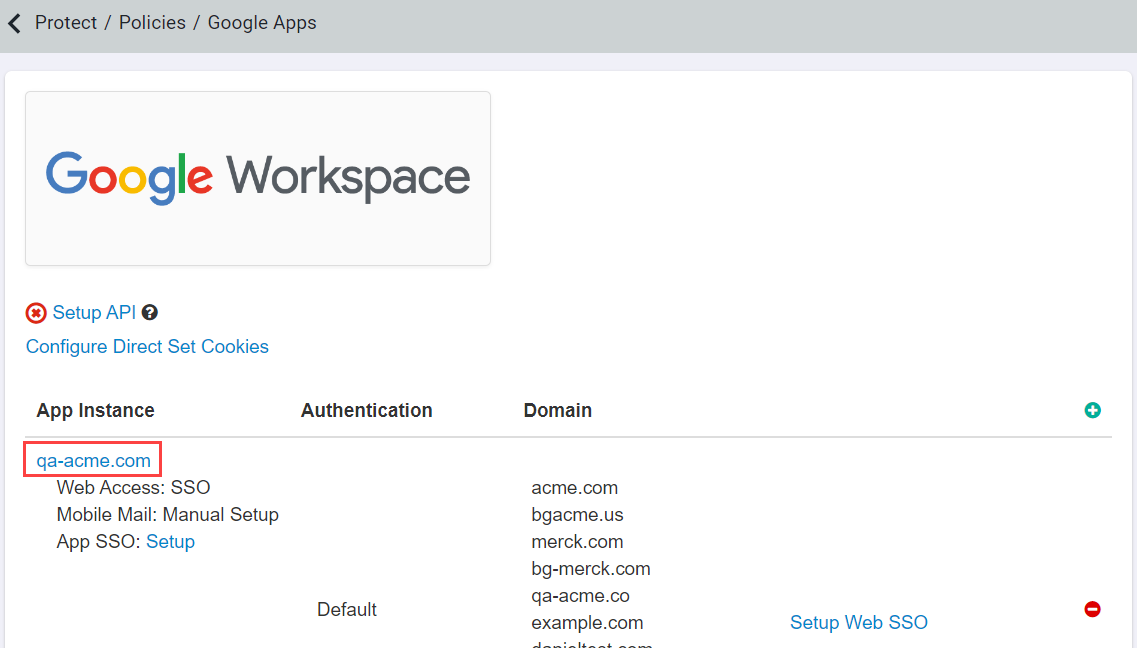
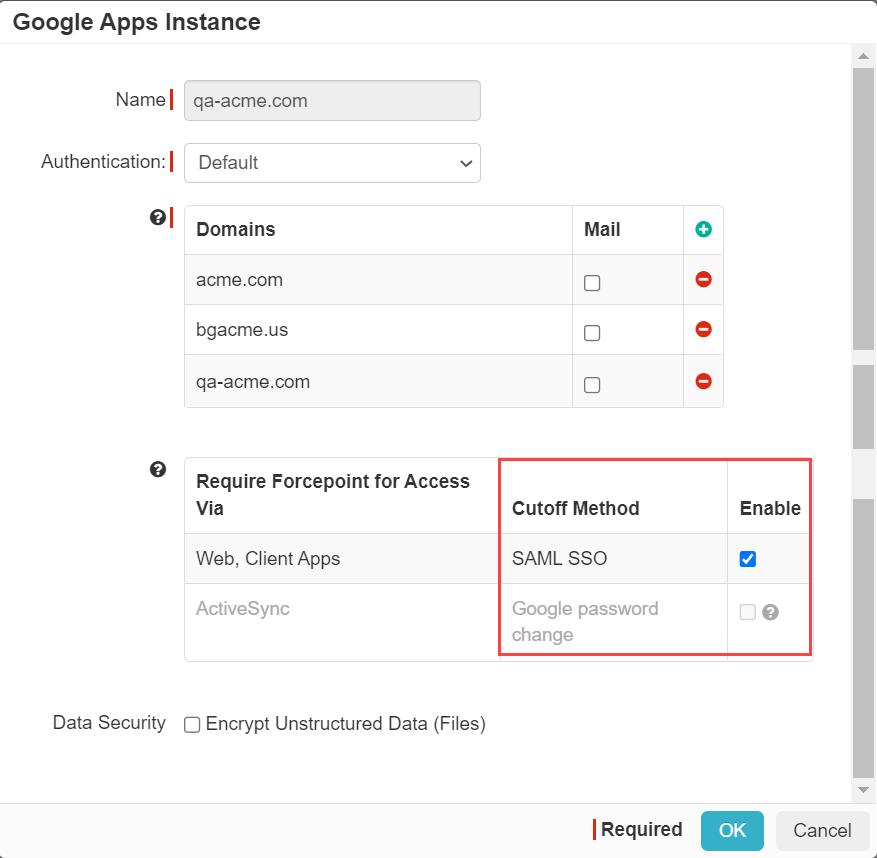
- Once you are done with the setup navigate back to Forcepoint ONE SSE and to the page and scroll down to the G Suite application. Before setting up a policy line to send users through Secure App Access (reverse proxy) you will need to setup one policy line for Direct App Access and have an admin or a user login directly once to validate the SAML SSO setup. Once done you can then adjust your policies to start sending people through the Forcepoint ONE SSE proxy.