Content migration in progress, completing by midnight IST on 17 November 2026.
For Google Workspace, admins can setup scanning for visibility into data in GDrive, Calendar and Email messages, and Google Cloud Platform.
Steps
-
Navigate to .
-
Click the API Setup link to go to the selective scanning setup page.
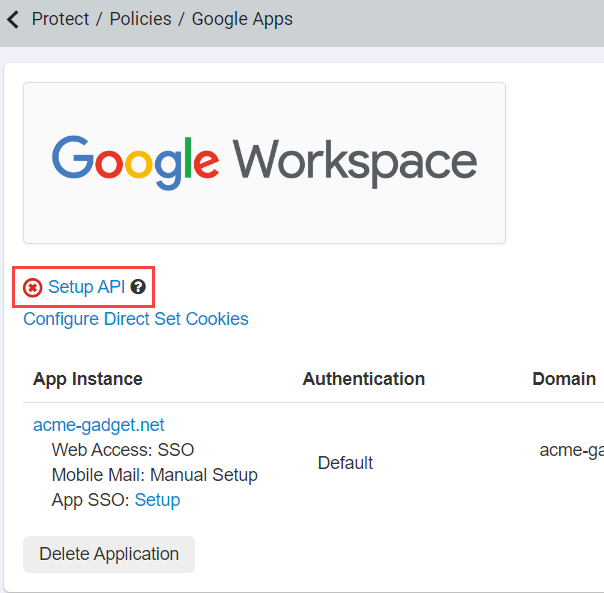
The Selective Scanning page opens.
If you have already authorized the API setting by following the instructions on the you can now start choosing what applications you want to scan and setup the setting
configuration.
-
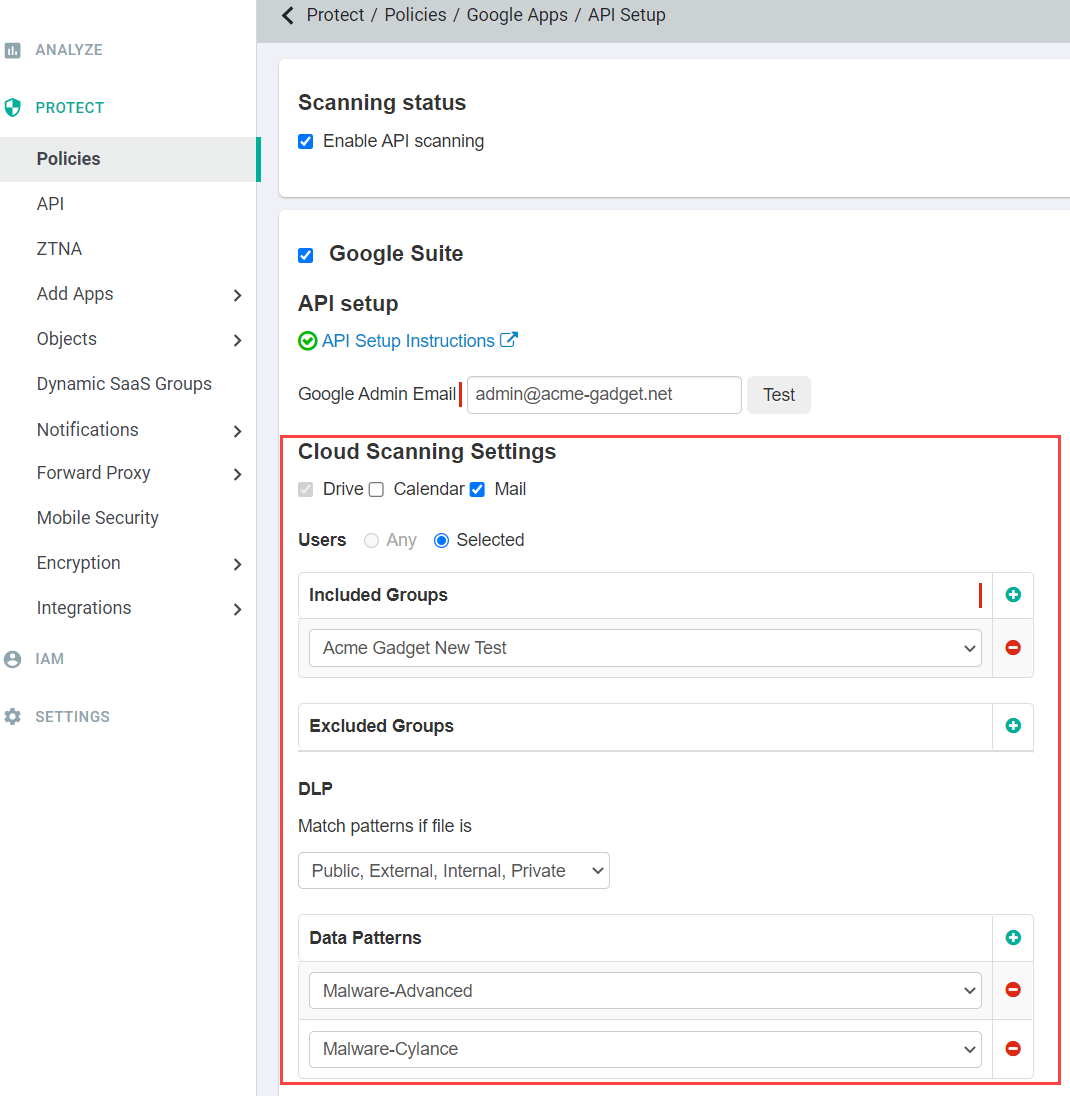
Choose if you want to scan Google Drive, Calendar/Mail.
- GDrive: Scan GDrive for data at rest based on which user/group and identify the configured sharing status or data pattern. Files scanned in GDrive
can trigger policy actions detailed in the Configuring API policies.
- Mail/Calendar: Forcepoint ONE SSE will scan calendars and mail to provide visibility into sensitive content (text within
both the subject/body and/or attachments) based on user/group and matching share status/data patterns. Scans are for visibility only.
-
Set up the API to scan only a subset of users. Selecting Any under Users includes scanning of all users' files in your corporate
account.
You can include or exclude a specific group of users. However, those user groups should be present on the page. For creating users and user groups in
Forcepoint ONE SSE, refer to
Integrate identity.
- When no groups are added in the included group and excluded groups are selected, all users are scanned except the ones in the excluded group.
- When no groups are added in the excluded group and included groups are selected, all users belonging to the included group are scanned.
- When both included and excluded groups are selected, all users belonging to the included group except the ones belonging to the excluded group are scanned.
-
Select DLP Patterns created under to match on depending on the sharing status of the files.
For example, selecting
Match patterns if file is a
Public, External, Internal and selecting
DLP Patterns
indicates that
Forcepoint ONE SSE will scan all public, external, and internal files in your corporate account for DLP patterns matching what was
selected.
Note: Adding a DLP pattern on the API setup page or adjusting a DLP pattern that exists on the API setup page will initiate a new scan to rescan older files for the
new pattern match.
Important: You cannot configure data patterns alongside Forcepoint DLP data pattern.
Refer to Configuring FSM controlled policies for CASB and SWG channels to enable the Forcepoint DLP data pattern.
-
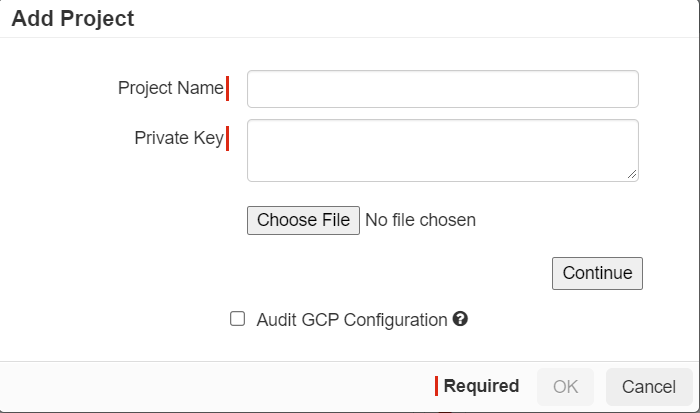
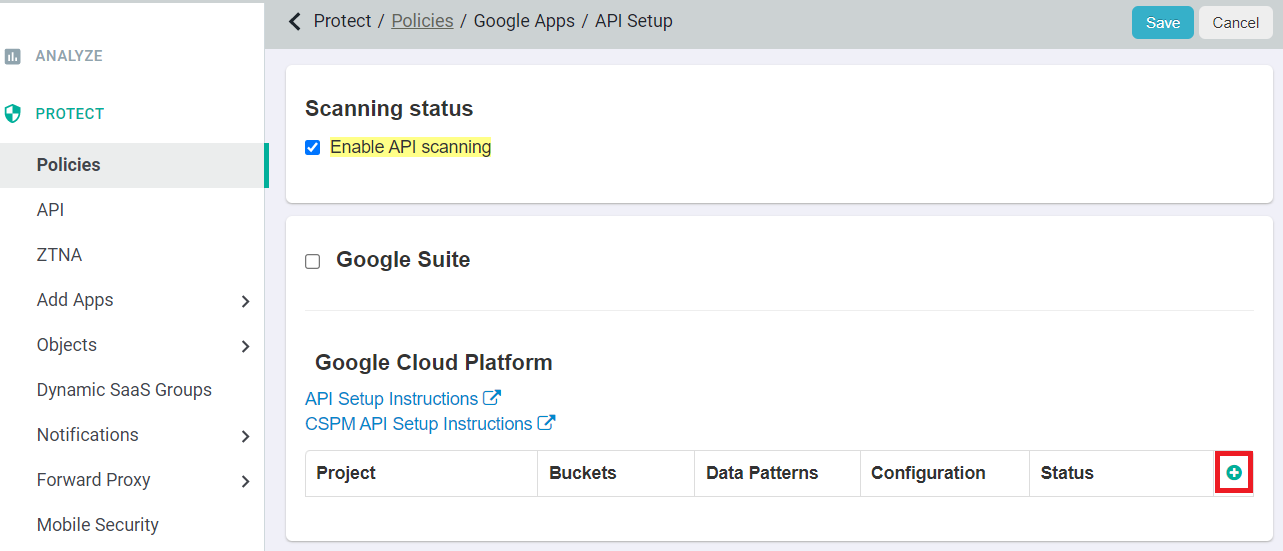
For Google Cloud Platform, you can scan data for visibility based on the matching Data Pattern (sharing status or data pattern for sensitive content). You must add each GCP
project/bucket individually, follow the Google Cloud Platform: Configuring API access to learn how to configure API scanning.
Important: You cannot configure data patterns alongside Forcepoint DLP data pattern. Refer to Configuring
FSM controlled policies for CASB and SWG channels to enable the Forcepoint DLP data pattern.