To interoperate the SmartEdge agent with F1A to monitor all web traffic (HTTPS), you should create a registry key use_f1e and set it to true, if one does not exist. This value will be read by seproxy on startup to indicate if the traffic must be forwarded to F1A.
The SmartEdge agent's seproxy will read the registry value at startup. The SmartEdge agent assumes false if registry entry is missing.
You can enable the registry value on individual device as shown below or can be provisioned via MDM or GPO. After the use_f1e value is pushed, seproxy should be restarted via MDM script.
Windows
To interoperate F1A with SmartEdge agent on Windows, follow the steps below:
- Open registry editor by navigating to .
- Navigate to key .
- Ensure that value name use_f1e exists.
If not, create one of type String.
- Set use_f1e value data as true.
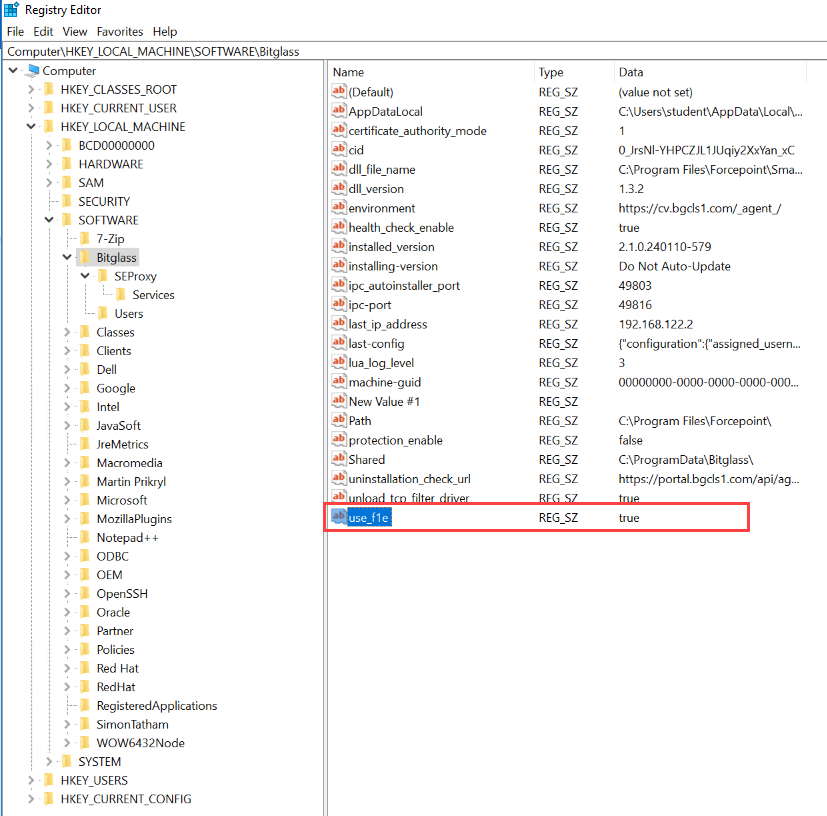
- Restart the seproxy.
macOS
To interoperate F1A with SmartEdge agent on macOS, add an entry to seproxy.plist with the use_f1e set to true and restart the seproxy.
- Open Terminal.
- Change directory to /Library/Preferences/Bitglass folder.
- Run the following command to open Vim editor.
sudo vim com.bitglass.seproxy.plist
- Press i to enter in Insert mode.
- Add key-value pair:
- Set key to use_f1e.
- Set string to true.
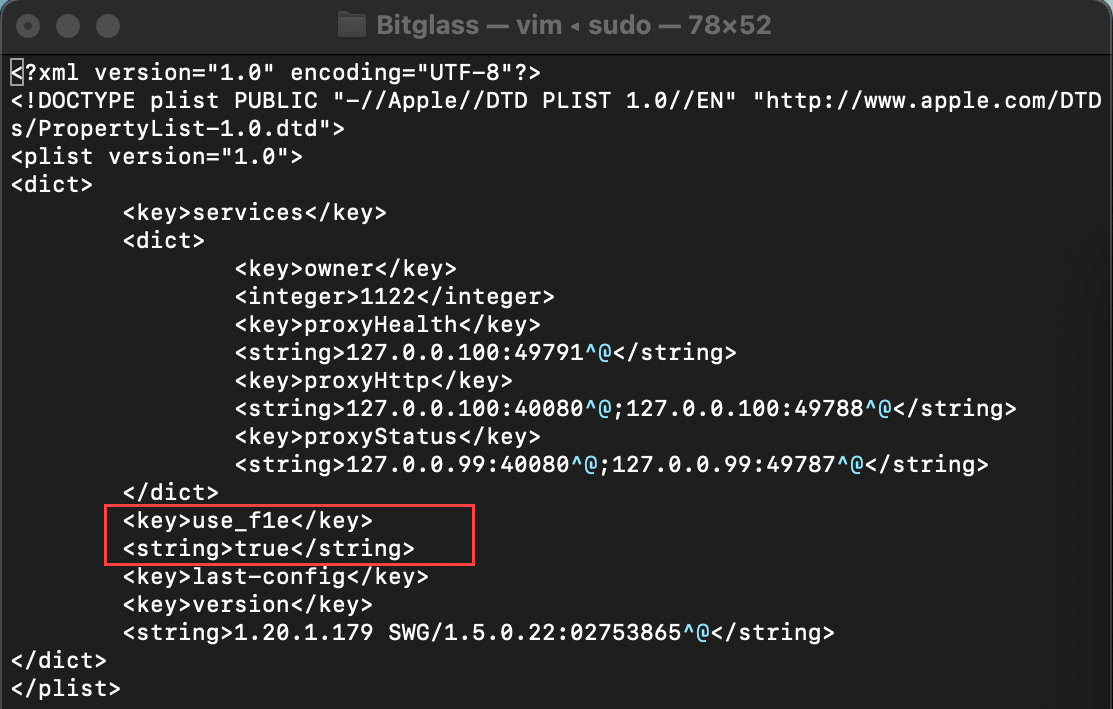
Note: You should insert the use_f1e key-value pair after the first </dict> and before the version. - To save changes, press Esc, enter :wq and then press Enter.
- Run the following commands to restart
services:
sudo launchctl unload /Library/LaunchDaemons/com.bitglass.seproxy.plist
sudo launchctl load /Library/LaunchDaemons/com.bitglass.seproxy.plist