For cloud applications that are supported over the ActiveSync Proxy (Google, O365), there is an extra column under Download DLP to control sensitive data inside of the subject line or body of the email over ActiveSync.
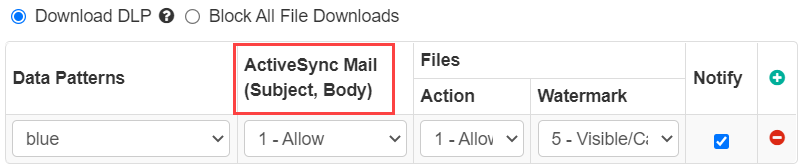
Attention: The ActiveSync Mail (Subject, Body) column is no longer supported as Activesync proxy is deprecated.
This field column will only appear when your Access Method is set to ActiveSync.
- Allow: Makes no changes to the mail subject or body - email is delivered unaltered.
- Mask Data: Replaces all text that matches DLP pattern(s) with "XXXXXX".
- Block: Responds differently depending on if the match is made in the subject line or the body.
- Subject Line: Block in an email subject line will replace the entire mail subject with "XXXXXX".
- Body: Block in an email body will replace the entire mail body with a block message.
Note: If you select Forcepoint DLP as the data pattern, then ActiveSync Mail (Subject, Body) is
set to its default value and grayed out. Refer to Configuring FSM controlled policies for CASB and SWG channels to enable the Forcepoint DLP data pattern.