Forcepoint ONE SSE's navigation UI allows admins to quickly maneuver through the portal to make configuring Forcepoint ONE SSE simpler and more efficient.
Navigation is performed on left column with pages grouped into 5 primary groups (Analyze, Protect, IAM, Settings and Support). Clicking on any of the group will expand the tree to reveal the subpages or sub groups further below. Clicking on one will open that particular portal page.
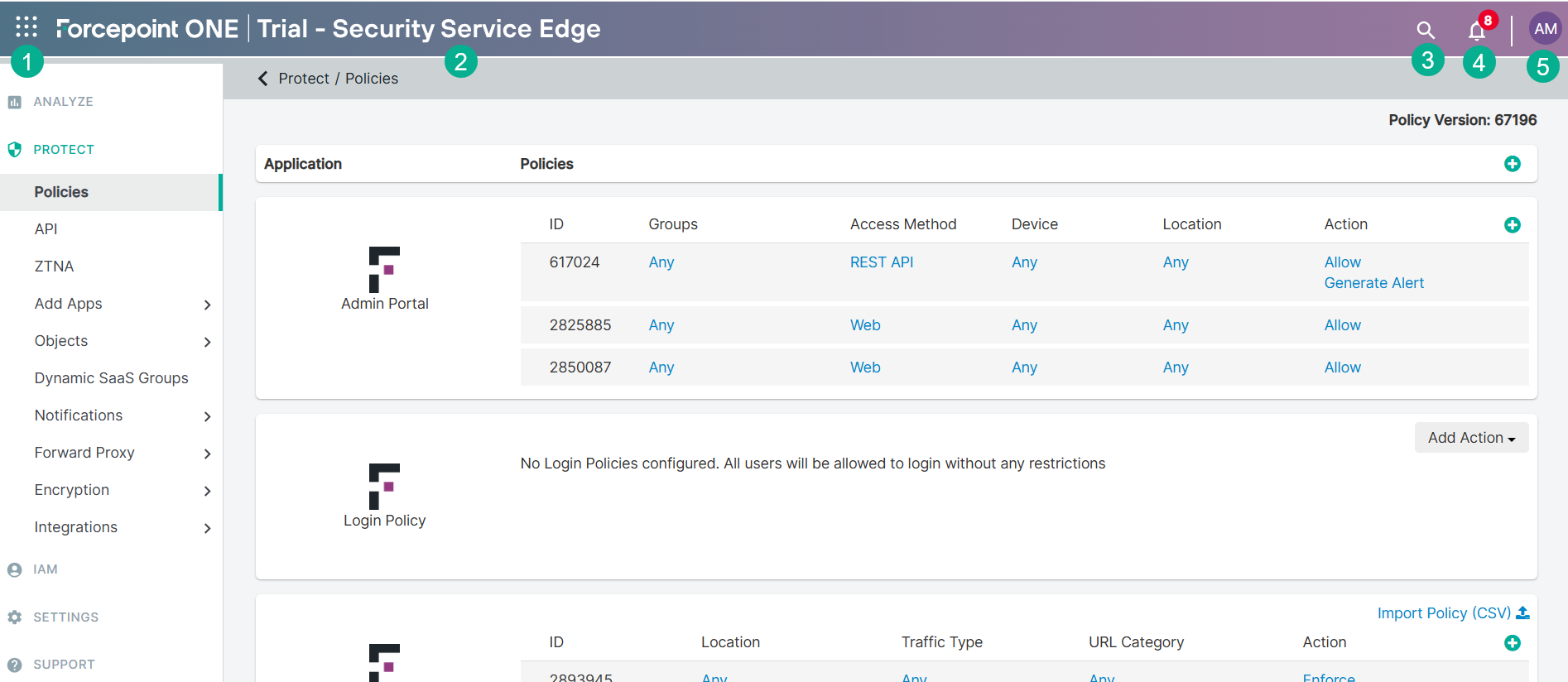
The top navigation of the Forcepoint ONE SSE enables you to access the following options:
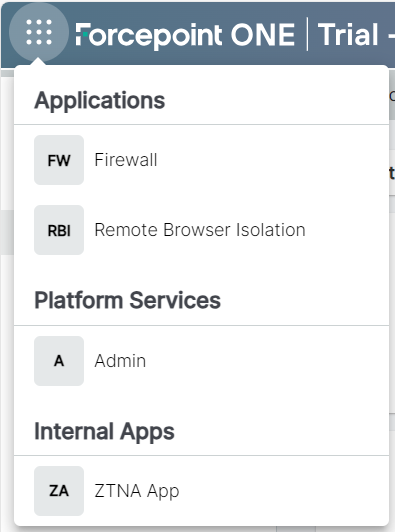
- On the upper-left corner of the portal, you can see 9 dot Waffle icon. Clicking the Waffle icon provides you the options to access the Insights platform services, any other ZTNA application
which are enabled to display along with other Forcepoint ONE products (Cloud Firewall, Remote Browser Isolation, and so on) that you have access to.
- Displays the name of the Forcepoint ONE product that you are accessing. For example, Forcepoint ONE Trial - Security Service Edge
- You can use search icon to quickly search the Forcepoint ONE SSE pages or Admin guide pages.
- The Bell icon indicates the total alerts. Clicking the Bell icon takes you to page, where you can analyze each alert.
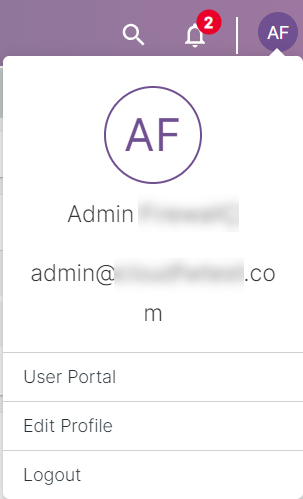
- On the right-top corner of the portal, you can find an avatar with initials of first and last name of the logged-in user. Clicking the user avatar provides you options to edit your user profile
or logout of Forcepoint ONE SSE.
The following sections will walk you through each of the five primary groups and which portal pages they contain.
Analyze
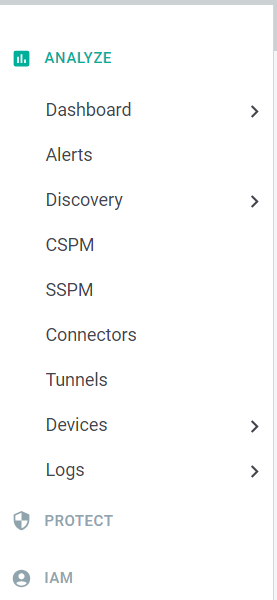
This group contains all of your log reports and alerts for visibility into user's activity and suspicious behavior. This includes the following pages:
- Dashboard: The Dashboard section contains dashboards that provide a high level overview of CASB (in transit and inline over the proxy), SmartEdge Agent, Cloud SWG and ZTNA traffic activities.
- Alerts: Surfaces the high level activity (such as policy violations) into a single dashboard page
- Discovery: Where you can configure proxy/firewall log upload or streaming to generate and view your ShadowIT reports.
- CSPM: Setup monitoring of IaaS security configurations against the CIS Benchmarks.
- SSPM: Setup monitoring of cloud applications to scan for security misconfigurations.
- Connectors: You can view and monitor the status of each ZTNA connector linked to the tenant.
- Tunnels: You can view and monitor the status of each IPSec and GRE tunnels linked to the tenant.
- Devices: Review list of devices with the forward proxy and smartedge agents installed.
- Logs: Log reports of activity across your CASB (inline and API), ZTNA, and SWG channels.
- Proxy Logs: Displays all of the inline transactions across protected applications when users are going through the proxy.
- API Logs: Results of API scans of your cloud applications and the data at rest.
- Web Logs: Displays all of the web browsing events generated from users using the SmartEdge agent.
- Web DLP Logs: Displays all the possible data leakage attempts happened while accessing websites.
- ZTNA Logs: Displays all the agent based ZTNA events by the end-users.
- Health Logs: Health report of the system displaying latency graphs as well as response codes being generated by the cloud applications. Primarily used for troubleshooting.
- Admin Logs: Displays all the Admin activates within the Forcepoint ONE SSE.
- Settings: Configure settings for report alerts and logging.
Protect
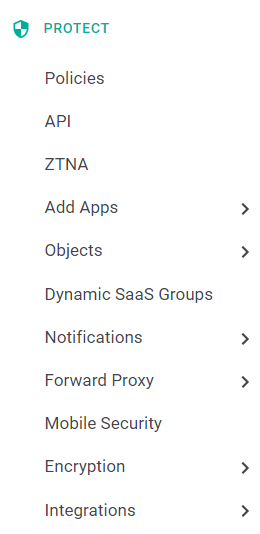
This group is the primary area for adding and managing your applications you wish to protect.
- Policies: The main page where you can review the protected applications and manage their policies.
- Add Apps: The process to add an application for protection whether it is a licensed app your company owns or a ShadowIT app you wish to block or control via forward
proxy. Refer to the following guide pages to learn more about adding different types of applications:
- Add Predefined App: Add a predefined app within Forcepoint ONE SSE. Does not require you to modify or configuration the application's SSO info in Forcepoint ONE SSE.
- Any Managed Application: Add any cloud application including custom applications to Forcepoint ONE SSE for protection. Admins will need to know some of the applications SSO information for setup.
- Objects: The primary page for creating and/or maintaining the objects that are used in your policies (for example, DLP patterns, location objects, device profile objects, etc).
- Notifications: A group of pages to configure the type of notifications - and who is notified - when a policy is triggered. Includes inline popups, group and user emails, as well as other messages that users may encounter.
- Forward Proxy: Configure the forward proxy (agent or PAC file) for use for protecting applications. Also where you can manage Certificate Authorities for identifying managed devices via client certs.
- Mobile Security: Setup mobile policy options such as screen autolock and PIN code enforcement when using the ActiveSync proxy.
- Encryption: Manage your encryption keystore (Key Management page) as well has handling email tokenization (Email Normalization page).
- Integrations: Where you can setup direct integrations with other systems.
- ICAP: Configure information about your DLP server to send files over ICAP for secondary analysis.
- Zscaler Integration: Setup the Zscaler integration in order to send information and policies from Forcepoint ONE SSE's ShadowIT reports to Zscaler.
IAM
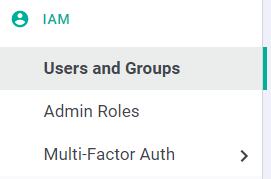
This group contains the configuration pages used for maintaining your organization in Forcepoint ONE SSE (adding your domain, managing users/devices/etc).
- Users and Groups: Where you go to add your domain and provision your users/groups as well as the ActiveDirectory sync.
- Admin Roles: Admins can create custom role based access controls for other role based admins within the Forcepoint ONE SSE.
- Multi-Factor Auth: This section specifically takes you to the page to setup DUO security since it requires API authorization.
Settings
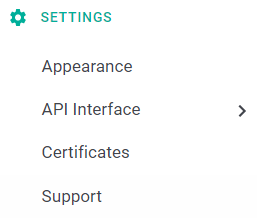
This group contains the majority of your setting configurations to be used in policies or integrations.
- Appearance: Allows you to customize a welcome message on login to the Forcepoint ONE SSE as well as the image icon that is shown.
- OAuth: Settings page for OAuth configuration in order to setup REST API connections to Forcepoint ONE SSE.
- Certificates: Used for creating and managing certificates used for API Auth and ActiveSync Autodiscover.
Support
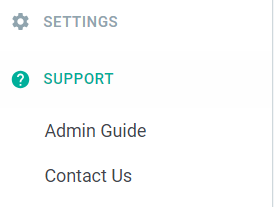
- URL Lookup: Use the inbuilt tool to review the category of a URL or IP entered.
- Admin Guide: Enables you to access the Forcepoint ONE SSE administrators guide.
- Contact Us: Enables you to access Forcepoint Customer Hub.