Use the Explicit Proxy PAC URLs via HTTPS Port 443 to securely download the PAC file related to Cloud SWG Explicit Proxy over HTTPS.
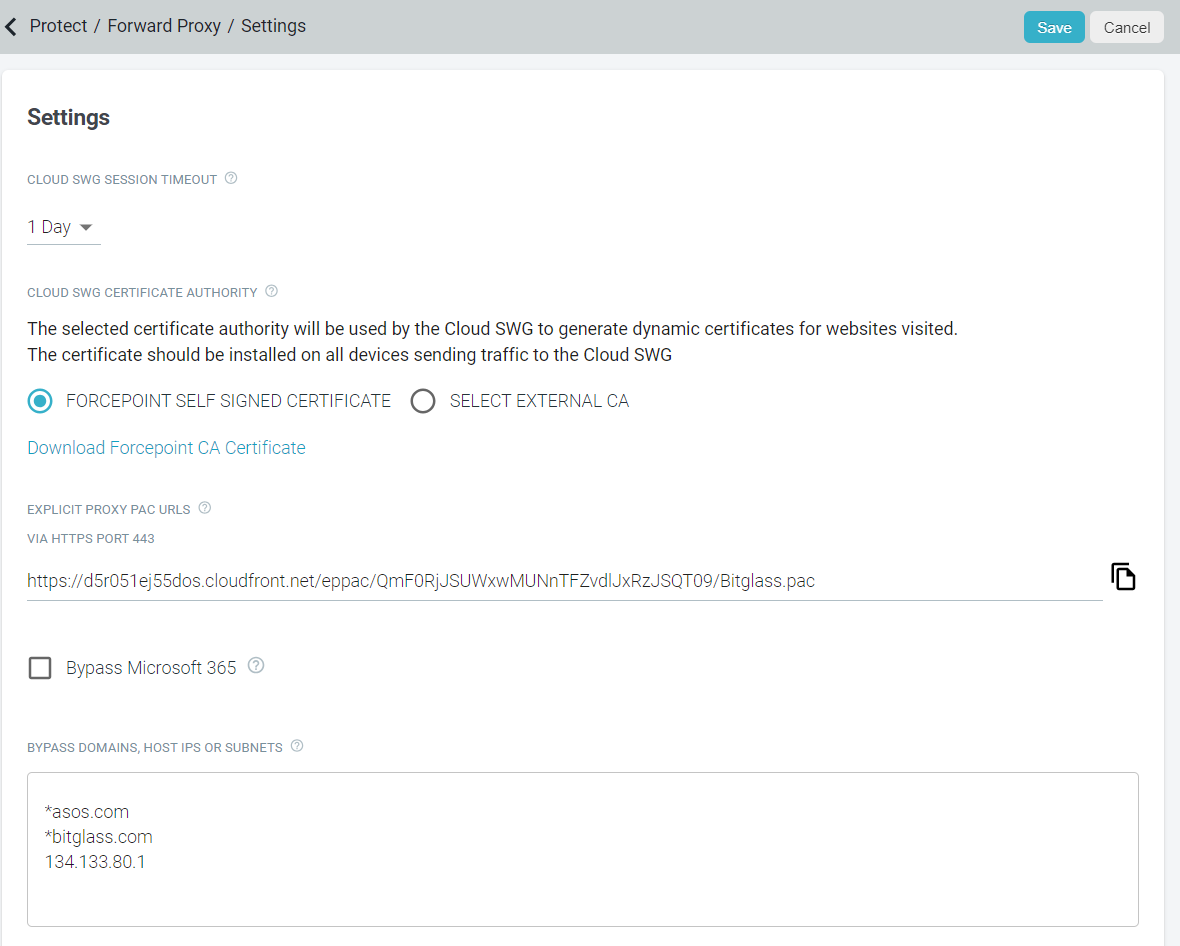
Note: The Explicit Proxy PAC URLs via HTTPS Port 443 will be blank until the Cloud SWG license is enabled and the domain name becomes available for the tenant as the generated
PAC file uses DNS name of the tenant.
The Cloud SWG Explicit Proxy is provisioned with an unique DNS (FQDN), <company-name>.swg.forcepoint.io, for each tenant and the same FQDN is present in the PAC file.
You should set this PAC file as the system proxy on devices from which you want to forward traffic to the Cloud SWG Explicit Proxy so that traffic is forwarded and distributed to correct data centers (based on DNS) for filtering.
The tenant's FQDN in the Cloud SWG Explicit Proxy:
- Distributes the traffic evenly across Primary data centers in normal operation and switch to configured secondary data centers when the corresponding primary data centers go down. This ensures high availability of the Cloud SWG Explicit Proxy.
- Uses the GeoDNS to direct traffic to the closest provisioned region for that tenant.
Updating PAC File
The Cloud SWG Explicit Proxy PAC file gets updated whenever you change any of the following settings:
- On the page: (the same settings are supported by Explicit Proxy)
- Allow Uninstall
- Set PAC
- Exclude Private Networks
- Health Check Settings
- On the page:
- Bypass Domains, Host IPs, or Subnets box
- Bypass Microsoft 365
- On the tab:
- Based on the Agent Override drop-down selection, the host and port customization for the Chain to On-Prem Proxy option.
- On the page:
- SWG Connection Policy
- SWG Content Policy
- Cloud SWG Authentication Policy