User groups and group-based policies
Added 15-Oct-2020To support SAML-based single sign-on and group-based policy rules, a new User groups page has been added under the Administration > Authentication menu. User groups can be provisioned from your identity provider using SCIM.
When users and groups have been added to the service from your identity provider via SCIM provisioning, the User groups page is populated with provisioned user groups. Filter the list based on the group name using the filter box. Click a group in the list to open read-only details for that group.
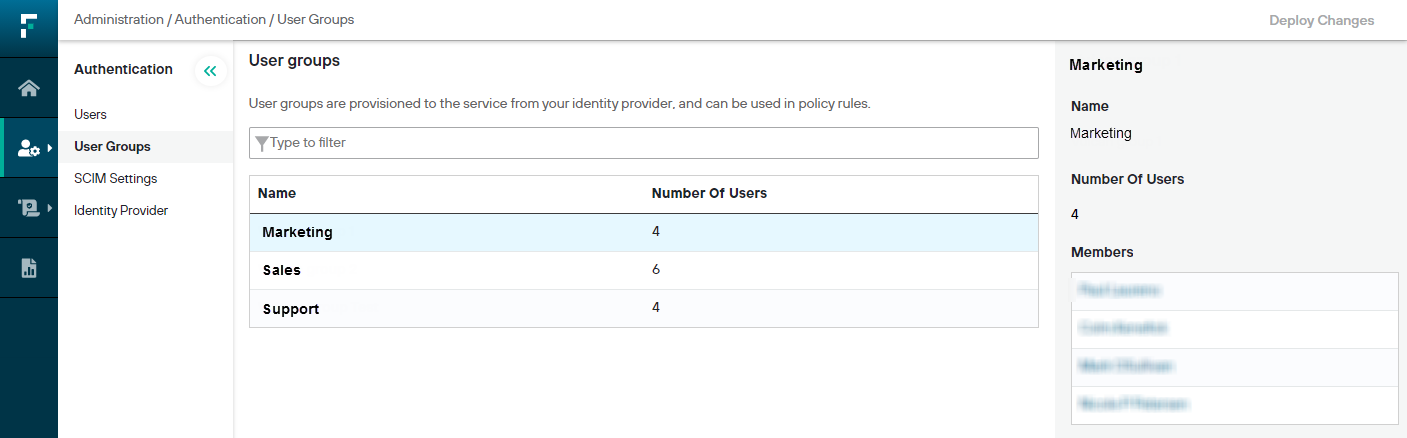
To access the User groups page, go to Administration > Authentication > User groups.
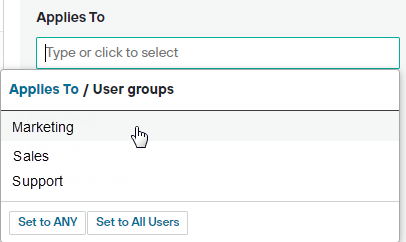
User groups can be selected as the Applies to setting for policies, and in the Users setting for policy rules and exceptions, in order to apply group-based policies and rules.