Configuring Browser Extension Bypass Domains
Administrators can use the Custom Configuration to specify a list of domains where the browser extension should not run.
endpoint section
in JSON format as given in the example
below
{
    "browser_extension": {
        "extension_bypass_list": [
            {
                "domains": [
                    "www.flipkart.com",
                    "*.okta.com",
                    "internal.company.org",
                    "salesforce.com",
                    "pinning-test.badssl.com",
                    "webex.com"
                  ]
            }
        ]
    }
}
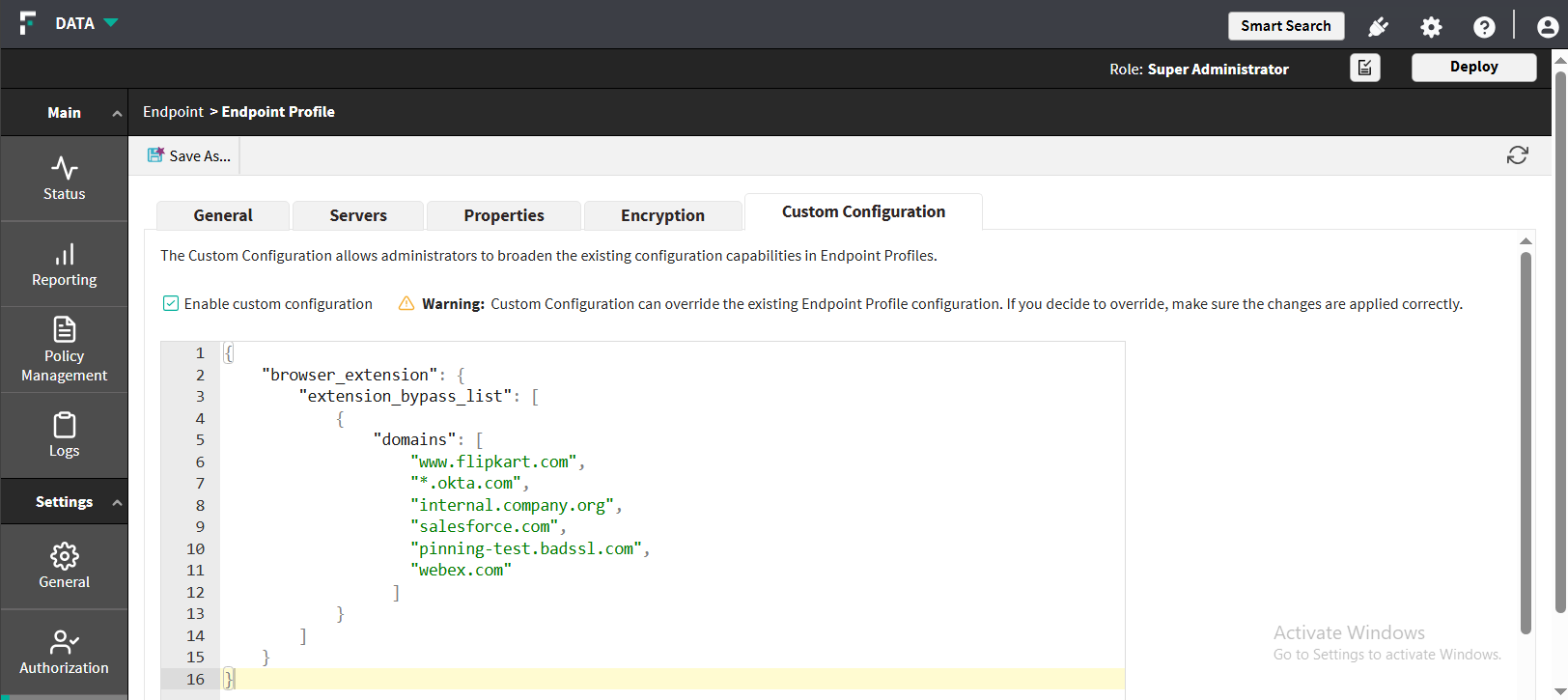
The browser extension will bypass all domains defined in the list.
Note:
- The list is merged with all other MV3 bypass mechanisms.
- If a browser restart is required for the updated entries to take effect, this behavior is acceptable and will be documented.
- If a minimum MV3 extension version is required for bypass support, this will be documented.
- The endpoint retrieves the bypass list from the Custom Configuration section and applies it during normal configuration processing.
- The bypass list is stored in the endpoint’s configuration file (
dser_profile.xml)