Content migration in progress, completing by midnight IST on 17 November 2026.
How to Create a New Policy Level and Assign Policies
Steps
-
Navigate to the Policy menu and click on Manage policy levels, as shown below.
-
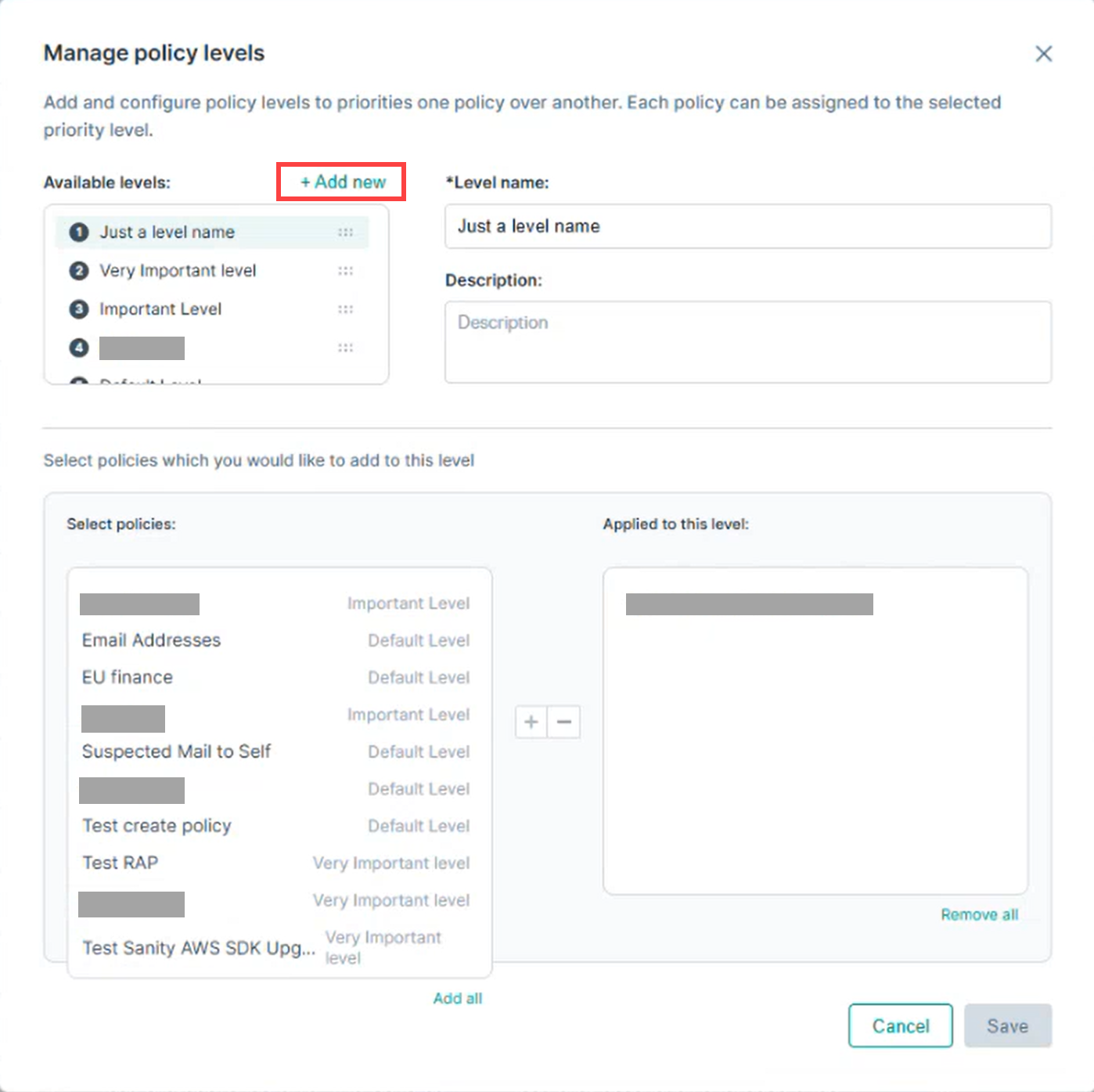
The Manage policy levels window opens.
-
Click + Add new button.
-
Enter a name and add a description for the new level, then click Save.
-
The new policy level appears in the Available levels list. Click the newly created level before proceeding to policy assignment.
-
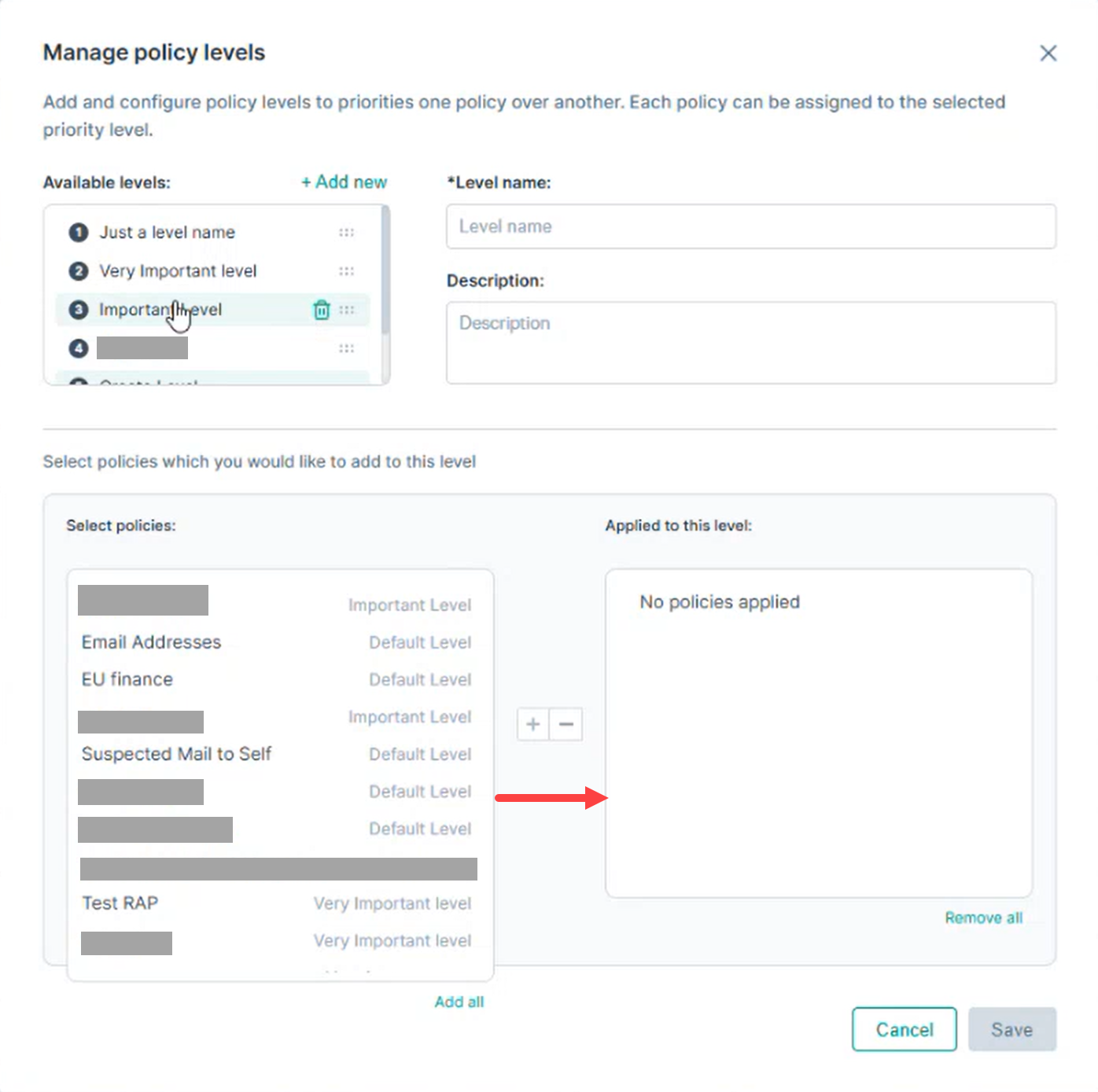
Under the Select policies section, choose the required policies.
-
Drag and drop the selected policies to the right-side panel to associate them with the level.
-
Alternatively:
-
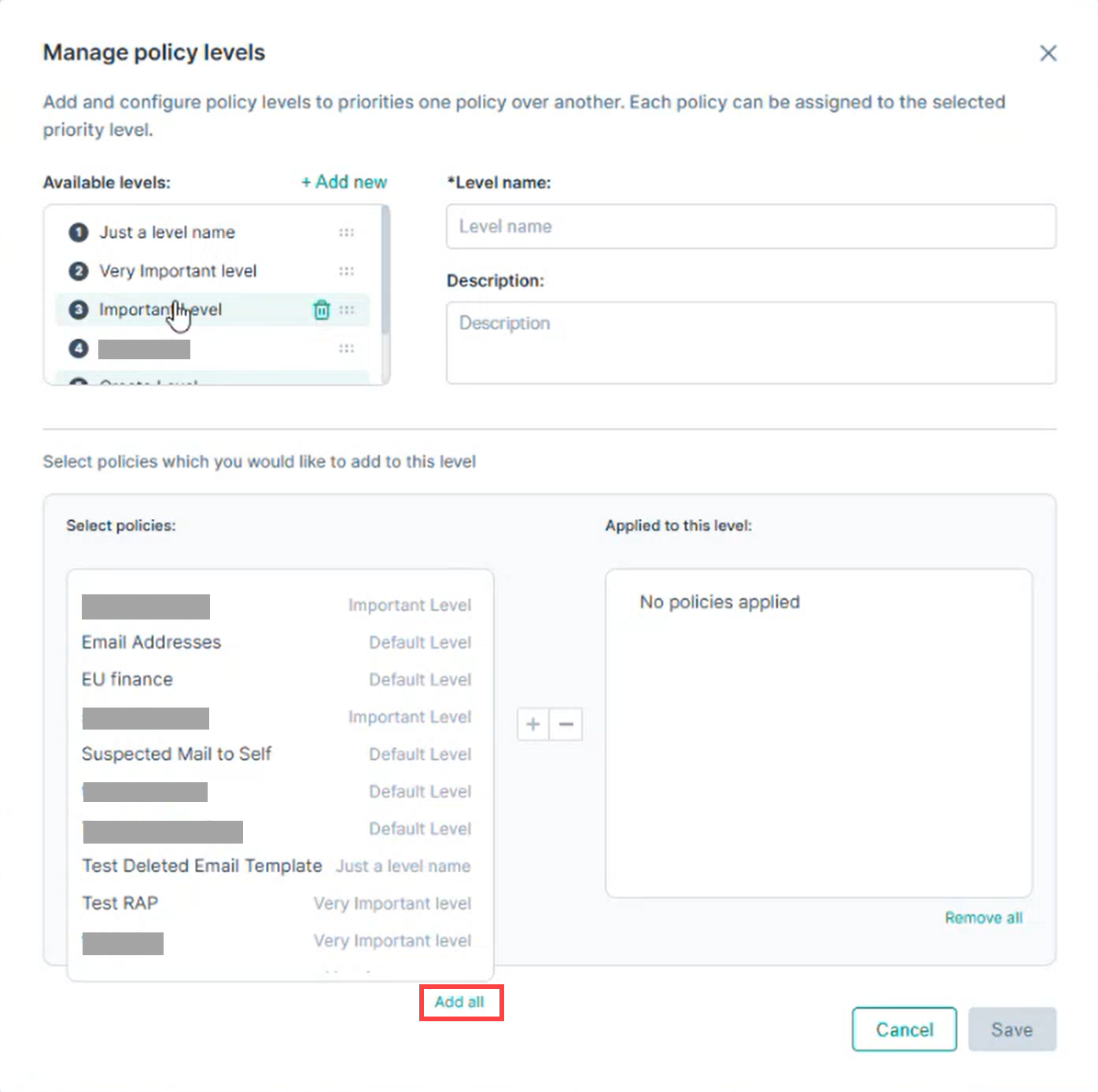
Use the Plus (+) button to assign and Minus (–) button to remove selected policies.
-
Click Add all to associate all available policies with the level.
-
Click Remove all to remove all associated policies from the level.
-
Click Save to apply the changes.