Export and Import policies from Forcepoint Security Manager
You can export and import policies from a source Forcepoint Security Manager system to another Forcepoint Security Manager system.
To import or export policies, navigate to in the Data Security module of the Forcepoint Security Manager(FSM) and click Import/Export drop-down.
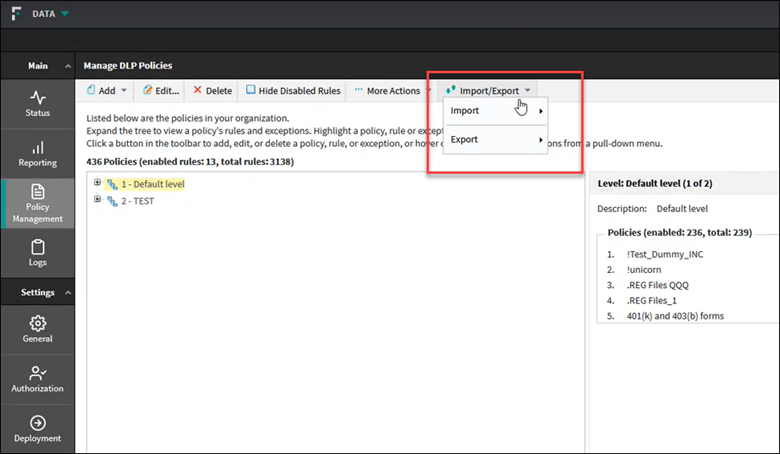
Administrators with full control over policy management can import and export policies.
Starting from Forcepoint DLP version 10.2, a user with Policy Manager role can import/export policies, and the permission to import/export policies can be granted for any custom role according
to customer's needs.
Note: The feature for importing and exporting the policies from Forcepoint Security Manager does not support for quick policies.
Ensure the following for a successful import:
- The source and target DLP system must have the same Forcepoint DLP version number.
- The following DLP entities must already be present/configured on the target DLP system, matching the source's DLP system, otherwise the policy will drop during the import process due to a
missing entity:
- Content Classifiers
- ResourcesNote:
- Support for exporting and importing policy levels starts in v10.4.
- Exporting and importing Content Classifiers and Resource types as part of a policy is supported in v10.3.2 and from v10.4.1 and above. To keep enjoying the benefits of this feature when upgrading from 10.3.2 to 10.4, you must install the latest available 10.4.x maintenance release, since the feature is not supported in DLP 10.4 release.
- If the corresponding classifiers or resources do not already exist on the target DLP system, a partial list can be created during import. For more information, see Policy Level, Classifier, and Resource Export/Import Support by Version (v10.3.2, v10.4, v10.4.1, v10.4.2).