Installing the Maintenance Release
This section outlines the steps to install the Forcepoint Management Infrastructure maintenance and Forcepoint DLP maintenance files on your system.
Before you begin
Note: During maintenance release installation, you will be prompted to acknowledge telemetry data collection. Upon acknowledgment, the Telemetry toggle is
automatically enabled in Forcepoint Security Manager(FSM). After the installation is complete, you can turn off telemetry by navigating to in FSM and disabling the toggle.
Important Notes and Limitations in 10.4.1
Note: The 10.4.1 installer is no longer available in the Forcepoint Hub Downloads page. For new installations, use the 10.4.2 or higher installer.
- The 10.4.1 Maintenance Release (MR) supports only Forcepoint DLP version 10.4.0.525 (General Availability (GA) build).
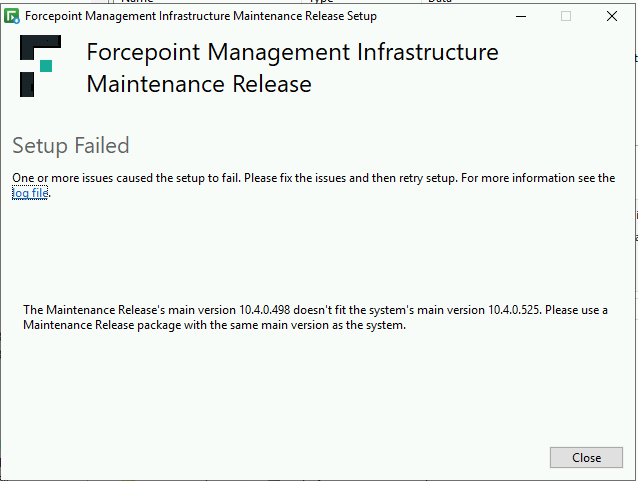
- Early Availability (EA) and non-525 builds (for example, 10.4.0.509, 10.4.0.498) cannot upgrade directly to 10.4.1 MR. Installing the MR on these versions fails due to a
version validation check.
Workaround/Recommended Upgrade Path
For systems running earlier GA or non-supported builds, the 10.4.1 MR installer will produce errors. Installation logs will indicate that the installed DLP version does not meet the required baseline version of 10.4.0.525.
Recommended approach:
- Run the PS script attached here as administrator.
- Verify that the script completes successfully by checking the log file FP_RegWorkaround.txt, saved in the same folder as the script.
- Confirm that the DisplayVersion value has been updated to
10.4.0.525for DLP and EIP by opening the log file FP_RegWorkaround.txt. The result should appear as shown below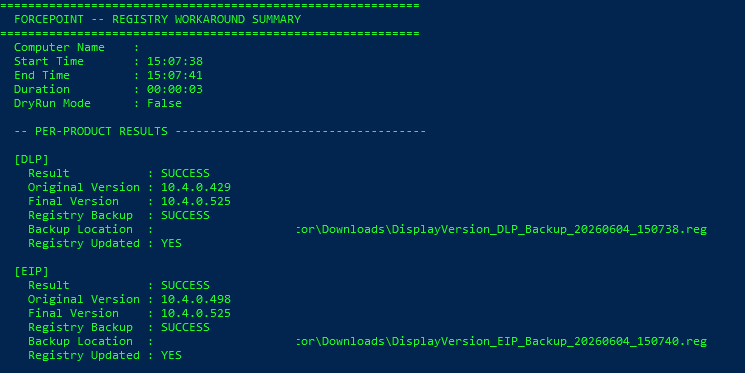
- Proceed to the Installation Procedure section below.
Installation Procedure
Steps
-
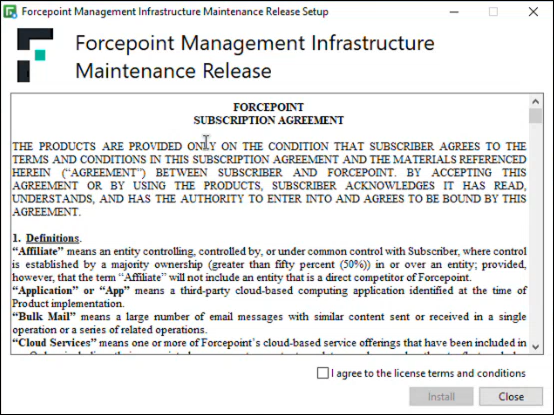
To install the maintenance release for Forcepoint Management Infrastructure, do the following:
-
Double-click the fsm_v10_4_X_maintenance_release.exe file.
The Forcepoint Management Infrastructure Maintenance Release Setup dialog opens.
-
Double-click the fsm_v10_4_X_maintenance_release.exe file.
-
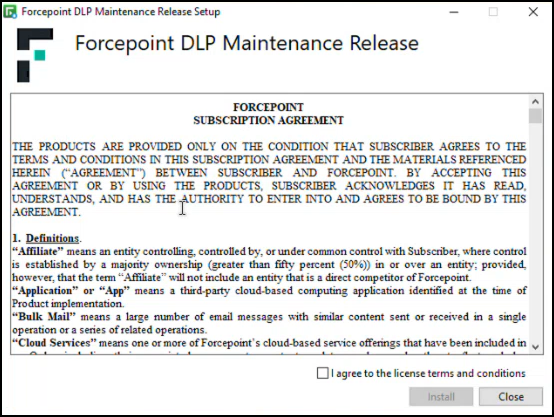
To install the maintenance release for Forcepoint DLP, do the following:
-
Double-click the dlp_v10_4_X_maintenance_release.exe file.
The Forcepoint DLP Maintenance Release Setup dialog opens.
-
Double-click the dlp_v10_4_X_maintenance_release.exe file.