Content migration in progress, completing by midnight IST on 17 November 2026.
Registering an iManage app
Steps
-
To register iManage app you need to contact iManage support by sending an email to support@imanage.com.
-
Once an account is created login to iManage.
-
Click on username in the upper right corner and click Control Center.

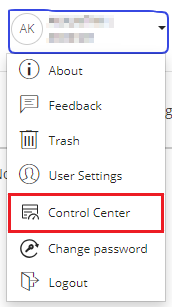
Note: Only users with admin role have access to Control Center.
-
Go to the Applications menu item, click Desktop Auth Client and find Client ID.
-
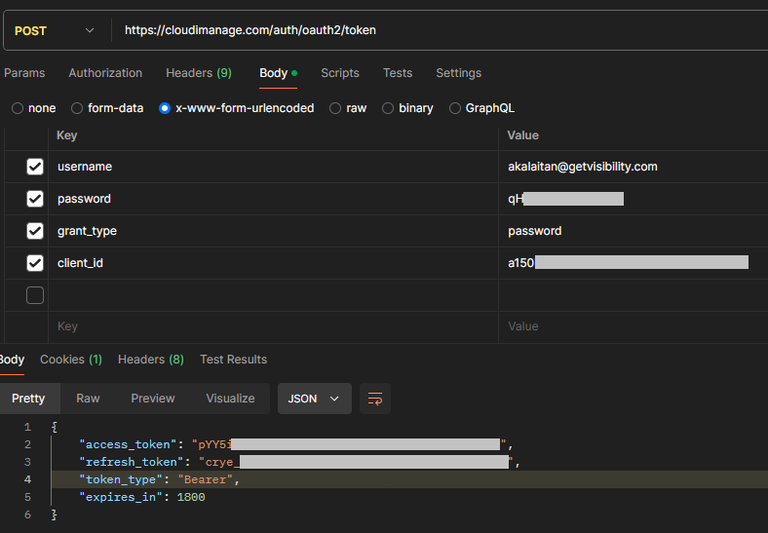
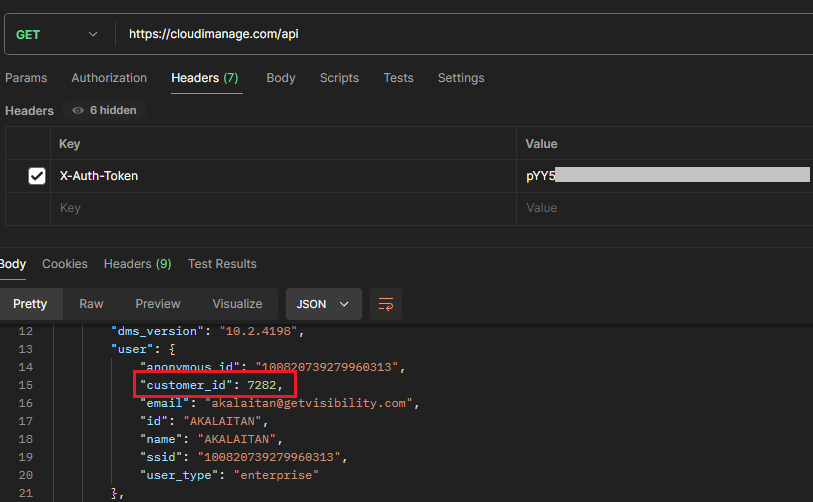
Customer ID should be provided by iManage admins, but if it is not provided, it can be retrieved from the /api response.
- Get Access Token
- Get Customer ID
-
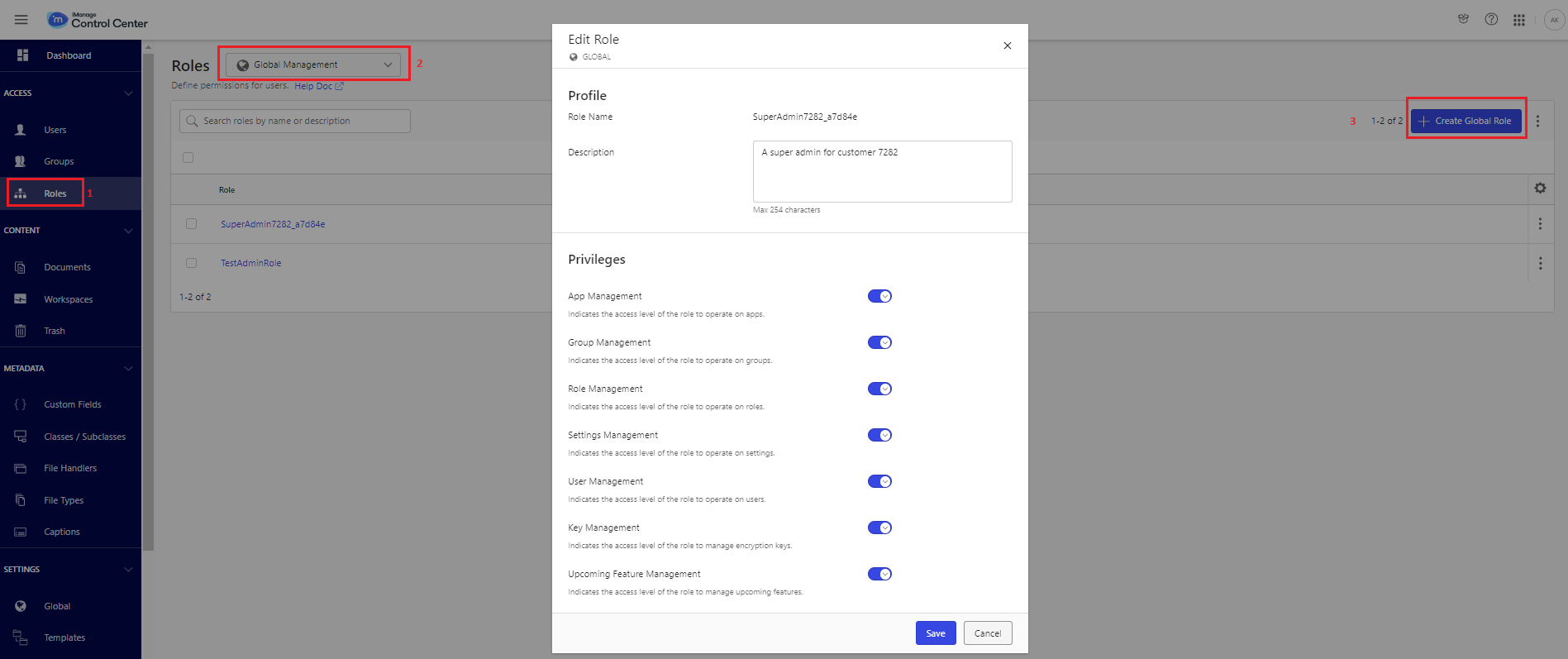
Go to the Roles menu item and set the following:
- Select Global Management to setup admin roles. Enable the necessary options.
- Select Library-level Management to setup library roles.
-
Permissions required:
- For scanning
- To move files
- To revoke permissions
- For tagging

