Content migration in progress, completing by midnight IST on 17 November 2026.
Create OAuth2 credentials
Steps
-
Create a project in Google Cloud Console:
-
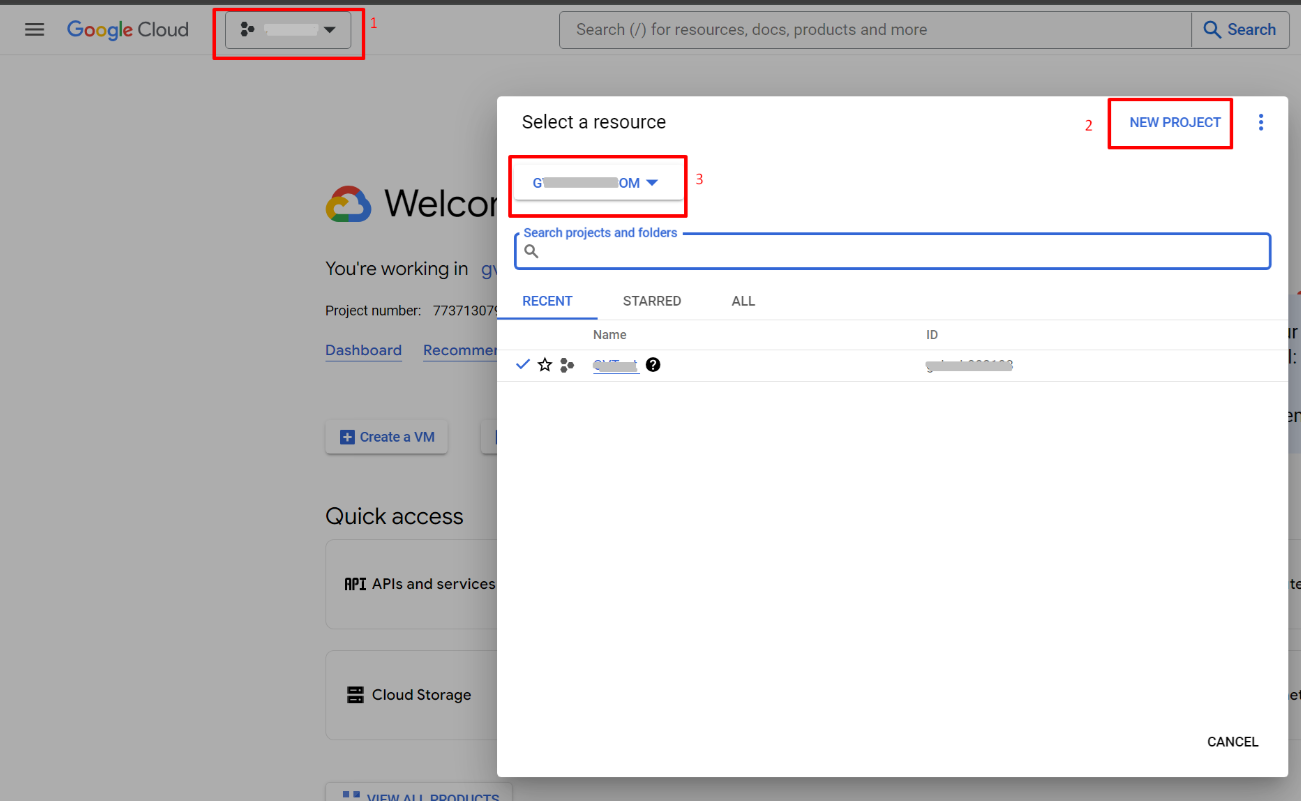
Go to the Google Cloud Console.
-
Create a new project or select an existing project.
-
Enable the Admin SDK:
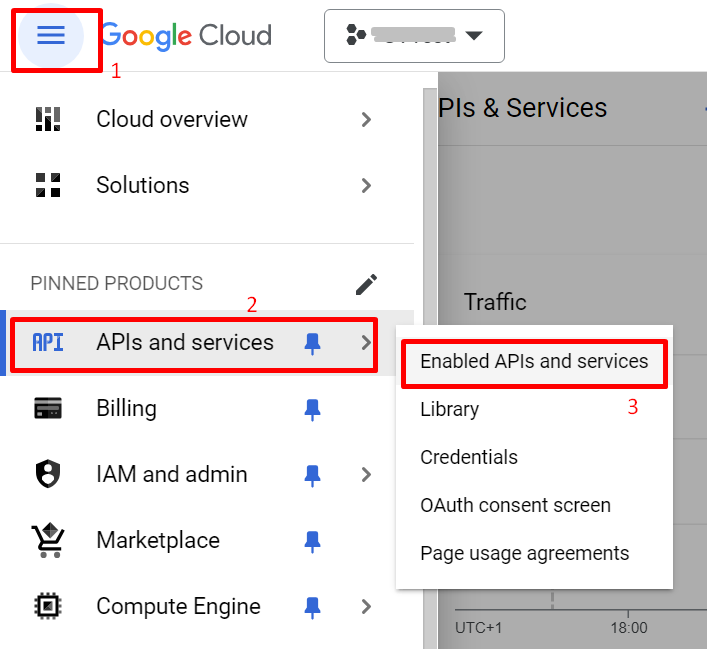
- In the Google Cloud Console, navigate to the .
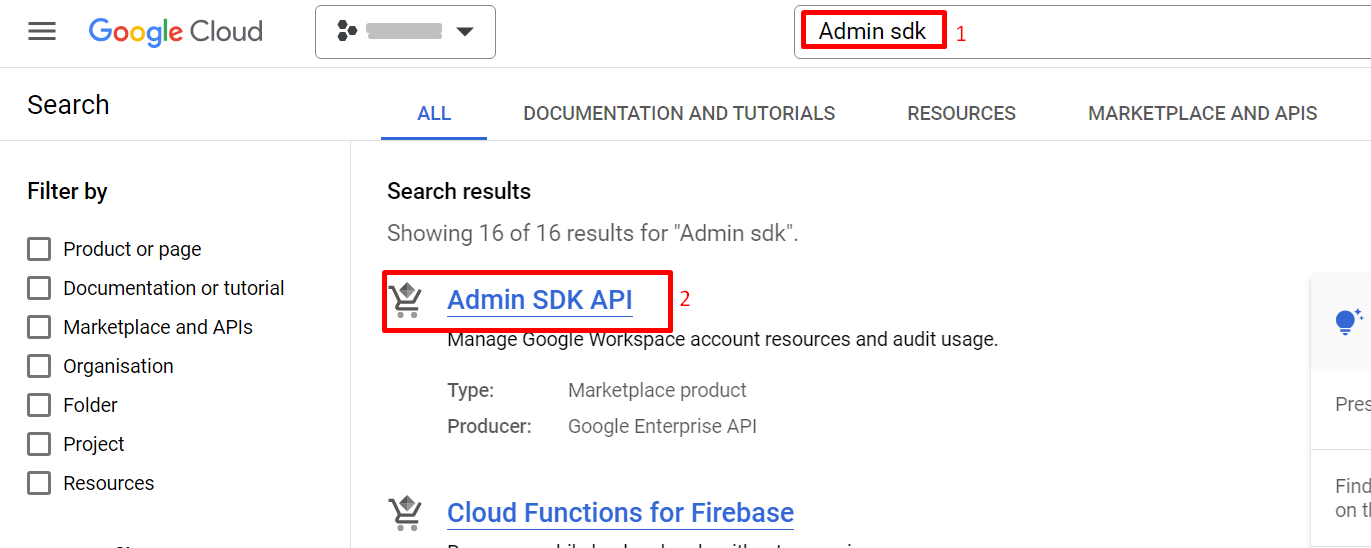
- Search for Admin SDK and click on it.
- Click the Enable button to enable the Admin SDK API for your project.
-
Create OAuth 2.0 Credentials:
-
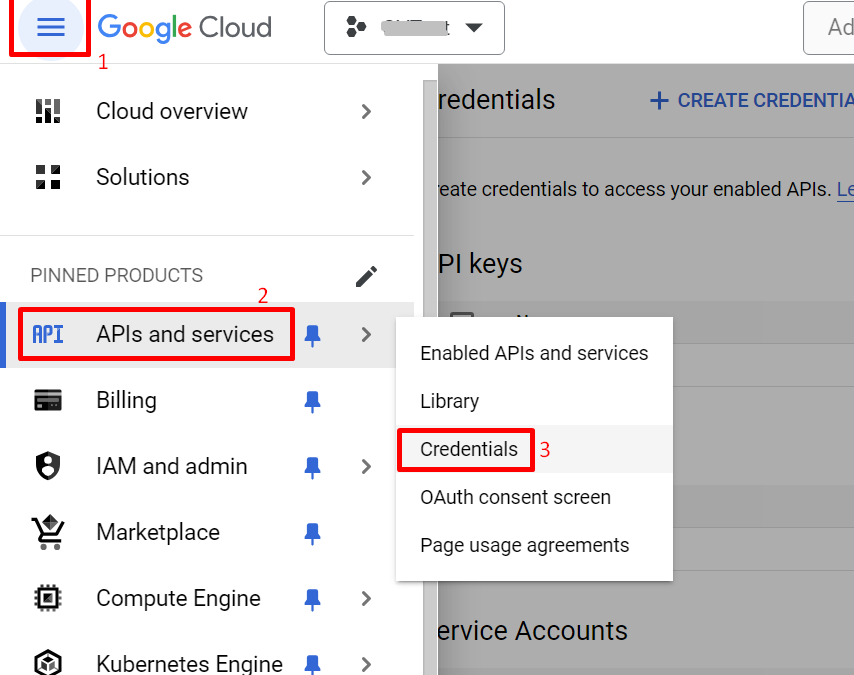
In the Google Cloud Console, go to .
-
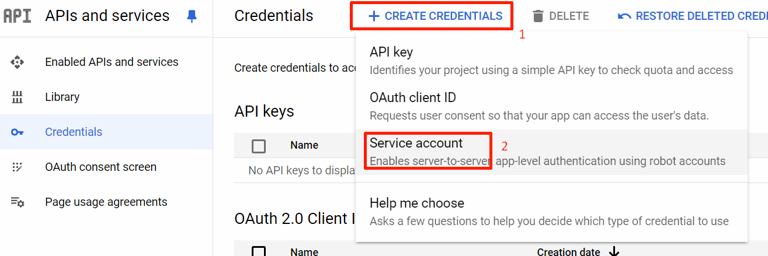
Click Create credentials and select Service account.
-
Enter a name in the Service account name field and click CREATE CREDENTIALS.
-
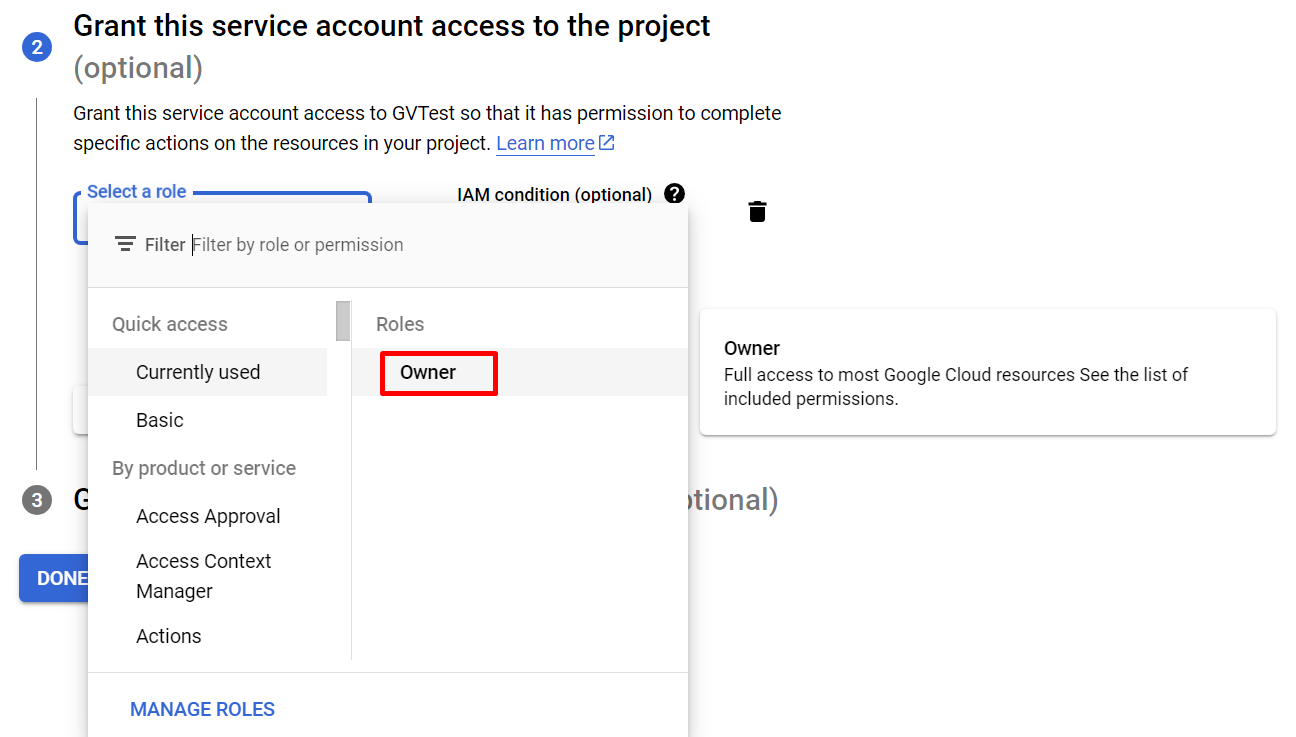
Under Grant this service account access to the project select role as Owner and click DONE.
-
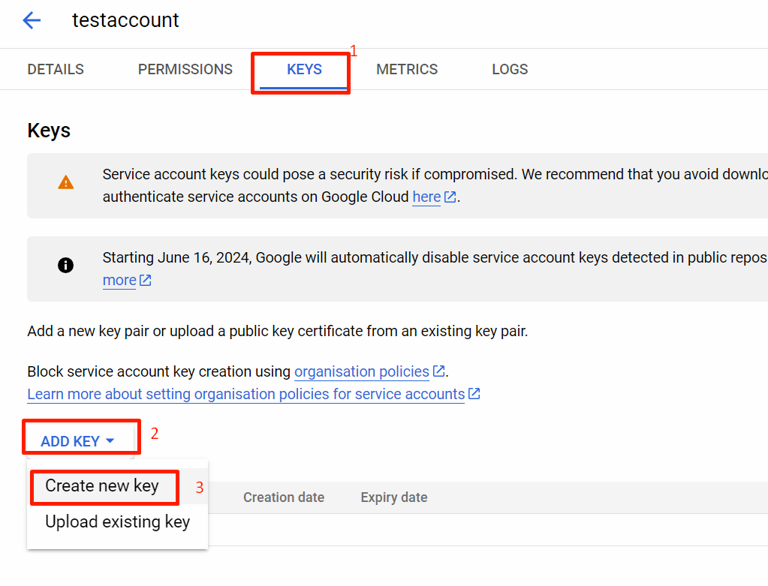
Select the newly created service account and click .
-
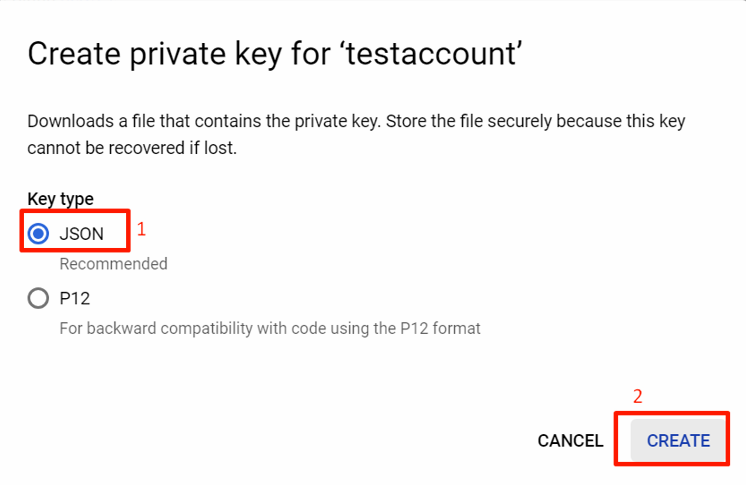
Make sure the key type is set to json and click
-
The new private key pair is generated and downloaded to the machine. Note the values of
private_key, client_email and
client_id.