Content migration in progress, completing by midnight IST on 17 November 2026.
Configuring Google IAM connector in Dashboard
Steps
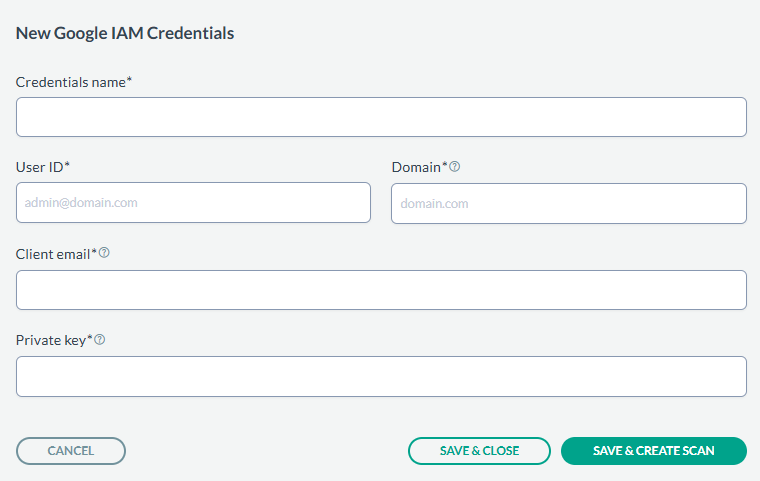
Navigate to Administration > Data Sources > Google IAM > New Credentials.
Provide the Credential Name, User ID, Domain generated in the previous section from the google cloud
application, Client email and Private key.
After entering the values, you can either just Save & Close or you can proceed onto creating a scan configuration by clicking Save &
Create Scan.
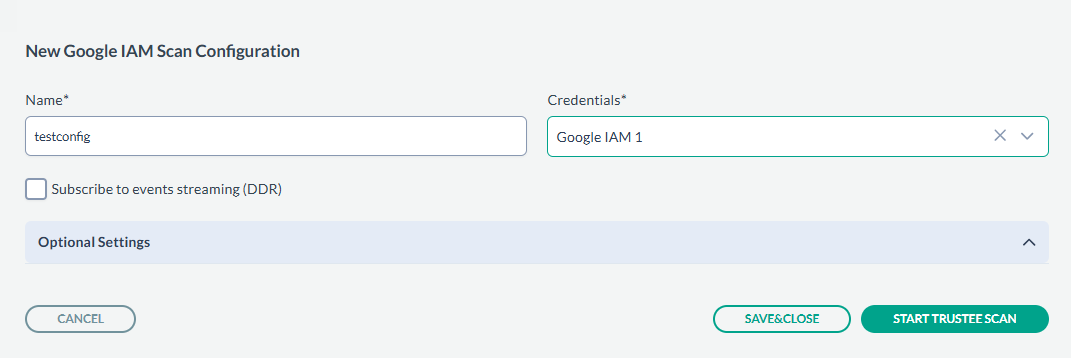
On the tab Scan configurations, click New Configuration, next enter the Name and select the
Credentials created in above steps. An example is shown below:
Next, click SAVE & CLOSE to just save the configuration or you can start the scan by clicking START TRUSTEE SCAN.
The scan results can be viewed under Dashboard > Access Governance.