Select Server Authentication (with JWT) and enter app name, then click Create App.
In the Configuration tab, change App Access Level to App + Enterprise Access, then, enable Generate
user access tokens and Make API calls using the as-user header.
Click on Save changes.
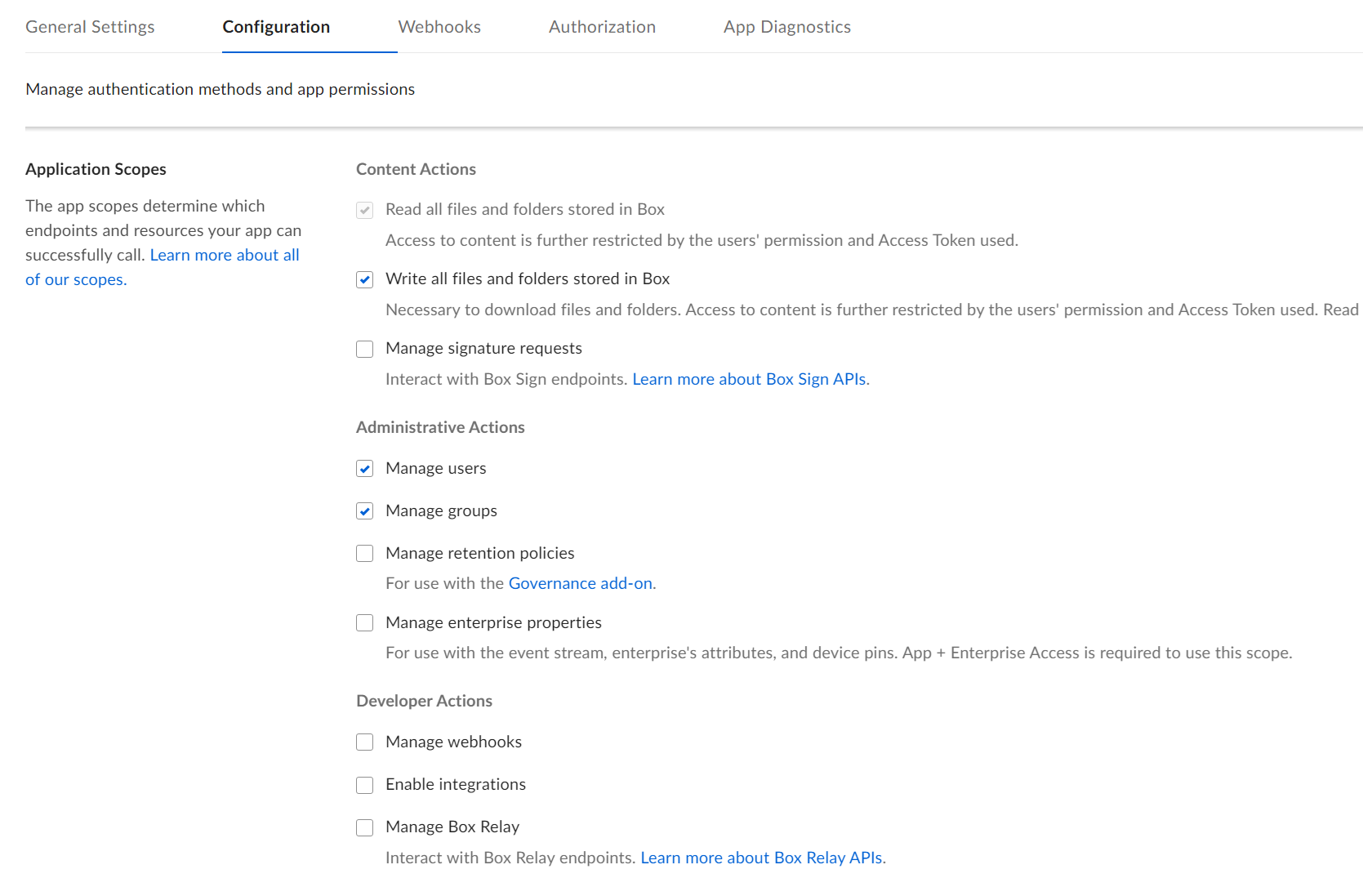
Make sure the below Application Scopes are selected
Content Actions > Read all files and folders stored in Box
Content Actions > Write all files and folders stored in Box
Administrative Actions > Manage users
Administrative Actions > Manage groups
In the same Configuration tab, scroll down to Generate a Public/Private Keypair.
This will result in a JSON file being downloaded by the browser
In Authorization tab, click Review and Submit followed up with adding a description before submitting the app for review.
Make note of User ID and Enterprise ID of the App in General Settings tab.
Exit Dev Console and switch to the Admin Console.
In Admin Console, navigate to Apps > Custom Apps Manager and locate the newly created app and click View button.