Content migration in progress, completing by midnight IST on 17 November 2026.
Creating custom dashboards
Complete below steps to create a custom dashboard from available templates:
Steps
-
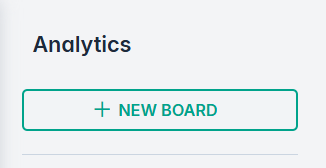
Navigate to Analytics section.
-
Click +NEW BOARD.
-
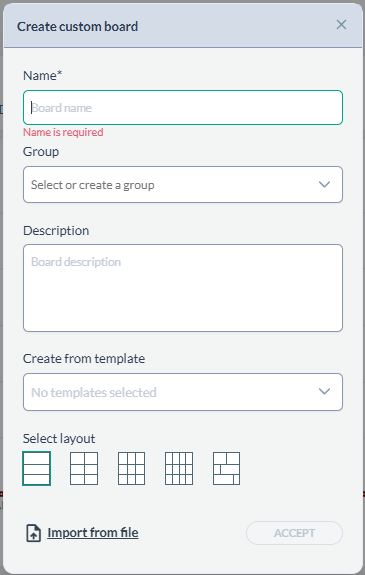
On the Create custom board dialog, enter the Name, Group, Description, select a
template from the drop down, and a Select layout for the dashboard:
-
Click Accept. This step will add your custom dashboard to the left panel.
-
Click the newly added dashboard from the left panel to open. You can edit,delete, or duplicate a dashboard using options:
-
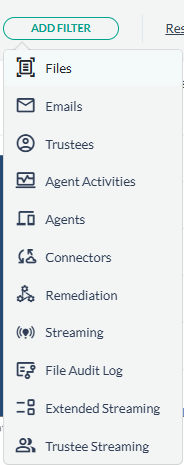
Add filters to the dashboard: Click ADD FILTER.
-
Select any of the options available:
-
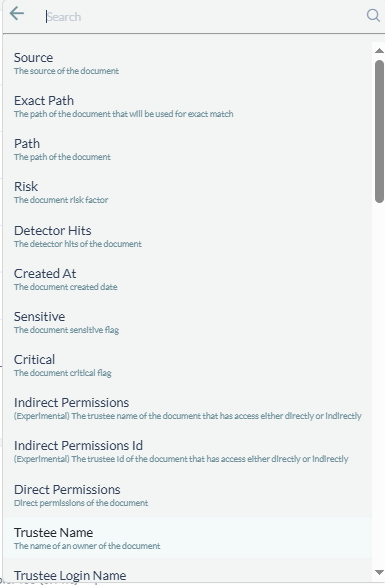
Select the property for an object to include in the filter. For example, if you selected Files, it will next, give you following properties:
To reset the filters, you can click the Reset button.
-
(Optional) To edit widgets in the dashboard: Click the EDIT WIDGETS button.
-
(Optional) To export to PDF: Click the EXPORT PDF button.
 To reset the filters, you can click the Reset button.